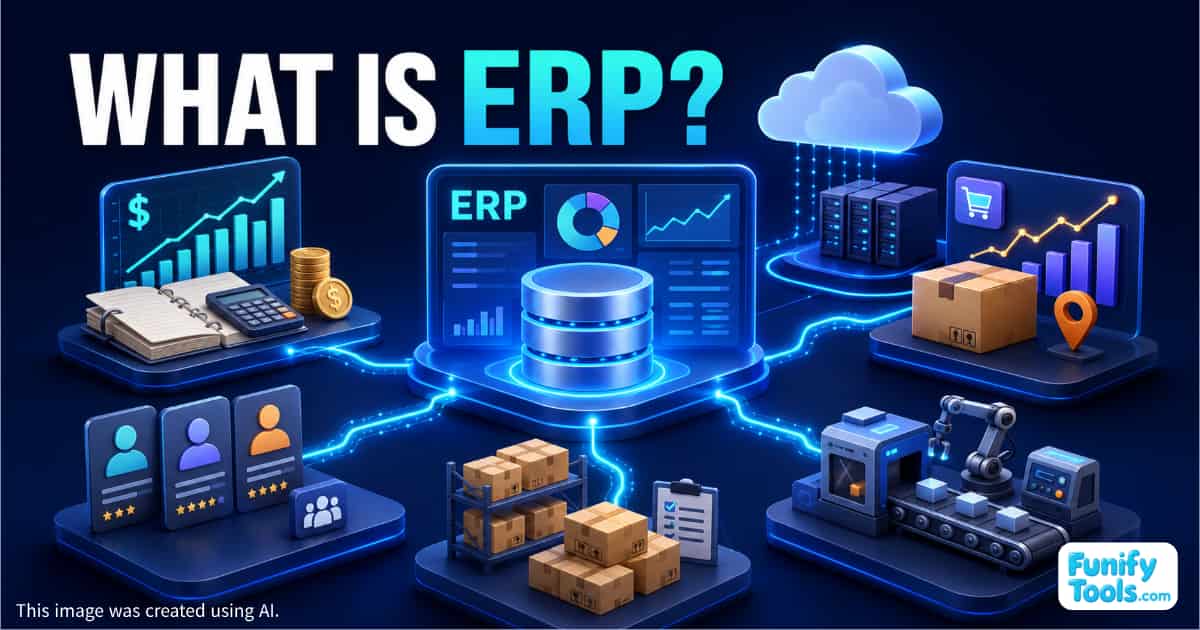
The term ERP can sound complicated and intimidating when you first encounter it. In simple terms, however, ERP is a system that allows a company to manage its core business activities within one integrated platform.
ERP stands for Enterprise Resource Planning. In this context, “resources” refers to everything a company uses to operate, including people, money, inventory, equipment, and time.
Many businesses start out using separate tools for different tasks. Accounting may be handled in dedicated software, payroll may be managed in spreadsheets, and inventory may be recorded in yet another program.
This arrangement may work well enough while the company is small. As the business grows, however, inconsistencies begin to appear. The sales team's revenue figures may not match the numbers used by the accounting department. Employees may accept a customer order believing that an item is in stock, only to discover that there is not enough inventory to fulfill it on time.
Preparing reports can also become increasingly difficult. Employees may have to move between several systems, export data, and manually reconcile conflicting numbers. In some cases, producing a single report can take an entire day.
Why ERP Systems Were Developed
ERP was created to solve these problems by bringing essential business functions—such as accounting, human resources, purchasing, inventory, production, and sales—together in a single system and database.
Suppose a company ships 100 products to a customer. Within an ERP system, that transaction can trigger several updates at the same time:
- Inventory decreases by 100 units.
- Revenue is recorded.
- An account receivable is created.
- Applicable taxes are calculated.
- The order and shipping records are updated.
Employees do not have to enter the same transaction again in a separate accounting program. Because every department works with the same underlying data, discrepancies between departments are also less likely to occur.
What Does an ERP System Manage?
ERP systems can cover a wide range of business operations, including:
- Financial accounting and reporting
- Human resources and payroll
- Purchasing and materials management
- Warehouse and inventory management
- Production planning and process control
- Sales, orders, and shipping
The modules a company needs will depend on its size, industry, and business model. Nevertheless, the basic idea remains the same: ERP standardizes recurring business processes and incorporates them into one connected system.
For this reason, implementing ERP is not simply a matter of replacing one piece of software with another. It usually requires a company to review, organize, and sometimes redesign the way its employees work.
The Main Benefits of ERP
Most of the benefits of ERP come from integration and standardization.
First, employees across different departments work with the same data. This creates consistency and reduces arguments over which spreadsheet or report contains the correct figures.
Second, ERP reduces duplicate data entry and manual calculations. Employees can complete routine tasks faster, while the risk of typing errors and missed updates is reduced.
Third, ERP provides greater visibility into the company's operations. Managers and employees can more easily answer questions such as:
- How much inventory is currently available?
- What are the expected sales and profits for this month?
- Which products are selling most quickly?
- How have sales from a particular customer changed over time?
- Which purchase orders or customer payments are still outstanding?
Because business data is continuously collected in one system, users can view dashboards and generate reports without manually combining information from several different sources.
The Challenges of ERP Implementation
ERP also has disadvantages and implementation challenges. The most obvious are cost and time.
A full ERP project may involve software licensing or subscription fees, servers or cloud infrastructure, consulting services, system configuration, data migration, customization, and employee training.
Implementation is rarely completed overnight. Depending on the size and complexity of the company, a project may take several months or, in some cases, more than a year.
Employee resistance is another common challenge. People who have relied on familiar spreadsheets and established routines for many years may be reluctant to adopt a more standardized process. It is common to hear comments such as, “The old way was easier.”
That is why ERP implementation should be viewed as both a technology project and an organizational change project. Even a technically advanced system can fail if employees do not understand why it is being introduced or how they are expected to use it.
Global ERP Solutions
The ERP market includes both international and domestic solutions.
Well-known global products include SAP S/4HANA, Oracle Fusion Cloud ERP, Oracle NetSuite, and Microsoft Dynamics 365.
SAP and Oracle offer enterprise-grade systems used by many large organizations around the world. Their strengths include support for multiple languages, currencies, legal entities, and national accounting requirements. These capabilities can be especially valuable for companies that operate across several countries.
However, large-scale ERP systems can also be expensive and complex to implement. They often require extensive consulting, configuration, employee training, and ongoing management. As a result, they are commonly chosen by larger companies with complex operations.
Microsoft Dynamics 365 is known for its integration with the broader Microsoft ecosystem. It can be attractive to companies that already rely heavily on Microsoft 365, Power BI, Teams, and other Microsoft business tools.
Other international solutions include Workday, which is particularly strong in human resources and talent management, as well as many industry-specific ERP products designed for sectors such as manufacturing, retail, healthcare, and construction.
Popular ERP Solutions in South Korea
South Korea also has several widely used domestic ERP solutions, including Douzone, Younglimwon K-System, and ECOUNT ERP.
Douzone is optimized for the accounting, tax, electronic invoicing, payroll, and social insurance requirements that Korean companies handle every day. It is widely used by small and midsize businesses that need a system designed around the Korean regulatory and business environment.
Younglimwon K-System provides modules and industry templates suited to sectors such as manufacturing, distribution, and construction. It is often considered by companies that need to manage factories, materials, production, inventory, and logistics within one system.
ECOUNT ERP is a relatively affordable cloud-based solution with a monthly subscription model. Its lower entry cost makes it accessible to startups and smaller manufacturing or distribution businesses that want to adopt ERP without making a large initial investment.
The main strengths of domestic ERP products are their support for Korean accounting practices, tax requirements, electronic documents, and Korean-language interfaces. However, some domestic solutions may be less suitable for highly complex global operations involving many overseas subsidiaries, currencies, and regulatory environments.
Cloud ERP vs. On-Premises ERP
One of the most important decisions when choosing an ERP system is whether to use a cloud-based or on-premises deployment.
What Is Cloud ERP?
Cloud ERP is hosted and operated in a vendor's data center or on a public cloud platform. Users access the system over the internet, usually through a web browser or business application.
Instead of purchasing and operating their own servers, customers generally pay a monthly or annual subscription fee.
Cloud ERP offers several advantages:
- Lower initial infrastructure costs
- Access from different locations
- Easier deployment for remote and distributed teams
- Vendor-managed security patches and updates
- Less responsibility for maintaining physical servers
- Easier scaling as the company grows
Cloud ERP can reduce the burden on an internal IT team, but it also has limitations. Access may be disrupted if the internet connection is unavailable. Deep customization may also be restricted, especially when the service uses a standardized environment shared by many customers.
Long-term costs should be considered as well. Although the initial investment may be lower, subscription fees paid over five or ten years can sometimes exceed the cost of an on-premises system.
What Is On-Premises ERP?
On-premises ERP is installed on servers located inside the company or in its own data center. The company has greater control over the system, infrastructure, security policies, updates, and data.
This approach can be appropriate for organizations that handle highly sensitive information or operate under regulations that restrict where data can be stored.
On-premises deployment can also offer greater flexibility when a company needs extensive source-level customization or complex integrations with older internal systems.
However, that control comes with additional responsibility. The company must usually manage:
- Servers and network infrastructure
- Security patches and system upgrades
- Data backups
- Disaster recovery
- Performance monitoring
- Hardware replacement
- Technical support and incident response
Initial infrastructure and implementation costs can be high, and the company needs sufficient internal IT expertise to operate the system reliably.
How Should a Company Choose an ERP System?
When evaluating ERP options, it is easy to focus too heavily on product names and feature lists. A better starting point is to examine the company's actual needs.
Important questions include:
- Does the company operate mainly in one country, or does it plan to expand internationally?
- Does it manage large amounts of inventory?
- Are manufacturing and production planning important?
- How many employees and locations will use the system?
- Does the company have an experienced internal IT team?
- Are extensive customizations required?
- Is a lower initial cost more important than predictable long-term ownership costs?
- Are there legal or security restrictions on where company data can be stored?
- Which existing systems must be connected to the ERP?
The most expensive or widely recognized product is not necessarily the best choice. A successful ERP system is one that fits the company's business processes, workforce, budget, and future plans.
Final Thoughts
ERP is an integrated system that connects accounting, human resources, inventory, production, purchasing, and sales so that a company can operate as one coordinated organization.
Global and domestic ERP products each have their own strengths. The best deployment model will also vary depending on whether the company values the accessibility and lower initial burden of cloud ERP or the control and customization available with an on-premises system.
For beginners, it is more useful to understand the company's requirements than to memorize individual ERP product names. Consider whether the business is focused on the domestic market or global expansion, whether manufacturing and inventory play a major role, how much internal IT expertise is available, and whether initial or long-term costs are more important.
Once those conditions are clear, ERP becomes much easier to understand—not as a complicated piece of enterprise software, but as a practical tool for making a company's operations more organized, connected, and transparent.
Thank you for reading, and I hope you have a wonderful day!
This article is also available in Korean: Read the Korean version