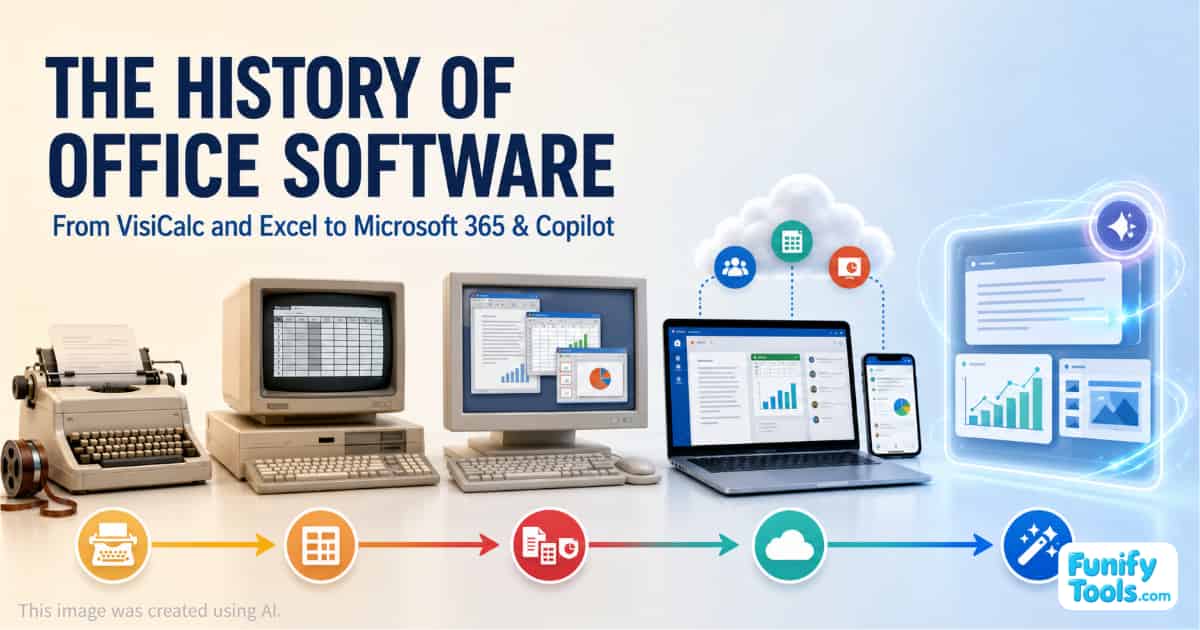
Office software is a collection of essential tools used to create, organize, and share information at work and school. Its three most familiar functions are:
- Word processing for writing and formatting reports, letters, and other documents
- Spreadsheets for organizing numbers, performing calculations, and creating charts
- Presentation software for producing slide decks
Over time, office suites also gained email, calendars, PDF support, file sharing, and real-time collaboration. As a result, they evolved from simple document editors into complete workspaces that support the entire flow of modern work.
The simplest way to understand office software is as a set of tools for creating written documents, spreadsheets, and presentations. Its history, however, is also the history of how work moved from paper and standalone computers to connected cloud platforms powered by artificial intelligence.
Microsoft Office has become the dominant global standard, but South Korea developed a particularly distinctive office software culture. Hancom Office, built around the Korean word processor Hangul—also known as Hangul Word Processor or HWP—has long been used alongside Microsoft Office in workplaces, schools, and government institutions.
This unusual coexistence reflects the requirements of the Korean language, the document practices of public institutions, and the needs of domestic users.
Let us trace the history of office software from early word processing and spreadsheets to presentation tools, cloud collaboration, subscriptions, and AI assistants.
The 1960s: The Early Concept of Word Processing
1964 — IBM MT/ST
IBM's Magnetic Tape Selectric Typewriter, commonly known as the MT/ST, helped introduce word processing as a practical commercial concept.
At the time, most documents were produced directly on paper with a typewriter. A single typing error could require correction fluid, manual editing, or even retyping the entire page.
The IBM MT/ST recorded typed content on magnetic tape. Users could retrieve the stored material, revise selected sections, and print a corrected version.
This introduced an idea that now seems completely ordinary: a document could be stored as information and edited later.
Instead of treating writing as a one-time act that immediately produced a permanent paper copy, the MT/ST helped establish a workflow in which text could be saved, revised, and reproduced. It became an important step toward modern computer-based word processing.
The 1970s: Word Processing and the First Spreadsheet Revolution
1979 — WordStar
WordStar was one of the first commercially successful word processors for microcomputers.
Before programs such as WordStar appeared, advanced document creation was generally associated with dedicated word-processing equipment or large computer systems. WordStar demonstrated that practical writing, editing, saving, and revising could also be performed on a personal computer.
Its keyboard-driven controls and editing features helped transform the microcomputer from a hobbyist machine into a useful business tool.
WordStar also demonstrated that word-processing software could become a successful commercial product in its own right.
1979 — VisiCalc
VisiCalc, released on October 17, 1979, is widely remembered as one of the first great “killer apps” of the personal computer era.
It allowed users to enter numbers into cells and connect them with formulas. If one value changed, related results were automatically recalculated.
Today, this behavior is expected from any spreadsheet. At the time, it was revolutionary.
Tasks such as budgeting, sales forecasting, financial planning, and cost analysis had previously required handwritten tables and repeated calculator work. VisiCalc made these processes faster, more accurate, and easier to revise.
People sometimes said they purchased a personal computer specifically to use VisiCalc. The software helped establish the PC as a serious productivity tool rather than merely a device for games, programming, or personal experimentation.
The 1980s: Spreadsheets, Presentations, and Office Suites
1983 — Lotus 1-2-3
Released on January 26, 1983, Lotus 1-2-3 helped turn the spreadsheet from a useful personal application into a standard corporate tool.
If VisiCalc demonstrated the potential of the spreadsheet, Lotus 1-2-3 developed the concept into a faster and more powerful business product. It combined spreadsheet calculations with charting and basic data-management capabilities.
The software became particularly successful on IBM-compatible PCs and was widely adopted in accounting, finance, and corporate planning.
Lotus 1-2-3 played an important role in convincing companies to purchase PCs for everyday office work.
1987 — PowerPoint 1.0
PowerPoint 1.0 marked an important turning point in the creation of presentation materials.
Before presentation software became common, businesses often relied on professionally produced photographic slides or printed transparencies for overhead projectors. Revising those materials could be slow and inconvenient.
PowerPoint allowed users to arrange text, shapes, and images on editable digital slides. Presentations could now be created and revised much like ordinary documents.
This helped make presentation software an essential part of the modern office environment.
1989 — Hangul 1.0
Hangul 1.0, commonly known in Korea as Arae-A Hangul, was released on April 24, 1989. It became a foundational product in South Korea's document software ecosystem.
At the time, Korean-language input and typesetting on computers could be difficult or limited. Hangul provided features designed specifically for creating well-formatted Korean documents and quickly gained widespread adoption.
Government documents, school assignments, reports, and other materials were increasingly created and exchanged in the HWP format. This influenced not only software use but also administrative practices and workplace conventions throughout Korea.
Hangul later became the foundation of Hancom Office, one of the most notable examples of a locally developed office suite remaining widely used alongside Microsoft Office.
1989 — Microsoft Office for Mac
Microsoft Office for Mac brought Word, Excel, PowerPoint, and other applications together as a bundled office suite.
Previously, users often thought of word processors, spreadsheets, and presentation programs as separate products. Selling them together created a more consistent environment for producing written documents, analyzing data, and building presentations.
The bundle also made it easier to exchange information among applications and learn similar interfaces and commands.
This strategy laid the groundwork for the later growth of Microsoft Office on Windows and helped establish the modern idea of an office suite as an integrated collection of productivity applications.
The 1990s: Microsoft Office Becomes a Standard
1990 — Microsoft Office for Windows
Microsoft Office for Windows, released on October 1, 1990, helped establish the integrated office suite as a standard part of the Windows environment.
By offering Word, Excel, and PowerPoint together, Microsoft reinforced the idea that business applications should be purchased and used as a coordinated set rather than as unrelated programs.
For companies, this made deployment, employee training, and software maintenance easier. For users, similar menus and interface conventions reduced the time required to learn each application.
As office suites became standard workplace software, the PC became firmly established as a central piece of business equipment.
1990 — The Establishment of Hancom
Hancom's establishment in 1990 created a stronger organizational foundation for the long-term development, distribution, and support of Korean office software.
Hangul had already attracted significant attention, but maintaining it as a commercial product required a company capable of continuing development and supporting a growing user base.
Different sources have cited different dates in connection with the company's founding, including October 9 and November 2, 1990. Regardless of the exact date used, this period marked the beginning of a more structured domestic office software industry in South Korea.
From then on, software optimized for Korean-language documents continued to develop alongside Microsoft Office. This created a distinctive environment in government, education, and domestic business.
The 2000s: Open Formats, Free Alternatives, and Web Collaboration
2002 — OpenOffice.org 1.0
Released on May 1, 2002, OpenOffice.org 1.0 challenged the assumption that a capable office suite had to be expensive commercial software.
Users could download word-processing, spreadsheet, and presentation applications free of charge. As an open-source suite available on multiple operating systems, OpenOffice.org also reduced dependence on a single vendor.
Its arrival helped expand the free and open-source office software ecosystem and encouraged wider discussion about software access, compatibility, and open document standards.
2005 — ODF 1.0
The OpenDocument Format, or ODF 1.0, became an OASIS standard on May 1, 2005.
ODF reflected the idea that document formats should be openly documented so that multiple applications could read and write the same files. Users and institutions would not have to depend permanently on one program simply to access their own documents.
From this point, competition in office software was no longer based only on features and ease of use. File formats and interoperability also became major areas of debate.
This was especially important for governments and public institutions that needed to preserve documents over long periods.
2006 — Google Docs and Spreadsheets
Google Docs and Spreadsheets helped move office software from installed desktop applications into the web browser.
Users could share documents through links, edit the same file simultaneously, and rely on automatic saving and revision history. At the time, this represented a major change in how people thought about documents.
Instead of repeatedly attaching updated files to email messages, teams could work together in one shared document.
As browser-based services became more popular, collaboration and sharing became just as important as the editing features themselves.
2006 — Hancom Office 2007
Released in July 2006, Hancom Office 2007 strengthened South Korea's domestic office suite as a complete package.
The product maintained its focus on Korean-language word processing while bringing together spreadsheet and presentation applications. Compatibility with Microsoft Office documents also remained an important development priority.
During this period, Hancom Office reinforced its position in Korean government agencies, schools, and workplaces.
2007 — Microsoft Office 2007
Microsoft Office 2007, released to retail customers on January 30, introduced one of the most visible interface changes in the suite's history.
Microsoft replaced the traditional menu-and-toolbar layout with the Ribbon interface, which organized commands into task-based tabs and groups.
Office 2007 also adopted Office Open XML, or OOXML, as the default format for Word, Excel, and PowerPoint files. This introduced familiar extensions such as .docx, .xlsx, and .pptx.
The late 2000s can therefore be understood as a period when several major trends emerged simultaneously:
- Free office alternatives became more capable.
- Open and proprietary document formats competed for adoption.
- Browser-based collaboration became increasingly important.
- Office interfaces and usability underwent major redesigns.
The 2010s: Office Software Moves to the Cloud
2011 — LibreOffice 3.3
LibreOffice 3.3, released on January 25, 2011, helped establish LibreOffice as a major open-source office suite.
Its community-driven word processor, spreadsheet, and presentation applications continued to improve, giving users a credible way to create and exchange office documents without depending on one commercial provider.
LibreOffice gradually became more than a lightweight alternative. It developed into a serious option considered by individuals, companies, schools, and public institutions.
2011 — Office 365
The launch of Office 365 on June 28, 2011, accelerated Microsoft's transition from packaged desktop software to subscription-based cloud services.
Instead of purchasing a fixed version and waiting for a major upgrade, subscribers could receive continuously updated applications and online services.
Office 365 also extended beyond Word and Excel. Email, collaboration, server capabilities, identity management, administration, and security became part of the broader offering.
For organizations, the subscription model changed purchasing and maintenance. For users, it made it easier to work across multiple devices and locations.
Office software was becoming an ongoing service rather than a product installed once and replaced several years later.
2012 — Google Drive
Google Drive, launched on April 24, 2012, made this cloud-centered model even clearer.
Rather than treating documents, spreadsheets, and presentations as isolated applications, Google placed cloud storage at the center of the experience. File storage, sharing, permissions, collaborative editing, and version history became parts of one connected workflow.
Users became accustomed to sharing links instead of sending files by email. Multiple people could edit the same document simultaneously, while changes were automatically recorded.
During the 2010s, office software completed its transformation from an individual productivity tool into a platform for team collaboration.
The 2020s: Microsoft 365, AI, and Copilot
2020 — Microsoft 365
On March 30, 2020, Microsoft announced that its consumer Office 365 subscriptions would be renamed Microsoft 365 Personal and Microsoft 365 Family. The new names took effect on April 21.
The rebranding reflected a broader change in what the subscription represented.
Microsoft was no longer presenting the product solely as a collection of applications such as Word and Excel. Microsoft 365 combined productivity software with cloud storage, security, support, and services designed to work across multiple devices.
Office had evolved from software installed on one computer into an account-based service that followed users through work, education, and everyday life.
2023 — Microsoft 365 Copilot
Microsoft announced Microsoft 365 Copilot on March 16, 2023, marking another major change in the direction of office software.
Copilot brought generative AI capabilities into applications including Word, Excel, PowerPoint, Outlook, and Teams. It could help users draft text, summarize documents, analyze data, prepare presentations, and organize information.
More importantly, the concept extended beyond assistance within one application. Copilot was designed to work across documents, email, calendars, chats, meetings, and other business data.
This moved office software beyond the role of a passive tool. It began to act more like an AI-assisted work hub that could help prepare, organize, and transform information on the user's behalf.
2024 — Office 2024
Office 2024 became available to consumers on October 1, 2024, demonstrating that subscriptions were not Microsoft's only option.
Products such as Office Home 2024 and Office Home & Business 2024 continued to be sold with perpetual licenses for users who preferred to purchase a fixed version once instead of paying an ongoing subscription.
The office software market of the 2020s therefore has a hybrid structure:
- Subscription services provide continuous updates, cloud integration, and expanding AI features.
- Perpetual-license products remain available for users who prefer a fixed version.
- Browser-based platforms emphasize sharing and real-time collaboration.
- Open-source suites continue to provide vendor-independent alternatives.
- AI is beginning to participate directly in the creation and interpretation of work.
Office Software Changed More Than Documents
The history of office software is not simply a story of applications gaining more features. It is the history of work moving from paper documents to digital workflows.
The most important changes were not limited to writing. Revision, sharing, collaboration, compatibility, search, and long-term accumulation became increasingly valuable.
As a result, office suites developed from document editors into foundational platforms that contain the working language and institutional knowledge of organizations.
South Korea offers a particularly interesting example. Microsoft Office and Hancom Office developed side by side, showing that the evolution of office software is shaped not only by technology but also by language, education, government administration, and local working practices.
Ultimately, office software is more than a set of programs for creating documents.
It is a software platform that shapes how people create, communicate, share, and preserve knowledge.
From magnetic tape and early word processors to spreadsheets, presentation software, cloud collaboration, and AI assistants, the history of office software is also the history of how modern knowledge work was designed.
Thank you for reading, and I hope you have a wonderful day!
This article is also available in Korean: Read the Korean version