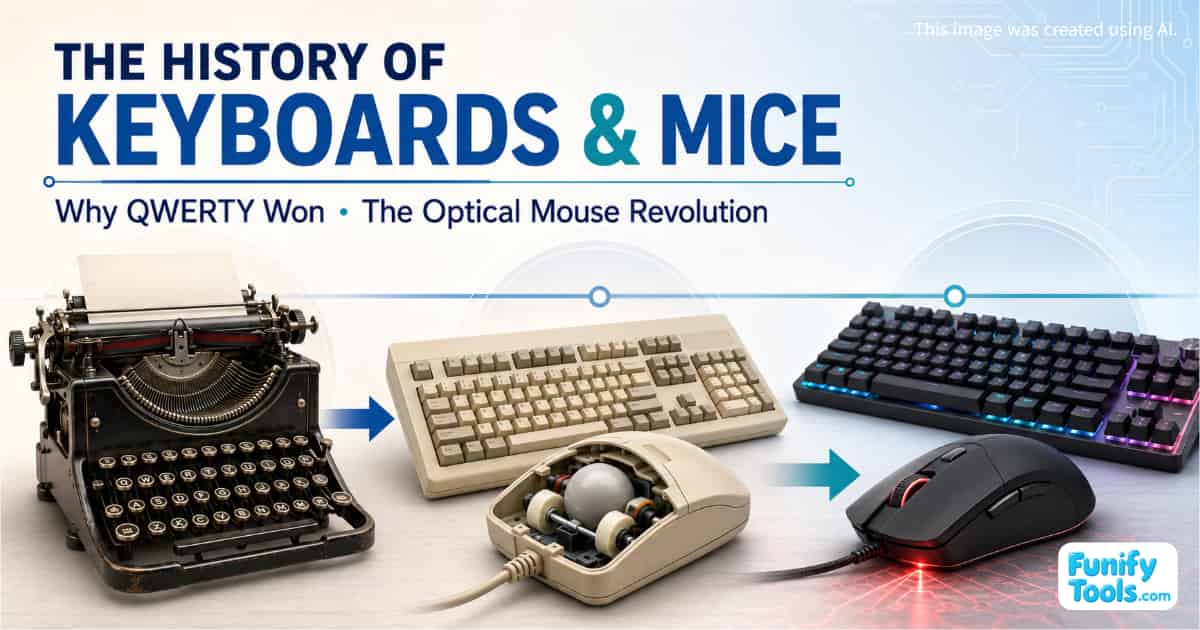
The history of the keyboard and mouse is really the story of how people learned to communicate with computers—and how those methods became standardized and increasingly intuitive.
Today, we take both devices for granted, but the keyboard and mouse were not originally designed as a matching pair. Early computers received input through switches, punched paper tape, and teleprinter terminals. Familiar input devices emerged only as personal computers became more widely available.
The Keyboard Began with the Typewriter
The keyboard traces its origins to the typewriter.
The basic idea of pressing a key to produce a printed character had already become familiar through typewriter culture. When personal computers arrived, the keyboard was therefore one of the most practical input methods to adopt.
The QWERTY layout we use today was not invented for computers. It was popularized through the development of typewriters in the late nineteenth century and was later carried into the computer era.
This leads to a question many people still ask:
Why did QWERTY become the standard?
Was QWERTY Deliberately Designed to Slow Typists Down?
One of the most common explanations is that QWERTY was designed to reduce mechanical jams by making typing less efficient.
Early mechanical typewriters used metal typebars that moved toward the paper. When certain combinations of letters were typed quickly in succession, nearby mechanisms could collide or become jammed.
Designers appear to have considered these mechanical limitations when arranging the keys. However, the familiar claim that QWERTY was deliberately created simply to slow typists down is probably an oversimplification.
The layout developed through a combination of mechanical constraints, commercial decisions, typing practices, and gradual design changes.
More importantly, the reason QWERTY survived was not necessarily that it represented the most efficient possible keyboard arrangement. It gained an early advantage in the market, and the surrounding ecosystem eventually turned it into a standard.
Network Effects Made QWERTY Difficult to Replace
Standards become powerful through network effects.
Once companies and schools began teaching people to type on QWERTY keyboards, textbooks, exams, office practices, and hiring requirements were built around the same layout. Manufacturers then had a strong reason to produce QWERTY keyboards by default.
Users came to expect the same arrangement wherever they encountered a keyboard.
At that point, an alternative layout could not overturn the standard simply by being slightly more efficient. Changing layouts would require individuals to relearn how to type, organizations to redesign training programs, and manufacturers to support a different hardware standard.
The surrounding environment would have to change along with the keyboard.
QWERTY therefore became stronger not only because of its technical design, but because nearly everyone was already using it. That advantage continues today.
The Mouse Made Graphical Computing Feel Natural
The mouse followed a somewhat different path.
The keyboard handled text and commands, while the mouse gave people a way to manipulate points, icons, windows, and objects on a screen.
Researchers experimented with pointing devices before graphical user interfaces became mainstream. Once GUIs began spreading, however, the mouse transformed tasks that had been cumbersome with a keyboard alone.
Actions such as clicking icons, selecting text, resizing windows, and dragging and dropping files became much more intuitive.
This played an important role in turning the computer from a specialized tool for experts into something ordinary people could use in everyday life.
How the Mechanical Ball Mouse Worked
For many years, the mechanical ball mouse was the standard design.
A rubber or metal-coated ball on the underside of the mouse rolled across the desk. As it moved, the ball turned internal rollers. The mouse measured the rotation of those rollers and converted it into horizontal and vertical cursor movement.
The mechanism was simple and effective, but it depended on physical contact and friction.
Dust, hair, and other debris gradually collected on the ball and rollers. When enough dirt accumulated, the cursor could jump, skip, or move inconsistently.
Users regularly had to remove the ball and clean the internal rollers. Anyone who used a computer during that period probably remembers scraping stubborn dirt from inside a mouse.
The Optical Mouse Revolution
Optical mice eliminated the need for a rolling ball.
An LED or laser illuminates the surface below the mouse, while a small image sensor captures the microscopic surface pattern at extremely high speed. A processor compares consecutive images and calculates how far and in which direction the mouse has moved.
Because there are fewer moving mechanical parts, optical mice require much less cleaning. They also translate hand movement into cursor movement more consistently.
Early optical sensors sometimes struggled on glass, highly reflective materials, or surfaces with very little visible texture. Later sensor technologies improved tracking and reduced many of these limitations.
The transition from ball mice to optical mice was therefore more than a minor convenience. It significantly improved reliability, consistency, and maintenance.
Keyboards Are Becoming Advanced Input Platforms
Keyboards and mice once appeared to be mature peripherals with little room left for innovation. Recently, however, they have once again become highly competitive technology products.
One of the biggest developments in keyboards has been the rapid adoption of magnetic Hall effect switches.
Unlike conventional mechanical switches that activate at a fixed physical point, Hall effect switches use magnetic sensing to measure how far a key has been pressed. This allows users to adjust the actuation point more precisely.
A key can be configured to activate after a very light press or only after being pushed farther down.
Another widely discussed feature is Rapid Trigger. Instead of requiring the key to return to a fixed reset point, Rapid Trigger can deactivate the input as soon as the user begins releasing the key.
This can make repeated directional changes feel faster and more responsive.
These features are particularly popular in competitive first-person shooters, where small differences in movement and input timing may affect performance.
Faster Inputs Have Created Fairness Debates
Advanced keyboard features have also created controversy.
Some keyboards include functions related to SOCD, or simultaneous opposite cardinal directions. These systems determine what should happen when a player presses two opposing movement keys at the same time.
Depending on how the feature is implemented, the keyboard may prioritize the most recent input or apply another rule that makes rapid directional changes easier.
Critics argue that certain implementations can provide an unfair advantage by automating part of the input process. As a result, some games and competitive environments have considered restricting or disabling these features.
Keyboard manufacturers are increasingly expected to provide both the technology and a way to turn it off when required by game rules or tournament policies.
This shows how input devices are beginning to influence not only performance, but also competitive regulations.
The Race Toward 4K and 8K Mouse Polling Rates
Gaming mice have also entered a new specification race.
Polling rate refers to how often a mouse reports its position and button status to the computer. A traditional gaming mouse might report at 1,000 Hz, while newer models may support 4,000 Hz or even 8,000 Hz.
In theory, reporting more frequently can reduce input latency and make cursor movement feel more immediate.
In practice, the result depends on several factors:
- CPU performance
- USB configuration
- Display refresh rate
- Game-engine support
- Driver stability
- Wireless connection quality
An extremely high polling rate may increase system load. In certain PC configurations or games, users may experience minor stuttering or inconsistent performance instead of an obvious improvement.
For this reason, the highest available number is not always the best setting. Finding the most stable polling rate for a particular PC and game can matter more than simply selecting the maximum.
This is one of the interesting contradictions of modern input devices: the best specifications do not always produce the best real-world experience.
Popular Trends in Modern Gaming Keyboards
This is not a sponsored recommendation, but several product lines illustrate the direction of the current keyboard market.
Hall effect switches and Rapid Trigger have become major selling points among performance-focused keyboards.
Wooting keyboards are frequently mentioned among competitive gamers and are widely associated with adjustable actuation and Rapid Trigger technology.
The SteelSeries Apex Pro series also remains notable for its adjustable actuation points and rapid reset behavior. Razer's Huntsman V3 Pro line occupies a similar position in the high-performance gaming market.
Keychron's Hall effect models represent another growing trend: bringing high-end magnetic-switch features to a wider range of layouts, sizes, and design styles.
Modern high-performance keyboards have also become considerably more expensive. They are no longer marketed as simple collections of keys, but as configurable input systems with firmware, profiles, software, and specialized sensors.
Current Trends in Gaming and Productivity Mice
The following products are also mentioned only as examples, not as sponsored recommendations.
For competitive FPS gaming, lightweight wireless mice such as the Logitech G PRO X SUPERLIGHT 2 and Razer Viper V3 Pro have become representative products.
Ergonomic designs such as the Razer DeathAdder series remain popular among users who prefer stronger palm support and a shape that fits the hand more naturally.
For office productivity, Logitech's MX Master series is often recommended for its ergonomic shape, additional controls, and workflow-oriented features.
Affordable wireless models such as the Logitech G305 have also remained popular for years because they offer practical performance at a comparatively accessible price.
The right mouse still depends heavily on hand size, grip style, preferred weight, workload, and budget. A product that works perfectly for one user may feel uncomfortable to another.
From Simple Peripherals to Small Computing Platforms
The keyboard inherited its layout from the typewriter and became standardized through decades of education, manufacturing, and network effects.
The mouse evolved alongside graphical interfaces, making computers more visual and intuitive. Its transition from the mechanical ball to optical sensing improved accuracy and removed one of the most annoying maintenance tasks of early personal computing.
Today, the competition has moved beyond basic comfort and reliability.
Manufacturers are trying to make input devices faster, more precise, and more configurable. Hall effect switches, Rapid Trigger, advanced SOCD handling, lightweight wireless designs, and ultra-high polling rates are all part of this new phase.
These developments also create new questions involving fairness, compatibility, system stability, security, and competitive rules.
The keyboard and mouse are no longer merely passive computer accessories. They are becoming small computing platforms that influence how people work, play, compete, and interact with software.
Thank you for reading, and I hope you have a wonderful day!
This article is also available in Korean: Read the Korean version