Modern computers are built on the von Neumann architecture, which stores both programs and data in the same memory and lets the CPU execute them in sequence.
The CPU, motherboard, memory, storage, GPU, power supply, input and output devices, and case are all connected and work together like one organic system.
Even the latest iPhone 17 works on the same basic principles as a tiny computer, with components such as the CPU or A19 chip, unified memory, flash storage, battery, logic board, and touchscreen.
In the last post, we looked at how computers represent the world using binary, in other words, 0s and 1s. This time, let’s go one step deeper and explore the inside of a computer, piece by piece, to understand how it all works.
By the end of this post, I hope you will have a clearer picture of the basic structure of a computer and what each major component does.
The Basic Structure of Modern Computers = Von Neumann Architecture
Most modern computers follow a design proposed by John von Neumann.
Back in the 1940s, von Neumann helped define the basic structure of a computer and introduced the revolutionary idea of stored program architecture. The core idea is simple: both data and programs, meaning instructions, are stored in the same memory, and the CPU fetches and processes them one by one.
Because of this design, computers became flexible enough to run many different kinds of software without needing changes to the hardware itself. That is why today we can listen to music, write documents, and search the web all at the same time. That kind of multitasking is possible thanks to this fundamental design.
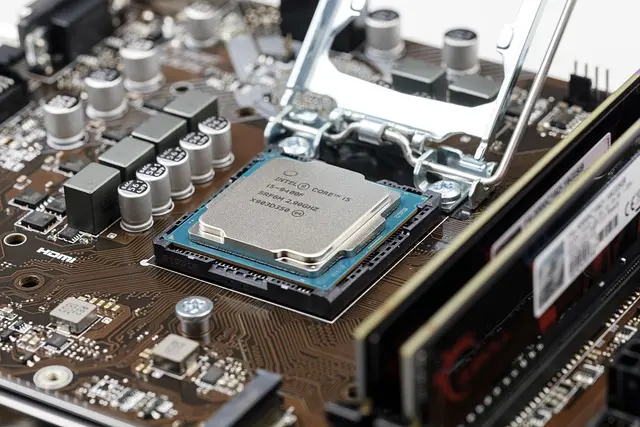
CPU, Central Processing Unit
The CPU is the core processing unit of the computer. It interprets and executes every instruction. Arithmetic, logic, control, and the overall flow of a program are all handled here.
It is usually installed in a socket near the center of the motherboard, and because it generates heat, it is paired with a cooler or even a liquid cooling system. When the CPU is fast, the whole system feels faster too.
If we compare a computer to a human body, the CPU is the brain. Just like we think through problems and make decisions, the CPU judges and processes billions of instructions every second. These days, many CPUs also include NPUs or AI accelerators, almost like giving the brain a new area specialized for AI tasks.
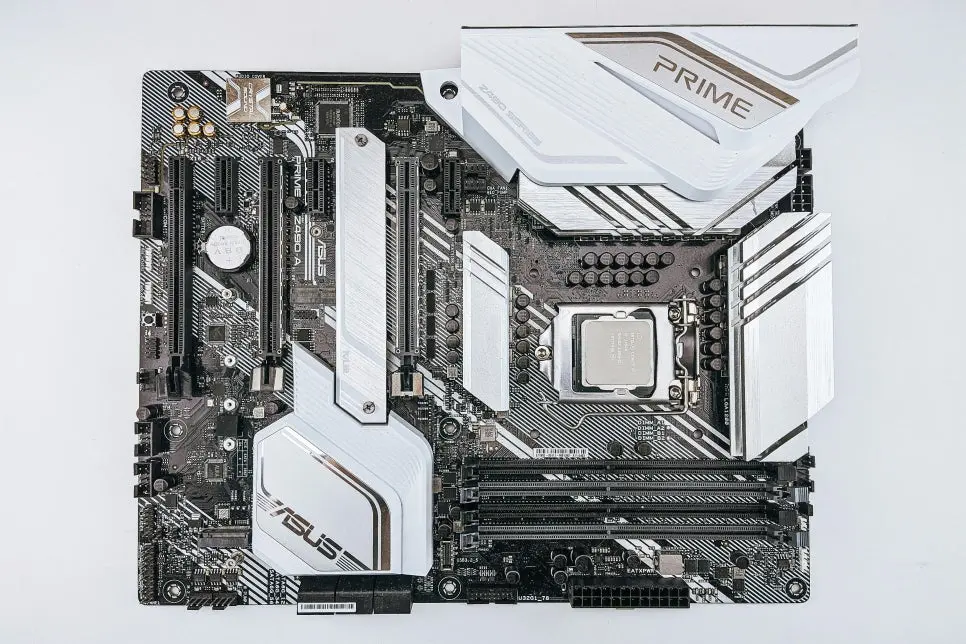
Motherboard
The motherboard is the large circuit board that physically connects all the parts inside the computer and provides the pathways they use to communicate.
The CPU, RAM, storage devices, graphics card, and power supply all connect to it and exchange data through it. It usually takes up most of the inside of the case and is packed with slots, ports, and chipset components.
A good motherboard helps maintain stable signals and better expandability. If we compare it to the human body, it is like the nervous system, allowing the brain, muscles, and senses to communicate with each other. Many modern motherboards even come with built in wireless features like Wi Fi and Bluetooth.
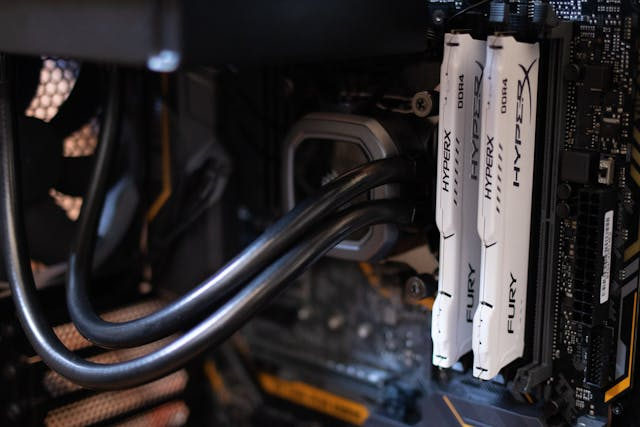
RAM, Memory
RAM is the temporary workspace where the computer stores the programs and data currently in use so the CPU can access them quickly.
That is why enough RAM makes programs run more smoothly and allows you to do multiple tasks at once. It usually comes in stick shaped modules inserted into memory slots on the motherboard, often in sets of two or four.
Because RAM is volatile memory, everything stored in it disappears when the power is turned off. That is why important files must be saved to storage devices instead.
If we compare it to a person, RAM is like short term memory. It is similar to the thoughts we briefly keep in mind during a conversation. If you have enough memory, multitasking feels smooth. If you do not, the system starts to slow down, almost like your mind getting overloaded.
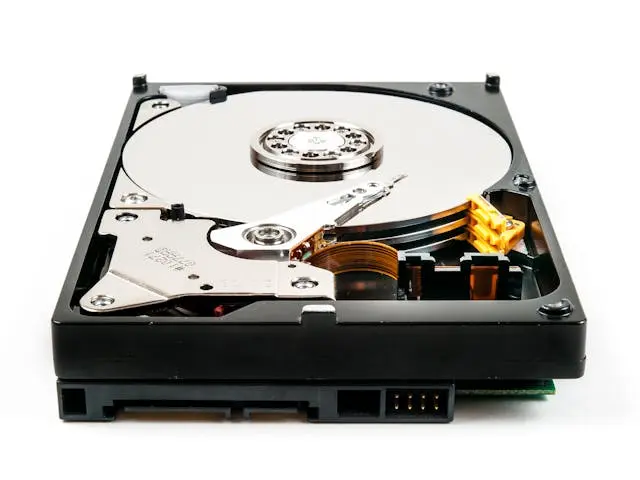
SSD and HDD, Storage
Storage devices are used to keep data permanently. The operating system, programs, photos, videos, and documents are all stored here.
An SSD is a semiconductor based storage device, and it is much faster than an HDD. Storage is usually installed inside the case in a 2.5 inch form or through an M.2 slot, and NVMe SSDs are mounted directly onto the motherboard.
The faster the storage device is, the quicker the computer boots and the faster programs open. If we compare it to the human body, storage is like long term memory. Just as we recall old memories when we need them, a computer pulls stored data when necessary. SSDs are like people with excellent memory who can retrieve information almost instantly.
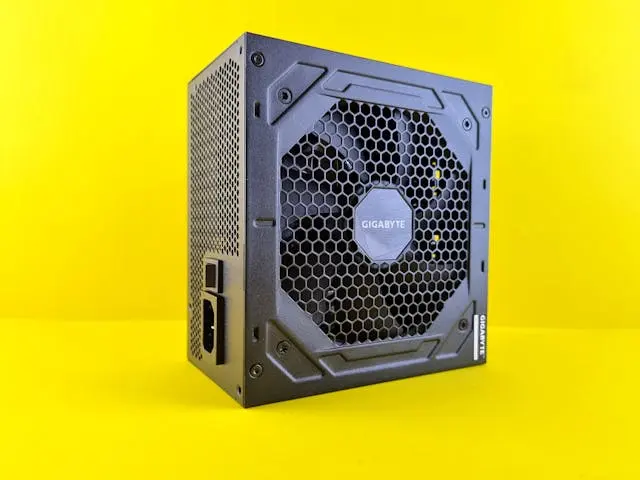
Power Supply, PSU
The power supply takes AC power from the wall outlet and converts it into DC power that the computer’s internal components can use.
If the system does not receive stable voltage and current, it can become unstable or suddenly shut down. The power supply is usually installed at the top or bottom of the case, and its wattage affects how much room you have for future upgrades.
A more efficient power supply can also help reduce electricity use. In human terms, it is like the heart and circulatory system. Just as the body needs blood delivered steadily, the computer needs a stable flow of power to stay healthy and run properly.
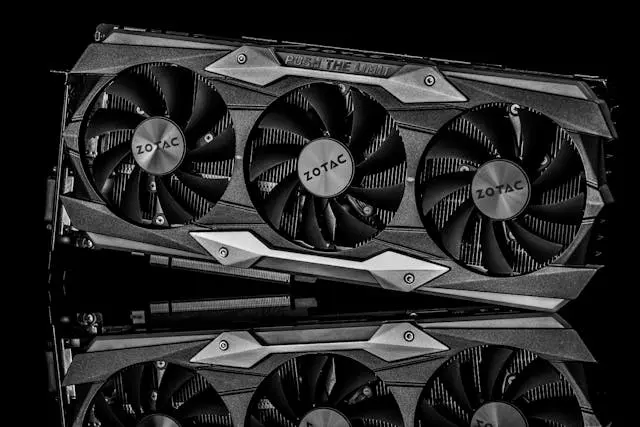
GPU, Graphics Card
The GPU is the component responsible for calculating and rendering everything you see on the screen.
It handles 2D and 3D graphics, video playback, and even AI computation. It is usually installed in a PCIe slot on the motherboard, and because it is often large and power hungry, it may need dedicated power cables.
The more powerful the GPU is, the better your gaming graphics will be, and the faster tasks like AI processing and video editing can be completed. If we use a human analogy, it is not the eyes themselves but the visual cortex. The eyes take in information, but the visual cortex interprets it. In the same way, the GPU processes data and turns it into what appears on the screen. You could say it gives the monitor its visual expression.
Input Devices, Keyboard, Mouse, Camera, Mic
Input devices are all the tools that send user commands and external information into the computer.
A keyboard and mouse let you input text and movement, while a camera and microphone let you input images and sound. These devices are usually connected outside the case through USB or wireless connections.
Thanks to them, the computer can communicate with the outside world and respond to it. In a human comparison, they are like the senses. The keyboard is like the hands, the microphone is like the ears, and the camera is like the eyes, helping the computer receive information from outside.
Monitor and Speakers
The monitor and speakers are output devices that show and play the results of what the computer is doing.
The monitor displays text, video, and graphics, while the speakers play sound. They are placed outside the case where we can easily see and hear them.
The higher the monitor resolution and the better the speaker quality, the more clearly and vividly we can experience the computer’s output. In human terms, they are like facial expressions and voice, the ways the computer reveals what is going on inside.
Case
The case is the outer shell and frame that holds and protects all the internal parts.
It helps control heat by guiding airflow through the system and protects the components from outside impact. It usually sits beside or under a desk, and it comes in many sizes and designs.
These days, many cases feature tempered glass panels and RGB lighting so you can actually see the inside and enjoy the visual style as part of the setup. If we compare it to a human body, it is like the skin and skeleton, protecting the body while also giving it its outward appearance.
If you look at the diagram below, you can easily see how the CPU, memory, and input and output devices are connected through the motherboard’s bus and exchange data with one another. To be honest, I kept trying to find a diagram that included even more components, but I could not find a good one.
Anyway, the important point is that all of these parts are connected through the motherboard, this “nervous system,” and they communicate constantly to function as one complete system.
The way data moves around inside a computer is not so different from how nerve cells send signals through synapses to move the human body. Deep inside, streams of 0s and 1s are moving around busily, just like electrical signals traveling through nerves.
From that perspective, it gets even more interesting when you compare a desktop computer with the latest iPhone 17. They look very different in size and shape, but the basic philosophy inside is almost the same.
Comparing It to the iPhone 17
CPU → A19 chip
The iPhone 17’s brain is the A19 chip, which offers performance that rivals desktop CPUs.
RAM → Unified memory
Its memory is integrated with the chip, which helps minimize latency.
Storage → Flash memory
It uses ultra fast flash storage technology similar in spirit to NVMe SSDs, making apps launch very quickly.
Power supply → Battery
Instead of a desktop style power supply, it runs on a battery, which makes it portable.
Motherboard → Logic board
All of its components are packed onto a tiny logic board.
Input and output → Touchscreen and speakers
Its screen takes over the roles of display, keyboard, and mouse all at once, making it an all in one sensory interface.
So in the end, you can think of the iPhone 17 as a miniature computer that fits in the palm of your hand.
Each computer part works together like this as part of one connected, organic system. In the next post, I will briefly go over the key terms and must know basics related to major components like the CPU, memory, storage, and graphics card.
Rather than diving too deeply into every detail, I plan to focus on the core concepts and common terms you often hear in the media.
See you again in the next post, and thanks for reading.