Take a look at the latest smartphones and laptops, and you will notice that artificial intelligence has become one of their main selling points. Devices can automatically enhance photos, translate phone calls in real time, and analyze personal documents and images. Alongside these features, terms such as on-device AI, AI PCs, NPUs, and edge AI have also become increasingly common.
Although these terms do not mean exactly the same thing, they share a basic idea: AI no longer has to rely entirely on distant servers. It can also run directly on the devices we use or on computing equipment located nearby.
From Cloud AI to Edge AI
When we enter a question into a generative AI service, the request is usually sent over the internet to a remote data center. Powerful servers process it and return the result to our smartphone or computer. It is similar to a restaurant employee taking an order to the kitchen and bringing back the finished meal. This centralized approach is commonly known as cloud AI.But does every task need to be sent to a distant server?
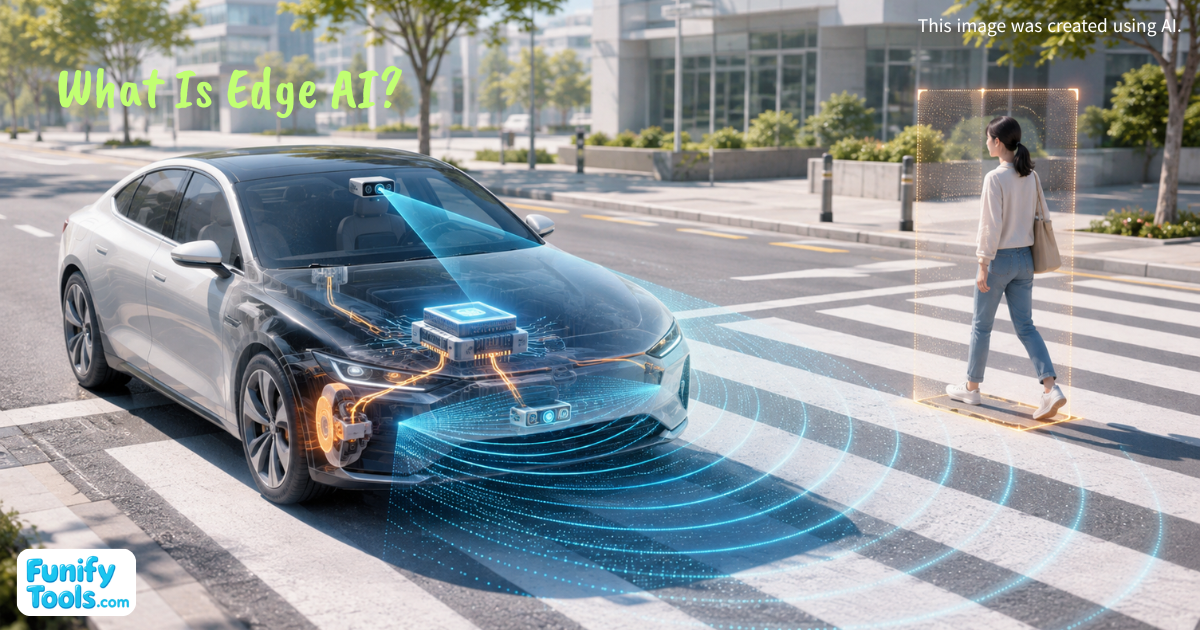
When a smartphone identifies a face in the camera view or a car detects a pedestrian who has suddenly stepped into the road, there may be no time to wait for a response from the cloud. It would also be a serious problem if a factory's defect inspection system stopped working or a translation feature became unavailable whenever the internet connection failed.
Edge AI was developed to handle situations like these. It allows AI to process data and make decisions close to where that data is created.
The word “edge” refers to the outer edge of a network. If large cloud data centers sit at the center of the internet, devices such as smartphones, laptops, cars, robots, factory equipment, and security cameras operate closer to its edge, where real-world data is actually generated.
Edge AI does not refer only to AI running on small personal devices. It is a broader concept that also includes AI processing on factory computers, servers located near mobile base stations, and gateways that connect multiple sensors and machines. What matters is that the processing takes place close to the user, device, or physical environment rather than in a distant central data center.
How Edge AI Learns and Makes Decisions
To understand how edge AI works, it helps to separate two parts of artificial intelligence: training and inference.Training is the process of examining large amounts of data, such as images or text, and learning patterns from it. Inference is the process of applying those learned patterns to new data and producing an answer. If training is like a student studying by solving many practice problems, inference is like choosing an answer to a new question during an exam.
Most edge AI systems today are trained in large data centers. Once training is complete, the finished model is installed on a smartphone, vehicle, camera, or other local device, where it performs inference.
For example, after a model has been trained to distinguish cats from dogs, it can be installed in a smart camera. The camera can then identify what it sees without uploading every image to a server.
Some newer systems can continue learning or adapting to a user's habits directly on the device. In general, however, the most common arrangement is still “training in the cloud, fast decision-making at the edge.”
The basic process is fairly straightforward. First, sensors such as cameras, microphones, and thermometers collect data. An AI model running on the device analyzes visual features, sound patterns, temperature changes, or other signals. It then determines whether it has detected a person or an object, whether conditions are normal or unusual, and what action should be taken.
A doorbell camera might send an alert only when it detects a person, while a factory machine might issue a maintenance warning after noticing an unusual vibration. Instead of sending all raw data to the cloud, the device can transmit only the relevant result or a short summary.
If cloud AI is like calling a company's head office whenever you need an answer, edge AI is like placing an experienced employee at each branch. The head office has access to more information and greater computing power, but communication takes time. The employee at the branch has fewer resources but can respond immediately to what is happening on site.
Neither approach is automatically better in every situation. The best place to perform AI processing depends on the task.
Why Edge AI Matters
One of the main advantages of edge AI is faster response time. If a pedestrian steps in front of a car, even a brief delay caused by sending video to a server and waiting for a response could matter. The same applies when a robot picks up an object or a high-speed production-line camera searches for defects in passing products.Processing data on site reduces the time spent transferring it across a network, making edge AI particularly useful for real-time decisions.
A second advantage is that it relies less heavily on a continuous internet connection. Devices can continue making basic decisions in underground parking garages, remote mountain areas, offshore facilities, and other places where connectivity may be weak or unreliable.
If some smartphone voice commands or translation features are processed on the device, they may continue working in airplane mode or in areas with poor reception. Functions that require live maps, current information, or other external data will still need an internet connection, but local processing can prevent every feature from becoming unavailable at once.
A third advantage is that edge AI can help protect personal and sensitive information. Video recorded inside a home, private conversations, company documents, and health-related data can potentially be processed without being sent to an external server.
For example, if meeting audio is transcribed and summarized locally, the amount of original audio leaving the device can be reduced. However, the phrase “processed on the device” does not automatically mean that a system is completely secure. Stored data still needs to be encrypted, app permissions must be managed carefully, security updates must be installed, and precautions must be taken in case the device is lost or stolen.
A fourth advantage is lower network usage and server costs. If hundreds of high-resolution cameras upload everything they record throughout the day, they consume enormous amounts of bandwidth and storage. An edge device placed near the cameras can analyze the footage first and transmit only the sections where something unusual occurred.
This can preserve the information that matters while greatly reducing the total amount of data being transferred. The difference becomes even more significant in factories and cities with hundreds or thousands of cameras and sensors.
The Hardware Behind Edge AI
Advances in semiconductor technology have played a major role in the recent growth of edge AI. In the past, small devices often lacked the computing power needed to handle complex AI workloads. Today, smartphones and laptops increasingly include dedicated processors called NPUs.If a CPU is a general employee capable of handling many different kinds of work, and a GPU is a large team that can perform many similar calculations at the same time, an NPU is more like a specialist trained to repeat AI-related calculations while using relatively little power.
In actual devices, one processor rarely handles everything. CPUs, GPUs, and NPUs divide the workload according to the type of task being performed.
Techniques that make AI models smaller and more efficient are just as important as faster hardware. Quantization reduces the numerical precision used by a model, lowering its computational and storage requirements. Pruning removes connections that have little influence on the result, while knowledge distillation transfers useful behavior from a large model to a smaller one.
These techniques are similar to turning a thick reference book into a portable summary guide containing only the most important information. However, just as cutting too much from a book can remove essential explanations, shrinking an AI model too aggressively can reduce its accuracy. The challenge is finding the right balance among speed, power consumption, model size, and performance.
Where Edge AI Is Already Being Used
We already encounter edge AI in many areas of everyday life. Smartphone cameras recognize scenes and subjects before adjusting the image, while voice features detect wake words and reduce background noise. Laptops can blur backgrounds during video calls, correct a user's gaze, and generate live captions.Some devices can also perform generative AI tasks locally, including document summarization, image generation, and searches across personal files. To the user, these may appear to be simple software features. Behind the scenes, however, compact AI models and specialized processors are constantly performing calculations.
The range of applications is even broader in industrial environments. Factory cameras can detect tiny defects on product surfaces, while sensors attached to motors can analyze sound and vibration patterns to identify possible equipment failures before they happen. Cars use information from cameras and radar systems to recognize lanes, other vehicles, and pedestrians.
Retail stores can monitor empty shelf space or congestion around checkout areas. Farms can examine crop conditions and look for signs of pests or disease. Wearable devices can continuously monitor information such as heart rate and notify the user when they detect an unusual pattern.
In medical and safety-related settings, however, these results should generally be treated as supporting signals. They should not be seen as replacements for professional judgment and properly validated systems.
Why Edge and Cloud AI Work Together
Edge AI will not completely replace cloud AI. Small devices have limited power, memory, and cooling capacity, making it difficult to run very large models for long periods. The cloud is also more efficient when AI systems need to incorporate new information, analyze data collected from many users, or retrain and improve their models.For this reason, many real-world systems use a hybrid architecture that combines edge and cloud processing. A vehicle or machine can make urgent decisions locally, while the cloud handles long-term data analysis, model training, and software updates.
It is similar to branch employees resolving immediate issues while the head office collects experiences from all locations and develops updated guidelines for the entire organization.
The Challenges Edge AI Still Faces
There are still several challenges to solve. Different manufacturers and devices use different processors and operating systems, so the same AI model may need to be optimized separately for each platform. Companies must also find secure ways to update models installed across large numbers of devices and manage outdated or compromised equipment.An AI model that worked accurately when it was first deployed may become less reliable as its environment changes, so its performance must be monitored over time. Generative AI can also produce convincing but incorrect information, and running the model locally does not make that problem disappear.
Edge AI is therefore not something that can be completed simply by adding an NPU to a device. The AI model and software must be properly optimized for the hardware, while memory capacity, heat, and power consumption must also be carefully managed.
Why TOPS Does Not Tell the Whole Story
TOPS, a figure frequently highlighted in new product announcements, represents the number of operations an NPU can perform per second. However, a higher TOPS rating does not mean that every AI feature will run proportionally faster.Real-world performance also depends on whether an application supports the NPU and how well its AI model has been optimized for the device.
It is similar to judging a car only by its maximum horsepower. That number alone cannot tell us everything about ride quality, fuel efficiency, or everyday driving performance. In the same way, edge AI performance depends less on a single large number and more on how efficiently the hardware, software, and AI model work together.
Edge AI is not an entirely new type of artificial intelligence. It is better understood as a way of moving part of the AI workload closer to the user and the data.
Instead of sending every decision to a distant cloud server, smartphones, computers, cars, robots, and factory machines can perform some of the necessary processing themselves. This can improve response times, allow functions to continue working with an unreliable internet connection, reduce the transfer of sensitive data, and lower unnecessary network usage.
What Comes Next for Edge AI
As small language models and multimodal AI systems capable of understanding images, audio, and sensor data continue to improve, more tasks will become possible at the edge. That does not mean every AI system will eventually move inside our devices. Large-scale calculations and training across extensive datasets will remain better suited to the cloud, while immediate decisions and personalized processing will increasingly take place at the edge.In the future, when we look at an AI feature, where the data is processed may become just as important as what the feature can do. Two services may offer the same translation or document-summary function, but their speed, internet requirements, and handling of personal information can differ depending on whether the processing takes place locally or on a cloud server.
Edge AI is not a technology designed to eliminate the cloud. It is a way of sharing the workload between the cloud and the devices around us. Smartphones, computers, vehicles, and industrial equipment can handle decisions that need to be made immediately, while the cloud manages larger calculations, model training, and updates.
Understanding this difference can help us evaluate future AI smartphones and AI PCs more clearly, beyond the marketing terms and headline performance figures.
Thank you for reading. Wishing you all the best!
This article is also available in Korean: Read the Korean version