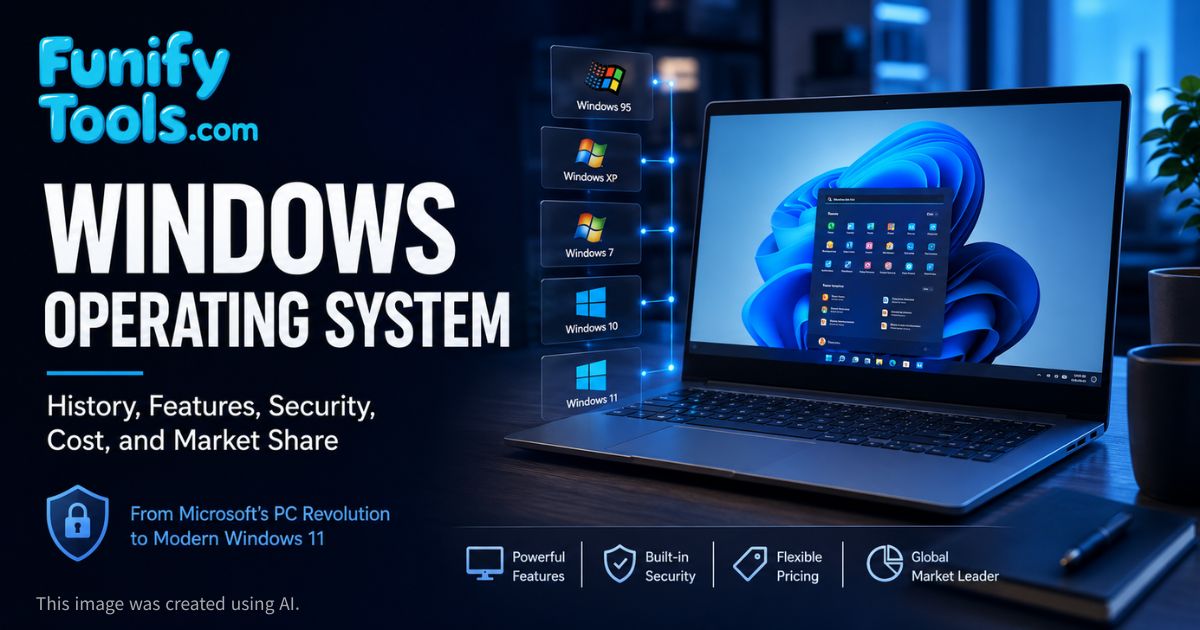
Windows, developed by Microsoft, is the core platform that helped popularize personal computers around the world.
Successful versions such as Windows 95, XP, 7, and 10 transformed computer usage culture, and today the latest mainstream version is Windows 11.
At present, Windows remains a standard environment for both individuals and enterprises, while continuing to evolve through security improvements, cloud services, gaming features, and artificial intelligence.
In the previous article, we explored operating systems in general. In this article, we will look specifically at Windows.
When you turn on a computer, the first thing that prepares the machine for use is the operating system. Although it is easy to ignore, the OS acts like an unseen manager that helps the computer respond to your keyboard, mouse, monitor, storage, internet connection, speakers, printer, and applications.
Even simple actions such as clicking an icon, typing a letter, opening a folder, connecting to Wi-Fi, or saving a document depend on the operating system. Windows became famous because it made those actions feel approachable to ordinary people. Instead of forcing users to memorize commands, it gave them windows, buttons, menus, icons, and a desktop.
The Windows Desktop
The operating system we encounter most often in everyday life is undoubtedly Windows. More than just a program, Windows was the software that created a historic turning point, enabling the worldwide spread of personal computers. Whether we were doing school assignments, preparing reports at work, playing games at home, printing documents, or managing photos, Windows has consistently worked quietly in the background.
The desktop itself is part of this familiarity. The Start menu, taskbar, folders, right-click menus, system tray, recycle bin, and application windows have shaped how many people imagine a computer should work. Even people who do not know technical terms often know where to click because Windows trained several generations of users through repeated everyday experience.
At the center of this historical change was Bill Gates.
Bill Gates, along with his Harvard classmate Paul Allen, foresaw the potential of computers early on. Believing in the coming era of personal computing, they were convinced that software had to be at its core. In 1975, they founded Microsoft, initially selling a BASIC language interpreter. This was not yet Windows, but it showed Microsoft's early focus: software would become the bridge between people and machines.
The true turning point came with Microsoft's contract with IBM. IBM needed an operating system for its personal computer, and Microsoft provided MS-DOS. MS-DOS was not visually friendly by modern standards, but it became an important foundation for the early PC market. It also placed Microsoft in a powerful position as personal computers began spreading into offices and homes.
However, MS-DOS, limited to a black screen with text commands, was difficult for the general public to use. Bill Gates wanted computers to be accessible to everyone, which led to the release of Windows 1.0 in 1985. Although it offered limited functions and was unstable at first, it introduced the concepts of the mouse, icons, menus, and overlapping windows, foreshadowing a new era.
This transition matters because it changed the relationship between people and computers. A command-line system asks users to remember exact words. A graphical system lets users recognize objects on the screen and interact with them visually. That difference opened the door for many more people to use computers confidently.
The Rise of Windows
The real turning points were Windows 3.1 and Windows 95.
Windows 3.1 began to gain widespread use in homes and offices. It made the graphical environment more practical and helped users become familiar with program windows, icons, and mouse-based operation. At the same time, the PC market was growing, and more people were beginning to see computers as tools for writing, accounting, learning, design, and entertainment.
Windows 95, Windows 98, and Windows Me appeared alongside the rise of the internet, driving the explosive popularization of personal computers. The Start button and taskbar, introduced with Windows 95, remain symbolic features of Windows to this day. Windows was no longer just an operating system. It reshaped people's everyday lives and work styles.
For many users, Windows 95 and 98 were the first versions that made the PC feel like a household object rather than a specialist's machine. People installed games from CDs, connected dial-up internet, wrote documents, printed homework, chatted online, and explored files through a visual interface. That period formed much of the culture we now associate with personal computing.
With the arrival of the 2000s came Windows XP. Thanks to its stability and intuitive interface, XP is regarded as one of the most successful operating systems in history. It became the default environment in schools, companies, internet cafes, and households. Even after Microsoft officially ended support, it continued to be used in some regions because people were so comfortable with it.
Windows XP also showed how much emotional familiarity matters in software. Its green Start button, blue taskbar, Control Panel, and simple visual style became part of everyday memory for many users. A good operating system is not only technically capable; it also feels dependable after years of use.
In contrast, Windows Vista was criticized for heavy performance requirements, driver problems, and compatibility issues. Windows 8 also caused confusion by emphasizing a touch-based interface at a time when many desktop users still preferred the traditional Start menu. These versions were not meaningless failures, though. They pushed Microsoft to rethink performance, security, hardware compatibility, and user expectations.
Microsoft learned from those reactions, refining stability and completeness with Windows 7 and Windows 10. Windows 7 gained enormous popularity for its balance of performance and reliability, while Windows 10 introduced a long-term update model and was even called "the last Windows" for a time. Today, Windows 11 stands as the newest mainstream version, with a modern design, cloud integration, enhanced gaming capabilities, and a more security-focused structure.
Strengths and Weaknesses of Windows
The greatest strength of Windows is compatibility and popularity. Countless software and hardware products worldwide are developed with Windows in mind, from games, graphics tools, office applications, accounting programs, engineering software, and school systems to specialized tools used in industry. If a company makes software for general PC users, Windows support is usually one of the first priorities.
DirectX, in particular, played a decisive role in making Windows the de facto standard for PC gaming graphics. Many games, graphics cards, controllers, and gaming accessories are optimized around the Windows ecosystem. This is one reason Windows remains the most common choice for desktop gaming.
Hardware compatibility is another major advantage. Printers, scanners, cameras, microphones, drawing tablets, external drives, and many other peripheral devices are usually designed to work with Windows. For ordinary users, this matters because they want devices to connect and function with as little trouble as possible.
Of course, there are downsides. Because it is the most widely used desktop OS, Windows has often been a major target for malware, phishing, ransomware, and hacking attempts. Security issues have been a constant concern, leading Microsoft to implement regular updates, strengthen Microsoft Defender, improve permission controls, and add hardware-based security requirements in newer versions.
Supporting a wide variety of hardware can also lead to driver conflicts or system errors. Unlike Apple's macOS, which runs on a limited range of Apple hardware, Windows must support countless combinations of CPUs, motherboards, graphics cards, storage devices, monitors, printers, and accessories. That openness is a strength, but it also makes consistency harder.
Another common complaint is updates. Windows updates are important for security and stability, but they can feel inconvenient when they interrupt work or take time to install. This is one of the tradeoffs of maintaining a widely used operating system in a constantly changing security environment.
Windows in Enterprise and Licensing
Windows is not just a consumer OS. It is also the basic environment for many enterprises and industries. From banking systems and hospital records to government administration, schools, retail systems, call centers, and corporate office setups, Windows is a standard platform. While Linux dominates many server environments, Windows continues to hold overwhelming dominance in corporate desktops and office systems.
One reason is familiarity. Employees already know how to use Windows, and companies can train staff more easily when the interface is familiar. Another reason is software compatibility. Microsoft Office, Teams, Outlook, enterprise management tools, accounting software, security products, and internal business systems often fit naturally into the Windows environment.
Windows also works with technologies that companies rely on, such as Active Directory, domain login, device management, group policies, remote desktop, security policies, and centralized updates. These features may be invisible to home users, but they matter deeply in large organizations where thousands of computers must be managed consistently.
Because Windows is commercial software, users must purchase a license. Many PCs come with Windows pre-installed, but computers sold without Windows are usually cheaper by tens of thousands of won, or roughly around several dozen dollars depending on region and model. However, buyers will eventually need to purchase a genuine license if they want a fully activated Windows environment, so the actual cost difference may not be as large as it first appears.
When purchasing Windows, you may encounter several types of licenses:
- OEM License: Pre-installed by manufacturers like Samsung, LG, HP, Dell, or Lenovo. It is usually cheaper but tied to a specific computer and generally cannot be transferred to another PC.
- FPP (Full Packaged Product/Retail License): Purchased separately by individuals, now usually sold as a digital code. It can be transferred to a new PC under the license rules, offering flexibility, but it is more expensive than OEM.
- Volume License: Common in enterprises, schools, and organizations, allowing easier activation and management across many PCs.
For most general consumers, buying a PC with Windows pre-installed is the most convenient choice, even if the initial cost is slightly higher. It reduces setup work and avoids confusion about activation, drivers, and edition selection.
Market Share and Everyday Influence
Windows has remained influential because it became the default environment for personal computers in so many places. Schools taught it, offices used it, computer shops installed it, software companies supported it, and hardware makers designed around it. This created a strong cycle: people used Windows because software and devices supported it, and companies supported Windows because people used it.
This is why Windows is more than a technical product. It is also a cultural standard. Keyboard shortcuts like Ctrl+C and Ctrl+V, the idea of minimizing and maximizing windows, right-click context menus, folders, file extensions, installers, and desktop shortcuts all became part of everyday computer literacy through Windows.
Even when people later move to macOS, Linux, ChromeOS, or mobile operating systems, many of their first computer habits were shaped by Windows. That long-term influence is one reason it remains important to understand Windows when studying computer basics.
The Future of Windows
Modern Windows is no longer limited to a single offline PC. It is evolving with cloud, artificial intelligence, gaming services, virtualization, remote work, and stronger security technologies. Through Azure and Microsoft 365, Microsoft extends the Windows-centered work environment into the cloud, while also integrating AI features more closely with the operating system and productivity tools.
Cloud integration means that files, settings, accounts, subscriptions, and collaboration tools can move more easily across devices. Virtualization and remote desktop technologies allow people to use Windows environments from different machines or cloud-hosted systems. For companies, this can simplify management. For users, it can make work more flexible.
Security is also becoming a bigger part of Windows' future. Features such as secure boot, TPM-based protection, biometric sign-in, ransomware protection, sandboxing, and built-in antivirus tools show that the operating system is expected to defend users more actively than before. As attacks become more sophisticated, security can no longer be treated as an optional extra.
The history of Windows is also the history of computer popularization itself. Bill Gates' vision of "a computer on every desk and in every home" has largely been realized. Windows has grown through both successes and failures, ultimately becoming more than just an operating system: it has become one of the platforms that enabled modern digital life.
Understanding Windows goes beyond knowing a single OS. It also means understanding IT history, the current state of computing, and future changes. For that reason, I chose Windows as the first operating system to introduce after the general overview.
Windows is familiar enough that we sometimes stop noticing it, but familiarity does not make it simple. Behind the Start menu and desktop is a long history of business decisions, technical improvements, user habits, hardware partnerships, security challenges, and software ecosystems.
In the next article, we will explore Linux.
Thank you for reading, and may you always be happy!
This article is also available in Korean: Read the Korean version