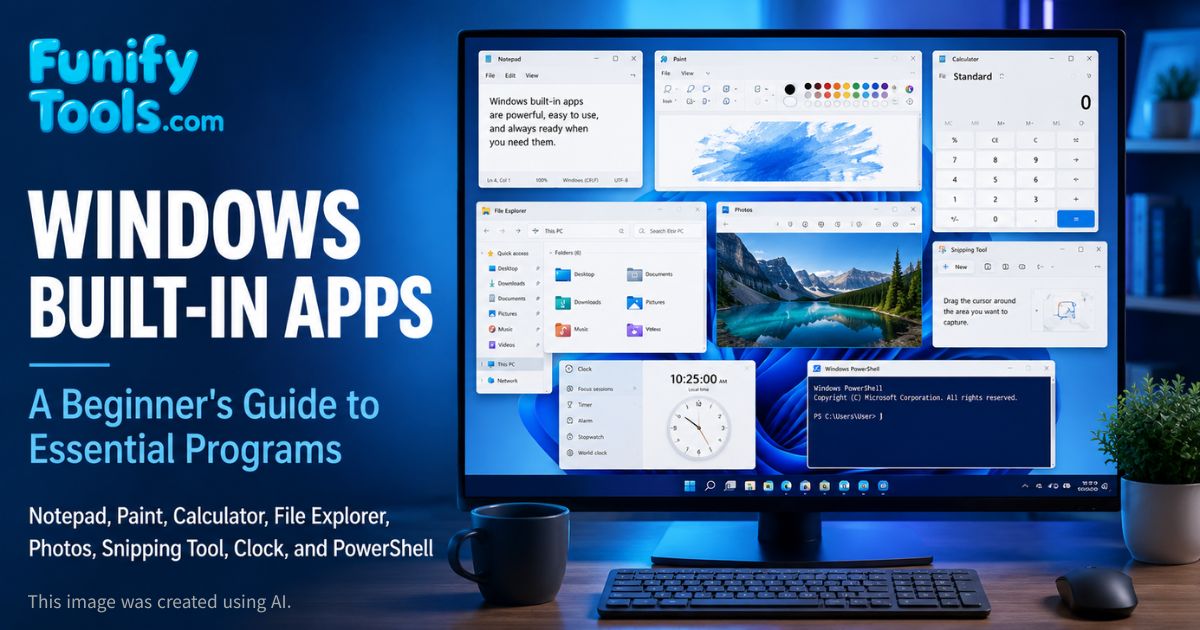
Windows includes a handy set of built-in apps: Notepad, Paint, Calculator, Photos, Mail, Calendar, File Explorer, Snipping Tool, Clock, PowerShell, and more.
They are simple and intuitive for beginners, yet still useful for everyday tasks. When you need more power, you can add professional tools like Microsoft Office, Photoshop, Premiere, or specialized developer software.
In this article, we tour the default Windows apps and show how the "workspace + menus, input to result" principle appears in real programs.
Hello.
Last time, we explored the universal structure of applications: a main workspace plus menus, where your input produces visible results. Now let us apply that lens to Windows' default apps. These are perfect starting points for beginners because they are already installed, easy to open, and designed around common tasks.
Built-in apps are easy to underestimate. They may look simple compared with professional software, but they teach the basic habits of using a computer: typing, saving, opening files, editing images, calculating, searching, capturing screens, managing schedules, and running commands. Before installing extra programs, it is worth knowing what Windows can already do on its own.
Another advantage is trust and availability. A built-in app does not require you to search the web, choose a download site, or go through a complicated setup process. On a new computer, school computer, office PC, or freshly installed Windows system, these apps are ready immediately.
Notepad
Notepad is timeless: instant launch, zero distractions, plain-text notes, quick lists, temporary reminders, or small snippets of code. It is one of the best examples of a program that does one thing simply and reliably.
Because Notepad saves plain text, it does not carry hidden formatting in the same way a word processor does. This makes it useful for copying text without style, writing quick drafts, editing configuration files, or storing information that should remain lightweight. If you paste something messy from a website, Notepad can also act as a simple cleaning step before you paste it somewhere else.
If you need rich formatting such as fonts, colors, tables, headings, or images, a word processor is the better tool. WordPad used to sit between Notepad and Microsoft Word, but it is no longer included in newer Windows 11 versions. Today, many users move from Notepad directly to Word, Google Docs, or another document editor when formatting matters.
Paint
Paint handles quick annotations and simple edits: drawing lines, adding shapes, filling colors, inserting text, resizing images, and cropping screenshots. It is not a Photoshop replacement, but it is perfect for fast everyday tweaks.
For example, if you need to mark a button in a screenshot, blur nothing complicated, crop out unnecessary space, or add a short label, Paint is often faster than opening a professional image editor. The interface is direct: choose a tool, work on the canvas, and save the result.
Paint also helps beginners understand basic image concepts. When you resize an image, you begin to notice pixels and proportions. When you save as PNG or JPEG, you begin to see that file formats matter. These small experiences make later tools like Photoshop, Illustrator, or Canva easier to understand.
Calculator
Calculator does much more than basic math. It supports standard arithmetic, scientific functions, programmer mode, date calculations, and unit conversions such as length, weight, temperature, speed, area, and volume. It can also help with quick currency checks when available.
For students, it is useful for homework and unit conversion. For office work, it is handy for checking totals, percentages, discounts, taxes, or time differences. For developers, programmer mode can convert between decimal, binary, hexadecimal, and octal numbers.
The important point is that Calculator is not only for simple addition. It is a small utility app that reduces friction. Instead of opening a spreadsheet for a quick calculation, you can use the built-in tool and move on.
File Explorer
File Explorer is your hub for files and folders. You can sort by name, date, type, or size; search for files; copy, move, rename, compress, and delete items; and organize your work into folders. It is one of the first Windows tools every beginner should learn well.
Understanding File Explorer also helps you understand where things actually live on your computer. Downloads, Desktop, Documents, Pictures, Videos, OneDrive, external drives, and network folders are not just icons. They are locations. Once you understand locations, it becomes much easier to find missing files, back up important data, and avoid saving everything to the desktop.
File Explorer also introduces common computer ideas such as file extensions, paths, storage drives, shortcuts, and permissions. A beginner who becomes comfortable with File Explorer will have a much easier time installing programs, organizing photos, submitting assignments, or troubleshooting storage problems.
Media Player and Photos
Media Player handles music, videos, playlists, and playback controls. Photos lets you view, crop, rotate, adjust, and browse images. Together, they cover many basic media tasks without requiring extra software.
Photos is especially useful when you just need to check an image quickly, rotate a picture, trim a small part, adjust brightness, or compare several photos. It is not made for complex photo editing, but it is more than enough for many ordinary fixes.
Media Player is similar. If you only want to play a video or listen to a local audio file, the built-in app can often do the job. If you need advanced codec support, professional editing, or detailed library management, then a specialized media app may be better.
Snipping Tool
Snipping Tool captures any region of your screen and lets you annotate immediately. It is ideal for saving parts of lectures, articles, error messages, maps, receipts, design references, or work screenshots.
This tool is more practical than many beginners expect. When asking someone for help, a screenshot often explains the problem better than a long description. When studying online, capturing a small diagram or important slide can make review easier. When writing documentation, a marked screenshot can show exactly where a user should click.
The key is to capture only what is needed. A full desktop screenshot may expose private information or make the important part hard to see. Snipping Tool helps you select a specific region, which makes the result cleaner and safer to share.
Mail and Calendar
Mail and Calendar help organize communication and schedules. You can connect accounts such as Outlook, Gmail, or other supported email services, then check messages and appointments from one place. For students and professionals, this can be a practical daily setup.
Email is still important for school, work, account verification, receipts, and official notices. Calendar is just as important because it turns plans into reminders. Assignment deadlines, meetings, interviews, travel schedules, and personal routines become easier to manage when they are visible in one place.
Some users prefer webmail or mobile apps, and that is perfectly fine. The point is that Windows includes basic tools for these tasks, so a new user can start organizing communication and time without installing anything first.
Clock and Voice Recorder
Clock includes alarms, timers, stopwatch, focus sessions, and world clocks. These small tools are helpful for study sessions, cooking, exercise, work breaks, presentations, and checking time zones before contacting someone in another country.
Voice Recorder, now known on many systems as Sound Recorder, can capture lectures, meetings, interviews, voice memos, or pronunciation practice in a simple way. For students, recording a lecture can support review. For creators, recording a rough idea before it disappears can be surprisingly useful.
As with any recording tool, it is important to respect privacy and local rules. If you are recording a class, meeting, or conversation, make sure recording is allowed and that people know when necessary.
PowerShell and Command Tools
Command Prompt, PowerShell, and Windows Terminal unlock automation and bulk operations. For example, you can rename many files, check network information, list folder contents, run scripts, or troubleshoot system behavior with a few commands.
These tools may look intimidating at first because they are text-based. But they follow the same principle as other apps: input produces a result. The difference is that the input is a command instead of a button click. Once you learn a few basic commands, you begin to see why IT professionals use command-line tools so often.
PowerShell is especially powerful because it can work with files, processes, services, system settings, and structured objects. Beginners do not need to master it immediately, but knowing that it exists helps connect everyday Windows use with deeper computer learning.
Microsoft Store, Widgets, and Teams
Microsoft Store provides a safer central place to find and install many apps. Widgets can show quick information such as weather, news, calendar items, and other updates. Teams supports chat, calls, meetings, and collaboration, especially in school and work environments.
These apps show that Windows is not only a local computer environment. It also connects to online accounts, cloud services, app distribution, and collaboration platforms. A modern operating system is both a machine manager and a service hub.
Of course, you do not have to use every built-in app. Some people disable widgets, use another meeting app, or download software directly from a developer. The value is that Windows gives a basic option first, then lets users choose alternatives as their needs become clearer.
Why Built-In Apps Are Simple on Purpose
- Notepad: perfect for quick text; use Word or Docs for complex documents.
- Paint: fine for crops and annotations; use Photoshop or another editor for professional image work.
- Calculator: great for quick conversions; use spreadsheets for finance, reports, and larger tables.
- Snipping Tool: ideal for fast screenshots; use design or documentation tools for polished guides.
- File Explorer: essential for basic organization; use backup and sync tools when you need long-term file protection.
Windows ensures everyone can work immediately, then leaves room to add specialized tools as needs grow. This is the right design for built-in software. It should be simple enough for a beginner, fast enough for everyday use, and familiar enough that anyone can sit down at a Windows PC and get started.
Think of these apps as a basic toolbox. A basic toolbox will not replace a professional workshop, but it is still the first thing you reach for when the task is small, urgent, or ordinary.
The Big Picture
Windows' built-in apps are the starting line: enough to write, calculate, draw, view media, capture screens, manage schedules, record audio, find files, and perform basic system tasks without extra installs. From there, you can expand to Office, Photoshop, Premiere, Visual Studio Code, specialized media players, cloud tools, and many other programs.
For beginners, learning these apps is not a waste of time. It builds confidence. Once you understand how a simple workspace, toolbar, menu, and file-saving process works in one app, you can transfer that understanding to more advanced programs later.
The best way to learn is to use them for real tasks: write a quick note in Notepad, crop a screenshot in Paint, organize files in File Explorer, capture an error with Snipping Tool, set a timer in Clock, and calculate a discount in Calculator. Small actions like these turn Windows from something you merely look at into something you can control.
This article is also available in Korean: Read the Korean version