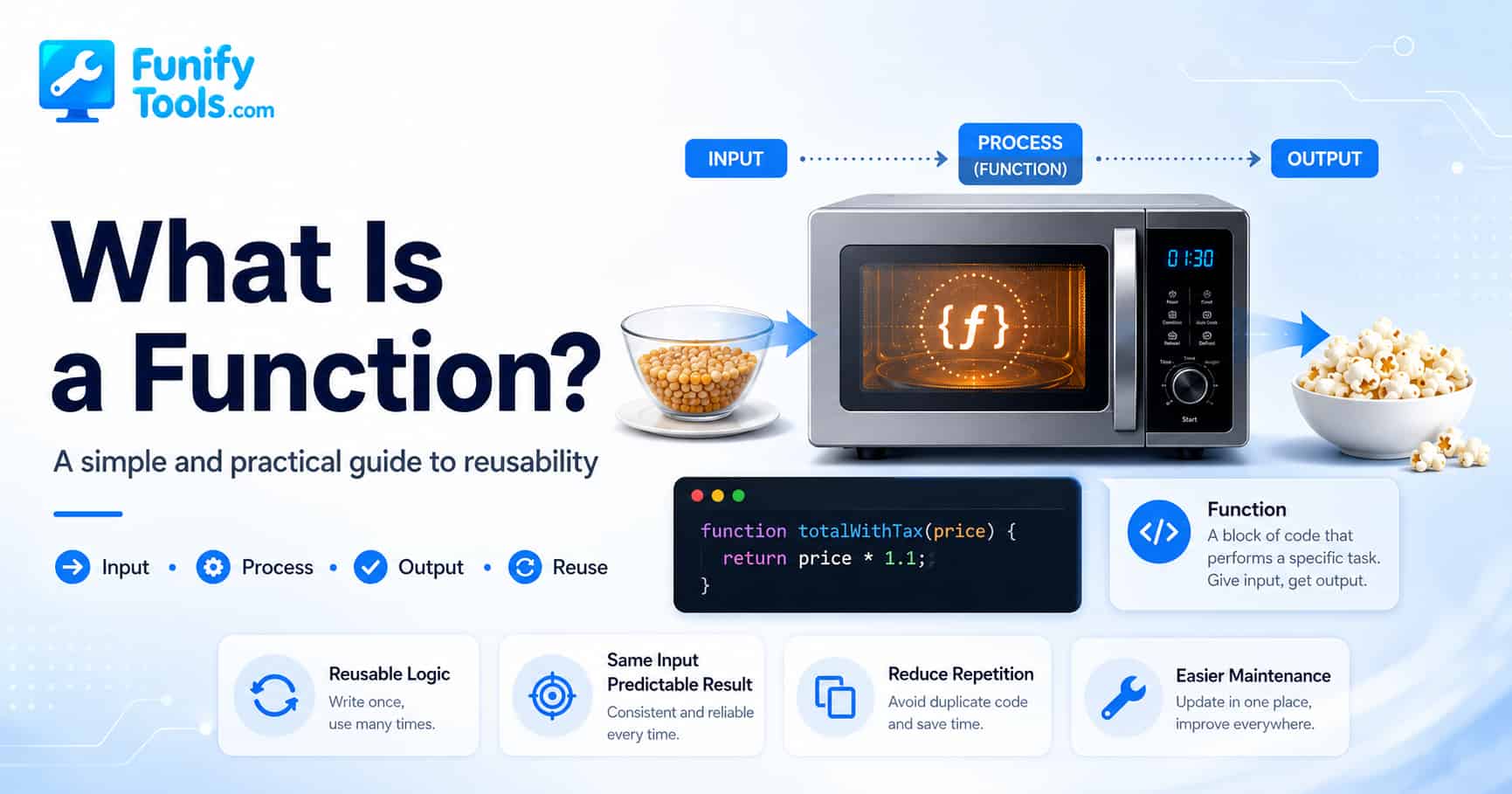
In the previous posts, we talked about constants and variables, as well as conditionals and loops.
A constant stores a value that stays the same. A variable stores a value that can change depending on the situation. A conditional helps a program decide which path to follow, and a loop allows the same task to be repeated accurately as many times as needed. Once you understand these four ideas, you can already start building simple programs.
But as soon as a program grows beyond a few lines, a new problem appears.
You start seeing the same pattern again and again. Maybe the program needs to calculate a total price in several places. Maybe it needs to check whether a user entered valid information. Maybe it needs to print the same kind of message after different actions. At first, copying and pasting the same code may feel faster. It looks simple. It works for now. So it is tempting to leave it that way.
But copied code has a hidden cost.
If the rule changes later, you have to find every place where that logic was copied. If you miss just one spot, the program may behave correctly in one part and incorrectly in another. That is one of the most common ways small mistakes turn into confusing bugs.
So how do programmers deal with repeated logic?
This is exactly where functions come in.
A function is a named group of steps that performs a specific job. Inside that group, you can use variables, constants, conditionals, and loops together. In other words, a function is not separate from the ideas we already learned. It is a way of organizing those ideas into one meaningful unit.
You can think of a function as a small machine inside your program. It has a name, it may receive some input, it does a job, and it may give back a result. Once that machine is built, you do not need to rebuild it every time. You simply use it when you need it.
Let’s look at an easy example.
Imagine you want to build a program that takes a student’s scores, calculates the average, and tells you whether the student passed or failed.
If you do not use a function, you would have to write the average calculation, the pass-or-fail condition, and the message output every single time. If there are 50 students in one class, that means repeating the same pattern 50 times.
That feels strange, doesn’t it?
We said programming is about automation, but writing the same steps over and over is not automation. It is just manual work written in code. A program like that may still run, but it becomes hard to read, hard to fix, and easy to break.
Instead, we create a function with a clear name like checkResult(), place all of the necessary steps inside it, and call it whenever we need it.
checkResult(82, 93, 72)That short line can represent several steps happening behind the scenes. The function can receive the scores, calculate the average, compare the result with the passing score, and return or print a message. From the outside, we do not have to write all of that logic again. We only need to call the function.
That is the basic idea of a function.
Functions Turn Repeated Steps into Reusable Logic
When I first learned functions, the usual explanation was something like this: “A function takes input and returns output.” That explanation is correct, but it can feel a little too abstract when you are just starting out.
So let’s use a more familiar image.
Think about a microwave oven.
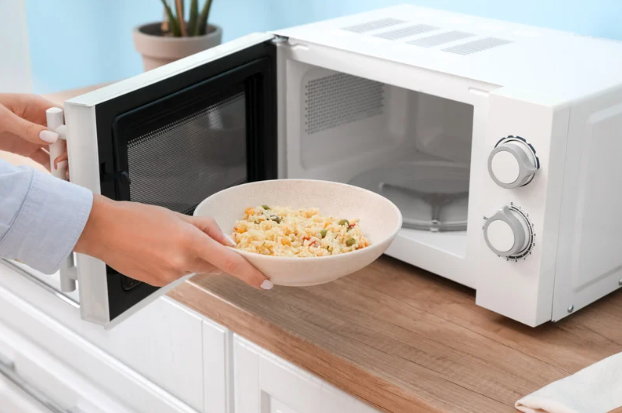
You put food inside, set the time, maybe choose a heating mode, and press a button. After that, the microwave handles the complicated process for you and gives back warm food as the result. You do not need to understand the physics of how the microwave heats the food. You just need to know what to put in, which button to press, and what result to expect.
A function works in a very similar way.
You give it input, it performs a hidden set of steps, and then it returns a result.
If we compare a function to a microwave, the food, time, and heating mode are the input values. The warm food is the returned result. The internal heating process is the program logic inside the function.
This comparison is useful because it also shows why functions make programs easier to use. You do not need to see every internal step every time. Once the function is created and tested, you can trust it as a reusable tool.
If we connect this idea to the concepts we already learned, it becomes even clearer.
Inside a microwave, there are fixed standards, such as a maximum heating time or safe power limits. Those are like constants. There is also changing information, such as the remaining time or the current temperature. Those are like variables. If the process changes depending on whether the food is frozen or at room temperature, that is like a conditional. And if the microwave keeps checking the remaining time while continuing the heating process, that is similar to a loop.
So a function is not some completely new and mysterious concept. It is a structured way of putting familiar programming elements together.
Why Functions Matter More as Programs Grow
Now imagine there is no microwave at all.
Every time you want to heat food, you need to take out a pot, turn on the stove, control the heat yourself, and keep watching the clock. Different people may do it in different ways, and the result may not always be consistent. One person may heat the food too long. Another may stop too early. Someone else may forget a step entirely.
A microwave reduces that variation by standardizing the process.
Functions do the same thing in programming.
By packaging a procedure into a named unit, a function allows us to standardize logic. No matter where it is called from, and no matter when it is used, the same input should lead to the same result. That makes the outcome more predictable, and predictability is extremely important in programming.
This matters even more when people work together.
When a microwave has clearly labeled buttons, everyone in the family can understand what each one means. In the same way, when functions are named clearly and consistently, team members can share and use the same logic without confusion.
For example, a function named calculateFinalPrice() gives you a pretty good idea of what it does. A function named doThing() does not. The code may still run, but the next person reading it will have to spend extra time figuring out what is happening.
Good function names are not decoration. They are part of how code communicates.
Even when you are writing code alone, clear functions help your future self. Code that makes sense today may look surprisingly confusing a month later. A well-named function works like a note you leave for yourself: “This part calculates the final price.” “This part checks whether the input is valid.” “This part formats the message.”
A Function Hides the Messy Details
One of the most useful things about a function is that it hides details that do not need to be repeated everywhere.
Let’s go back to the student score example. The main part of the program does not always need to know every detail of how the average is calculated. It only needs to know that there is a function that can check the result.
That may sound like a small thing, but it is a big deal in real programs.
Programs often contain many layers of logic. Some parts handle user input. Some parts calculate values. Some parts save data. Some parts display results on the screen. If every part of the program had to know every tiny detail, the code would quickly become tangled.
Functions help separate those responsibilities.
A function can say, “Give me the information I need, and I will handle this specific job.” That makes the rest of the program cleaner. Instead of reading twenty lines of repeated calculation, you can read one meaningful function call.
This is why functions often make code easier to read, not just shorter.
Shorter code is nice, but readable code is more important. A function should not exist only to reduce the number of lines. It should make the idea of the program clearer.
Functions and Math Functions
At this point, the idea of a function may sound familiar.
That makes sense, because most of us already met the idea in math class.
Think of the mathematical function f(x) = x + 2.
An input called x goes in, the calculation happens, and a result comes out. If x is 3, the result is 5. If x is 10, the result is 12. The rule stays the same, but the result changes depending on the input.
Programming functions follow the same basic structure. You provide input, the function performs a defined process, and then it gives you a result.
The difference is that programming functions can do much more than simple math. A function can calculate a price, check a password, resize an image, send a message, sort a list, display a warning, or prepare data for another part of the program.
So the math function idea is a good starting point, but programming functions are more flexible. They are not limited to numbers. They can work with text, dates, arrays, objects, files, user actions, and many other kinds of data.
A Simple Example Without a Function
Now let’s look at a simple example in code.
Suppose we need a program that adds tax to a product price, calculates the final total, and prints it.
If we do not use a function, the code might look like this:
price1 = 12000
              taxRate = 0.1
              total1 = price1 + price1 * taxRate
              print("Total:", total1)

              price2 = 4800
              taxRate = 0.1
              total2 = price2 + price2 * taxRate
              print("Total:", total2)

              price3 = 25000
              taxRate = 0.1
              total3 = price3 + price3 * taxRate
              print("Total:", total3)
In this version, we are writing the same pattern again and again for every product. If there are 100 products, we repeat it 100 times. If there are 1,000 products, we repeat it 1,000 times.
That creates a lot of unnecessary duplication.
And once code starts being copied and pasted everywhere, even a small update can become risky. What if the tax rate changes from 10% to 8%? What if the program needs to round the total price in a specific way? What if a discount has to be applied before tax?
If the same calculation is copied in many places, every update becomes a search mission. You may fix one part and forget another. That is how bugs often appear.
The Same Example With a Function
Now let’s rewrite the same idea using a function.
function totalWithTax(price) {
                const TAX_RATE = 0.1;
                let total = price + price * TAX_RATE;
                return total;
              }

              print("Total:", totalWithTax(12000));
              print("Total:", totalWithTax(4800));
              print("Total:", totalWithTax(25000));
This is much cleaner.
Instead of rewriting the calculation each time, we define it once in totalWithTax() and then call it whenever needed.
That is what reusability means.
The reusability of a function means that once a procedure has been defined, it can be used again and again in the same way. As long as the input and output rules stay the same, the function can be called from different places without changing the nature of the result.
This is one of the biggest reasons functions are so important.
They reduce repetition, make code easier to manage, and lower the chance of mistakes. They also make programs easier to read, because instead of showing every small step again and again, the code can simply call a well-named function.
Just like pressing the same microwave button gives you a similar result each time, calling a reusable function gives you a predictable result in different situations.
Parameters: The Values a Function Receives
In the example above, price is a parameter.
A parameter is a name used inside a function to represent a value the function receives from the outside. When we call totalWithTax(12000), the number 12000 is passed into the function, and inside the function it is treated as price.
This is one of the reasons functions are flexible.
If the price were fixed inside the function, the function would only work for one product. That would not be very useful. But because the function receives price as input, the same logic can work for many different values.
That is the difference between a one-time instruction and reusable logic.
A function becomes more useful when it can receive the information it needs from the outside, do its job, and return the result without depending too much on random values scattered throughout the program.
Return Values: What a Function Gives Back
The word return means the function gives a result back to the place where it was called.
In the tax example, the function calculates the final price and returns it. That returned value can then be printed, saved, compared, displayed on a page, or used in another calculation.
This is important because a function does not always need to print something directly. In many cases, it is better for a function to calculate and return a result, then let another part of the program decide what to do with that result.
For example, a shopping cart program may use the final price in several ways. It may show the price to the user. It may save the price in an order record. It may compare the total with a free-shipping condition. It may send the value to a payment system.
If the function only prints the result, its usefulness is limited. But if it returns the result, the rest of the program can use that value in many different ways.
A Good Function Usually Has One Clear Purpose
One mistake beginners sometimes make is putting too much into one function.
For example, imagine a function that calculates a total price, checks the user’s address, applies a coupon, sends an email, updates the database, and prints a receipt. Technically, that can be written as one function. But it will probably become difficult to understand and difficult to fix.
A good function usually has one clear purpose.
That does not mean every function must be tiny. It means the function should have a clear responsibility. If you cannot explain what the function does in one simple sentence, it may be doing too much.
For example:
calculateAverage() should calculate an average.
checkPassingGrade() should check whether a grade passes.
formatResultMessage() should prepare a message.
Each function has a specific job. When those jobs are separated, the program becomes easier to test, easier to read, and easier to change later.
Functions Make Maintenance Easier
Maintenance is one of the least exciting words in programming, but it is one of the most important parts of real development.
Most code is not written once and then left alone forever. Requirements change. Users ask for improvements. Bugs appear. A calculation rule changes. A message needs to be rewritten. A new feature needs to be added.
When logic is repeated everywhere, every change becomes harder than it should be.
But if the logic is inside one function, you usually only need to update that one function. The rest of the program can keep calling it in the same way.
It is just like improving the inside of a microwave without changing the buttons the user presses. The internal parts may become better, but the outside interface can stay familiar.
That idea is very powerful.
Even if the internal implementation changes, the outside code can stay the same as long as the function’s input and output rules do not change. This makes programs easier to improve over time.
Functions Also Help with Debugging
Functions are also helpful when something goes wrong.
If a program is written as one long block of code, finding the problem can feel like searching through a messy room. You have to read everything from top to bottom and guess where the mistake happened.
But if the program is divided into clear functions, debugging becomes more focused.
If the final price is wrong, you can check totalWithTax(). If the student result message is wrong, you can check checkResult() or the function that formats the message. If user input is being rejected incorrectly, you can check the validation function.
Functions give your program structure. That structure makes it easier to locate problems.
This does not mean functions automatically prevent all bugs. They do not. A badly written function can still cause problems. But clear functions make it much easier to isolate where a problem is coming from.
Functions Are Like Building Blocks
Another good way to think about functions is to imagine building blocks.
A small function handles a small job. Several small functions can be combined to build a larger feature. That larger feature can then become part of an even bigger program.
This is how real programs are built.
A login page may use one function to check whether an email looks valid, another function to compare a password, another function to create a session, and another function to redirect the user after login. The user only sees one action: logging in. But behind the scenes, several functions may be working together.
This is also why functions are useful beyond beginner examples. Even large software systems are made from smaller pieces of organized logic. Functions are one of the first tools programmers use to keep those pieces manageable.
Function Names Should Explain Intent
Because functions are reusable units, their names matter a lot.
A function name should usually describe what the function does, not how clever the programmer is. Clear names are better than mysterious names. Boring names are often better than creative names.
For example, calculateTotalPrice() is easier to understand than processData(). isUserLoggedIn() is clearer than check(). formatDateLabel() is more helpful than makeText().
When function names are clear, code starts to read more like a set of instructions. Even someone who does not know every detail can follow the general flow.
let total = calculateTotalPrice(cartItems);
              let message = formatOrderMessage(total);
              sendOrderConfirmation(message);
Even without knowing the inside of each function, you can understand the rough story. The program calculates a total, formats a message, and sends a confirmation.
That is one of the quiet benefits of functions. They help code explain itself.
Do Functions Always Need Input and Output?
Many functions receive input and return output, but not every function has to do both.
Some functions receive input but do not return anything. For example, a function may take a message and display it on the screen.
Some functions return a value without receiving much input. For example, a function may return the current date or generate a random number.
Some functions do not return a visible result but still perform an action, such as saving data or clearing a form.
So the simple idea of “input, process, output” is a useful starting point, but real functions can appear in different shapes depending on the situation.
Still, the main idea stays the same. A function is a named unit of work. It should have a purpose, and it should make the program easier to understand or reuse.
When Should You Create a Function?
A common beginner question is: “How do I know when to make something a function?”
There is no perfect rule, but there are some useful signs.
If you are copying and pasting the same code more than once, that is a strong signal. A function may help.
If a block of code has a clear purpose that you can name, that is another signal. For example, if you can say, “This part calculates the discount,” then calculateDiscount() may make sense.
If a section of code is getting long and hard to read, breaking it into functions can make the flow easier to follow.
If you need to test one piece of logic separately, putting it into a function can help.
Functions are not only about avoiding repetition. They are also about giving structure to your thinking.
When you create a function, you are saying: “This job has a name. This job has a boundary. This job can be understood separately from the rest of the program.”
A Simple Way to Remember Functions
If functions still feel abstract, try remembering them this way:
A function is a reusable instruction package.
It has a name so you can call it later.
It may receive input so it can work with different values.
It follows a defined process so the logic stays consistent.
It may return a result so the rest of the program can use it.
And most importantly, it helps you avoid writing the same logic again and again.
Once you understand functions, programming starts to feel more organized. You stop thinking only in individual lines of code and start thinking in reusable actions.
That shift is important.
Beginners often focus on making code work once. As you improve, you start caring about whether the code is easy to read, easy to reuse, and easy to change later. Functions are one of the first big steps in that direction.
Wrapping Up
Today, we focused on the basic idea of what a function is.
There is actually much more to say about functions, such as parameters, return values, scope, pure functions, side effects, callbacks, and how functions help structure large programs. But if we try to include everything at once, the topic becomes too heavy. For now, it is enough to understand the main purpose.
A function is a named unit of work that takes input, follows a defined process, and may return a result.
A function hides complicated internal steps and lets us use them through a simple rule, much like using a microwave.
Inside a function, fixed rules can be handled with constants, changing state with variables, choices with conditionals, and repeated work with loops.
A good function focuses on one clear purpose. It reduces repetition, makes code easier to read, and helps prevent mistakes when the program grows.
Functions are created for reuse, and even if the inside changes, the way we use them from the outside should remain consistent.
That is why functions are such an important idea in programming. They are not just a syntax feature. They are a way to organize thought, reduce repeated work, and turn a messy set of instructions into a program that can grow without falling apart.
This article is also available in Korean: Read the Korean version