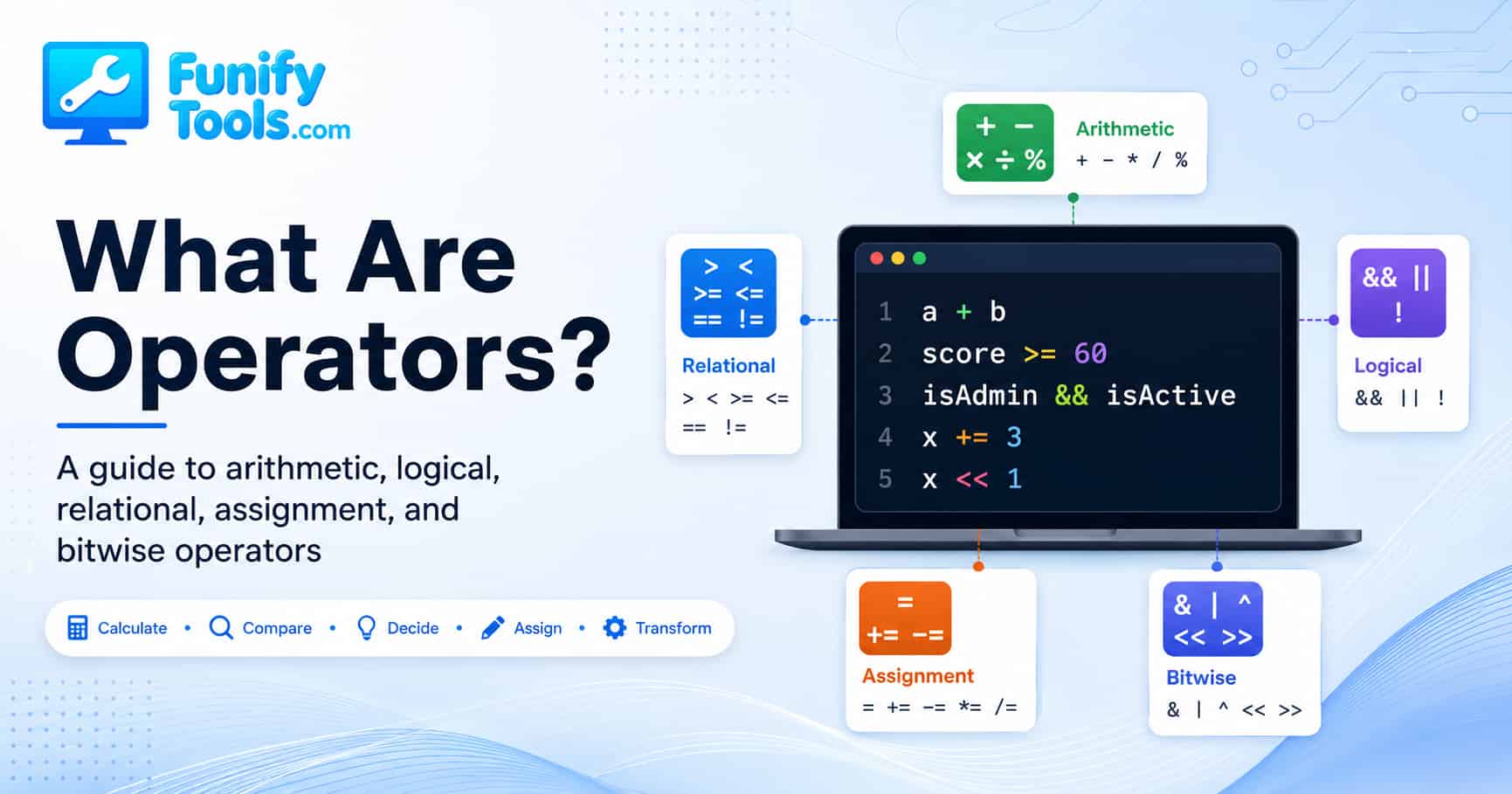
A Clear Guide to Arithmetic, Logical, Relational, and Bitwise Operators
Today, let’s take some time to organize the basic idea of operators.
When people first start learning programming, they often focus on variables, loops, functions, and syntax. Those are all important, of course. But quietly sitting between almost every value and every expression, there is another group of characters doing a huge amount of work: operators.
In programming, operators are the symbols and keywords we use to tell a computer what kind of action should happen between values. They can calculate numbers, compare data, combine conditions, assign values, work with memory, convert types, and even manipulate data at the bit level. They may look tiny on the screen, but they decide how expressions behave and what result a program finally produces.
At first glance, an operator like + or = seems obvious. We see it and think, “That is just addition,” or “That is just assignment.” But in real code, operators are often where small misunderstandings turn into bugs. The same symbol can behave differently depending on the data type. Two operators that look similar may have completely different meanings. And when several operators appear in one expression, the order of evaluation can change the result.
That is why it helps to understand operators as concepts first, instead of memorizing them as isolated pieces of syntax. Once you understand what kind of question each operator is asking, code becomes much easier to read. You begin to see expressions not as random symbols, but as small sentences that describe a calculation, a decision, or a transformation.
In this post, we will walk through the major kinds of operators that appear across many programming languages and look at what each one is really doing behind the scenes.
Arithmetic Operators
+,-,*,/,%
The first type most people think of is the arithmetic operator. These are used for mathematical calculations and include symbols like +, -, *, /, and %. They let us add, subtract, multiply, divide, and find remainders.
For example, 3 + 2 gives 5, and 10 - 4 gives 6. That part feels familiar because it looks like ordinary math. But in programming, arithmetic is not only about writing a formula. The computer has to load the values, perform the operation, and store or return the result. That process happens extremely fast, but it is still a real operation being performed by the machine.
Arithmetic operators are used everywhere. A shopping cart uses them to calculate totals. A game uses them to update a player’s score, position, speed, and health. A timer uses subtraction to find remaining time. A finance app uses multiplication and division to calculate interest, percentages, and averages. Even a simple line like count = count + 1 depends on arithmetic.
One operator beginners sometimes overlook is the remainder operator, usually written as %. It returns what is left after division. For example, 10 % 3 returns 1, because 10 divided by 3 leaves a remainder of 1. This operator is useful for checking whether a number is even or odd, rotating through repeated patterns, creating alternating row styles, or running something every few steps inside a loop.
It is also important to remember that the result can change depending on the data type. In some languages, dividing two integers may produce an integer result and drop the decimal part. In others, division may automatically return a floating-point value. So 5 / 2 might become 2 in one context and 2.5 in another.
This is one of those details that feels small until it causes a real bug. If you are calculating an average, a percentage, or a position on the screen, losing the decimal part can make the final result wrong. So whenever arithmetic looks strange, one of the first questions to ask is: “What data type am I actually working with?”
Relational Operators
>,<,>=,<=,==,!=
Next, we have relational operators. These compare two values and return either true or false. Common examples include >, <, >=, <=, ==, and !=.
Relational operators are the operators that help a program make judgments. They answer questions like: Is this number bigger? Is this value smaller? Are these two things equal? Are they different? The answer becomes a boolean value, and that boolean value can then be used inside an if statement, a loop, a filter, or any other decision-making structure.
For example, if you want to express the idea, “If the score is 60 or higher, the student passes,” you would use a relational operator to compare the score against a threshold:
score >= 60
If score is 75, the expression is true. If score is 42, the expression is false. That true-or-false result is what allows the program to choose one path over another.
Relational comparisons are not limited to numbers either. In many languages, strings, pointers, object references, dates, and other types of data can also be compared. However, this is where things can get tricky. Different languages may handle comparison in different ways. Some compare actual values, while others compare memory references or addresses.
For example, comparing two numbers is usually straightforward. But comparing two objects can be more complicated. Are you checking whether the objects contain the same data? Or are you checking whether both variables point to the exact same object in memory? Those are not always the same question.
This is why equality operators deserve extra attention. In many languages, == checks equality, but the exact meaning depends on the language. Some languages also have stricter equality operators, such as ===, to compare both value and type. If you are learning a new language, equality comparison is one of the first operator behaviors worth checking carefully.
A good habit is to read relational expressions out loud in plain English. age >= 18 becomes “age is greater than or equal to 18.” name != "" becomes “name is not empty.” If the sentence sounds unclear, the code may need to be rewritten more clearly.
Logical Operators
&&(AND),||(OR),!(NOT)
If relational operators are tools for making judgments, then logical operators are tools for combining those judgments.
Logical operators such as &&, ||, and ! let you connect multiple conditions into one larger condition. They are especially common in if statements, validation checks, loops, login logic, search filters, and permission rules.
The && operator means AND. It returns true only when both sides are true. For example, if you want to check whether someone is at least 20 years old and younger than 65, you might write something like:
age >= 20 && age < 65
The || operator means OR. It returns true when at least one side is true. For example, you might allow a discount if a user is a student or a senior:
isStudent || isSenior
The ! operator means NOT. It reverses a boolean value. If isLoggedIn is true, then !isLoggedIn is false. This is useful when you want to express the opposite condition, such as “if the user is not logged in.”
Most programming languages also use something called short-circuit evaluation. This means the program may skip part of a logical expression when the final result is already clear. In an expression like A && B, if A is already false, the program does not need to evaluate B, because the whole expression can never become true. Likewise, in A || B, if A is already true, the program may skip B, because the whole expression is already true.
This behavior can make code more efficient, and it can also prevent errors. For example, you might check whether an object exists before trying to read a property from it. If the first condition fails, the second one never runs, which can avoid a crash.
But short-circuit evaluation also means you need to be careful when the second expression contains a function call or some side effect. If that second part is skipped, the function will not run. In other words, logical operators do not just combine conditions. They can also affect which parts of your code actually execute.
Assignment Operators
=,+=,-=,*=,/=,%=
Now let’s move on to assignment operators. Assignment means storing a value in a variable. The most common assignment operator is =. In an expression like x = 5, the meaning is simple: store the value 5 in the variable named x.
This is one of the most common operations in programming. We assign values when we create variables, update counters, store user input, save calculation results, and pass information from one part of a program to another.
One thing beginners sometimes find confusing is that = in programming does not usually mean the same thing as an equal sign in math class. In math, x = 5 describes a relationship. In most programming languages, x = 5 is an action. It means “put this value into this variable.” That is why x = x + 1 makes sense in code even though it would look strange as a pure math equation.
However, assignment is not always as simple as “copy this value over there.” In some languages, assigning an object or array does not create a brand new copy of the data. Instead, it may simply create another reference to the same underlying object in memory. Because of that, changing one variable may appear to affect another variable if both are pointing to the same object.
There are also compound assignment operators, which combine calculation and assignment in a single step. For example, x += 3 means the same basic thing as x = x + 3. The same pattern applies to -=, *=, /=, and %=.
These operators make code shorter and easier to read, especially in loops, counters, and accumulation logic where the same variable is being updated repeatedly. For example, adding a product price to a running total is a natural place to use total += price. Reducing remaining lives in a game might use lives -= 1.
Still, shorter code is not always better code. If a compound assignment makes the line harder to understand, it is completely fine to write the longer version. The goal is not to use every operator just because it exists. The goal is to write code that clearly says what it is doing.
Increment and Decrement Operators
++,--
The increment and decrement operators are special operators used to increase or decrease a variable by 1. The most common forms are ++ and --.
These operators are often used with counters. If a loop is counting from 0 to 9, you may see i++ at the end of each loop cycle. If a countdown timer is moving backward, you may see something like seconds--.
They come in two styles: prefix and postfix. With prefix, such as ++x, the value is changed first and then returned. With postfix, such as x++, the current value is returned first, and only then is the variable increased.
This may seem like a tiny difference, but it can have a major effect in loops or more complex expressions. For example, while (x++ < 10) and while (++x < 10) do not behave exactly the same way internally. One compares the old value before increasing it, while the other increases first and then compares.
For beginners, the safest habit is simple: use increment and decrement operators in clear, separate statements when possible. A line like i++; is easy to understand. But when increment operators are buried inside a bigger expression, the timing can become harder to follow.
Understanding this is useful not because you need to write clever code, but because you will eventually read code written by other people. When you see prefix and postfix operators, you should know not only what they do, but also when the change actually becomes visible.
Conditional Operator, Also Called the Ternary Operator
condition ? value1 : value2
The conditional operator is often called the ternary operator because it uses three parts. Its basic form is:
condition ? value1 : value2
If the condition is true, it returns value1. If the condition is false, it returns value2.
For example, you might write:
result = (score >= 60) ? "Pass" : "Fail";
This is a compact way to express a simple if-else decision. Instead of writing several lines of code, you can keep a small choice inside one expression. It works especially well when you are choosing between two simple values, such as a label, a class name, a message, or a default setting.
For example, a website might choose a button label based on login status:
buttonText = isLoggedIn ? "Log out" : "Log in";
That is short, readable, and direct. The condition is easy to understand, and the two possible results are simple.
However, the ternary operator can become messy when it is overused. If the condition is complicated, or if the true and false values contain more logic, an ordinary if-else statement may be easier to read. Nested ternary operators can become especially hard to follow because the reader has to mentally untangle several choices at once.
So the ternary operator is best treated as a tool for small, clean decisions. When it improves readability, use it. When it makes the code feel compressed or clever, step back and consider writing the logic in a more open form.
Bitwise Operators
&,|,^,~,<<,>>
Now we get into a lower-level category: bitwise operators.
These operators treat integers as binary values and perform operations on each individual bit. Common examples include & for AND, | for OR, ^ for XOR, ~ for NOT, << for left shift, and >> for right shift.
If you are mostly writing beginner-level scripts, web pages, or simple apps, bitwise operators may not appear very often at first. But they are still important because they reveal how data can be handled closer to the machine level. Instead of thinking about a number as a single value, bitwise operations let you think of it as a group of individual 0s and 1s.
For example, x & 1 can be used to check whether a number is odd or even. If the last bit is 1, the number is odd. If the last bit is 0, the number is even. Another common example is shifting. x << 1 often has the effect of multiplying x by 2, while x >> 1 often has the effect of dividing by 2, depending on the type and language behavior.
Bitwise operators are extremely important in areas like hardware control, data compression, graphics programming, cryptography, embedded systems, networking, permissions, and performance-sensitive code. You may also see them used in flags, where each bit represents a different setting. One integer can store several true-or-false options by turning individual bits on or off.
Even though bitwise operators may look technical at first, they are really just another way of asking more detailed questions about data. Instead of asking, “What is the whole number?”, you are asking, “Which bits are turned on? Which bits should be changed? Which pattern should be kept?”
Still, this is one area where assumptions can be dangerous. Shift behavior for signed integers, binary representation, overflow, and language-specific rules can all affect the result. So when you use bitwise operators, it is worth slowing down and checking exactly how the language defines them.
Type Conversion Operators
(type)value
Type conversion operators change one data type into another. For example, you may convert an integer to a floating-point number, a floating-point number to an integer, a number to a character, or one object type to another, depending on the language.
Type conversion matters because programs often need to combine data that does not start in the same format. User input may arrive as text. A calculation may require a number. A database may return a value in one type, while the rest of the program expects another. Conversion is how we make those pieces fit together.
In many programming languages, there are two broad kinds of conversion: implicit conversion and explicit conversion. Implicit conversion happens automatically when the language decides it is safe or convenient. For example, a language may automatically convert an integer to a floating-point value during a calculation.
Explicit conversion happens when the programmer directly requests it. In C-style syntax, this may look like (int)3.14. That tells the program to treat the value as an integer. But the result may not be what a beginner expects. Instead of rounding to 3 or 4 depending on the decimal, some languages simply cut off the decimal part and produce 3.
Type conversion is powerful, but it should be used carefully. Conversions can lead to lost precision, unexpected rounding, overflow, or subtle bugs if the programmer assumes the data remains unchanged. Converting a large number into a smaller numeric type can lose information. Converting text into a number can fail if the text is not formatted correctly. Converting between object types can be risky if the actual object does not match the expected type.
So even though casting can look like a small piece of syntax, it often has important consequences for how data is interpreted. A good rule is to be especially careful whenever a conversion changes the amount of information a value can hold. Converting from a smaller or simpler type to a larger one is usually safer than converting in the other direction.
Address Operators and sizeof
&,*,sizeof
Address-related operators deal directly with memory.
In C-style languages, the & operator can be used to get the memory address of a variable. This is one of the starting points for understanding pointers. On the other hand, the * operator can be used as a dereference operator, which means it accesses the actual value stored at a particular address.
For example, imagine a variable as a labeled box. The variable name is the label, the value is what is inside the box, and the memory address is where that box sits in the computer’s memory. The address operator helps you find the location of the box. The dereference operator helps you open a box at a given location and read what is inside.
Once you understand this idea, programming starts to feel less abstract. You begin to see that variables are not just names floating around in code. They represent actual pieces of data stored somewhere in memory. This is especially important in languages where you manage memory more directly, such as C and C++.
Address and dereference operators are powerful because they allow efficient data access, dynamic memory structures, arrays, linked lists, and low-level system programming. But they also require care. Using the wrong address, dereferencing a null pointer, or accessing memory that no longer belongs to your program can lead to serious bugs.
Another important operator here is sizeof, which tells you how many bytes a given type or variable occupies. For example, if sizeof(int) returns 4, that means the integer type uses 4 bytes on that system.
The exact result can vary depending on the platform, architecture, compiler, and data model. That is why sizeof is especially useful when writing portable or low-level code. It helps you avoid guessing about memory size and lets the compiler tell you the correct answer for the environment you are actually using.
Operator Precedence and Associativity
To truly understand operators, you also need to understand precedence and associativity.
When multiple operators appear in a single expression, precedence determines which one is evaluated first. For example, in a + b * c, multiplication happens before addition, just like in ordinary math. So the expression is interpreted as a + (b * c), not (a + b) * c.
Associativity determines the direction in which operators of the same level are grouped. For instance, in x = y = 5, assignment works from right to left. That means y gets 5 first, and then that same value is assigned to x.
These rules matter because they affect the final result of an expression. In simple code, the intended meaning may be obvious. But as expressions grow more complex, relying only on operator precedence can make code harder to understand.
For example, a line may technically be correct, but still take extra effort to read:
result = a + b * c > d && e != f;
A compiler can understand this expression based on precedence rules. But a human reader may need to pause and mentally break it apart. That pause is a sign that parentheses or smaller intermediate variables might make the code easier to maintain.
That is why using parentheses is usually a good habit. Parentheses make your intention explicit. They show the reader which part should be handled first, even if the language would already evaluate it that way. In real-world code, clarity often matters more than saving two characters.
Operator precedence is also one of the reasons beginners should be careful when copying clever one-line expressions. A line that looks elegant to an experienced developer may be confusing to someone else later. If the expression controls money, permissions, validation, or important business logic, readability is worth far more than cleverness.
The Comma Operator
There is also a rather unusual operator called the comma operator.
It allows multiple expressions to be evaluated in sequence within a single statement, and the final result of the whole expression becomes the value of the last part. For example:
(x = 1, y = x + 2, y)
This expression ultimately returns 3, which is the final value of y.
The comma operator is often used in loop initialization or in tightly packed expressions where several operations need to happen in order. For example, some C-style for loops may update more than one variable in the same section of the loop statement.
That said, the comma operator is not something you need to use often as a beginner. In many cases, writing separate statements is clearer. The main reason to know about it is so you are not surprised when you see it in existing code.
It also shows an important point about programming: even punctuation can carry meaning. A comma in one context may simply separate function arguments. In another context, it may be an actual operator that evaluates expressions in sequence. Context matters a lot in programming syntax.
Operators Are Small, But They Shape the Whole Expression
One reason operators are easy to underestimate is that they are visually small. A function name may be long. A variable name may be descriptive. A class or module may take up a whole file. But an operator might be just one or two characters.
Still, those one or two characters can completely change the meaning of a line. Changing && to || can reverse the logic of a condition. Changing > to >= can include or exclude a boundary value. Changing = to == can be the difference between assigning a value and comparing it. Changing + to += can change whether a value is replaced or accumulated.
This is why many bugs hide inside expressions that look almost correct. The code may run. It may not throw an error. But it may produce the wrong result because one operator does not match the intention.
When debugging, it is useful to slow down and read expressions piece by piece. Ask what each operator is doing. Ask what type each value has. Ask whether the comparison is inclusive or exclusive. Ask whether the expression is being evaluated in the order you expect. These small checks can save a lot of time.
Final Thoughts
That wraps up our overview of operators.
At this stage, you do not need to memorize every rule perfectly. It is enough to focus on understanding the overall ideas first. Operators are some of the most basic building blocks in programming, but they are also some of the most powerful. They are the tools that let us turn logic into instructions a computer can execute.
They may look like small symbols, but behind them lie calculation, comparison, memory access, logical reasoning, data transformation, and evaluation order. Understanding operators is not just about learning syntax. It is about learning how a computer “thinks” through code.
Once you start asking yourself questions like, “In what order does this expression run?”, “What type is this value right now?”, “Is this checking a value or a reference?”, or “Could this operator behave differently with another data type?”, you are already moving beyond the beginner mindset.
You are starting to read code in a deeper way. You are no longer only looking at what the line seems to say. You are thinking about what the computer will actually do when it runs that line.
And that is why operators really are the hidden main characters of code. They do not always get the spotlight, but they are constantly moving the story forward.
Thanks for reading, and I hope this made the concept of operators feel a little clearer and a little less intimidating. Stay happy, and keep coding.
Why are operators important in programming?
Operators are not just symbols. They are essential tools that tell the computer how to calculate, compare, and make decisions. They define the relationships between values, variables, and expressions, which means they directly affect how a program works and what result it produces.
What is the difference between arithmetic operators and logical operators?
Arithmetic operators, such as +, -, *, /, and %, are used for mathematical calculations. Logical operators, such as &&, ||, and !, are used to combine or reverse conditions. In simple terms, arithmetic operators handle numbers, while logical operators handle true-or-false decisions.
What should beginners pay the most attention to when using operators?
One of the most important things to watch is operator precedence and associativity. When multiple operators appear in the same expression, the order of evaluation can change the final result. It is also important to understand how data types affect behavior, so using parentheses to make expressions clearer is often a good habit.
This article is also available in Korean: Read the Korean version