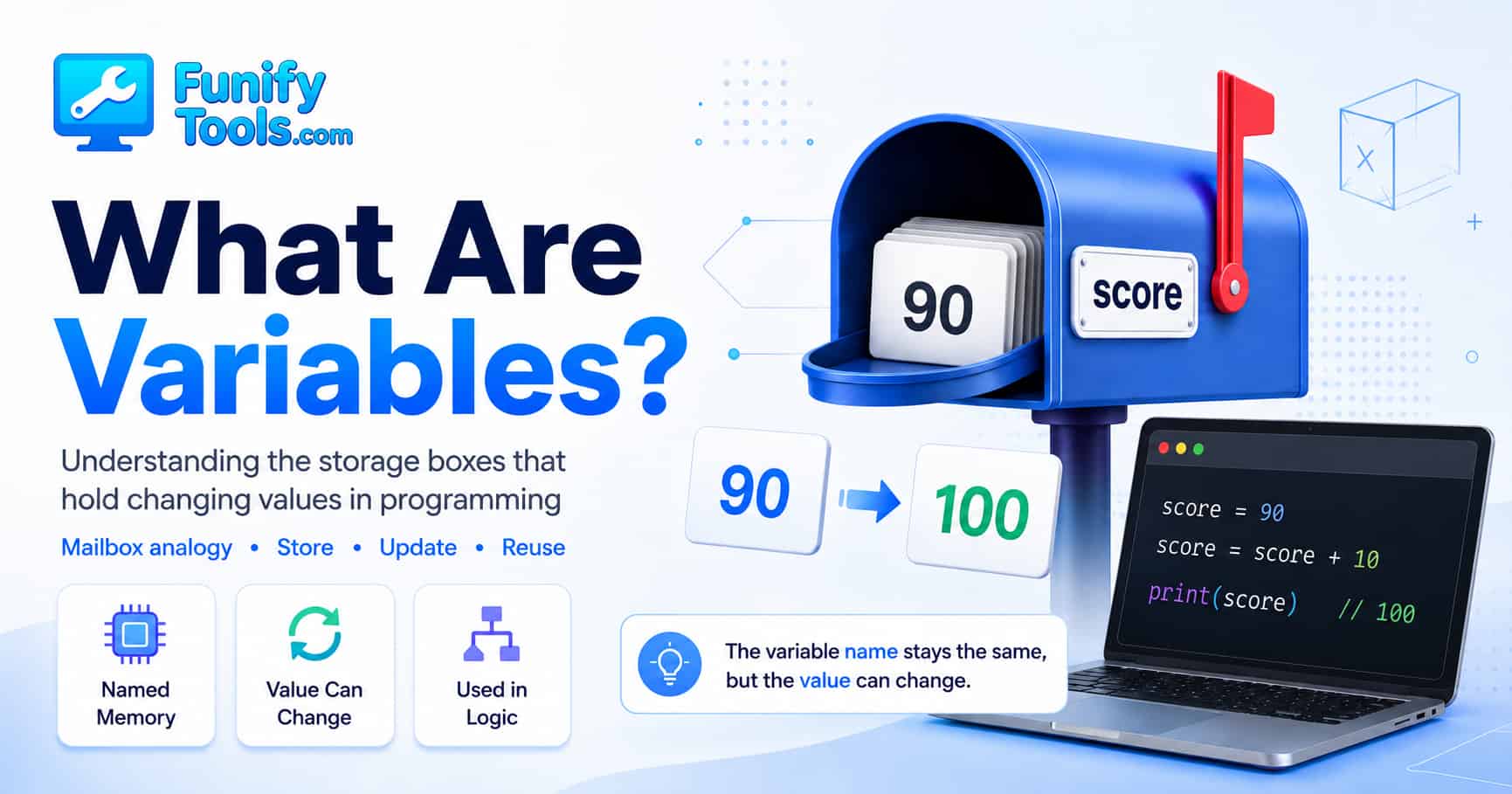
What Are Variables in Programming?
Hello everyone! 😊
Today, we’re going to talk about one of the first big ideas every beginner runs into when learning to code: the variable.
Variables show up everywhere in programming. At first, they may look like a small detail — just a name with a value next to it. But once you understand what variables really do, a lot of other programming concepts start to feel much less mysterious.
A program is not just a list of commands that runs from top to bottom. It is a set of logical steps that often needs to remember information, change that information, and use it again later. That information could be a score, a username, a price, an age, a password attempt count, a shopping cart total, or almost anything else a program needs while it is running.
Programming Needs Memory
Think about a simple score system. You start with 90 points. Then maybe the user answers another question correctly, so the score increases by 10. Now the score is 100. A program needs some way to remember the original score, add the new points, and store the updated result.
That is exactly the kind of job variables are made for. A variable is a named place where a program can temporarily keep a value. The value can be used later, and in many cases, it can also be replaced with a new value.
So instead of thinking of a variable as some abstract computer science term, think of it as a small labeled storage space. The computer stores a value there, and the programmer gives that place a name so it is easy to find again.
For example, if we create a variable called score, that name gives us a way to talk about the current score without having to know exactly where the computer stored it in memory.
🏠 A Variable Is Like a Mailbox
A helpful way to picture a variable is to imagine a mailbox.
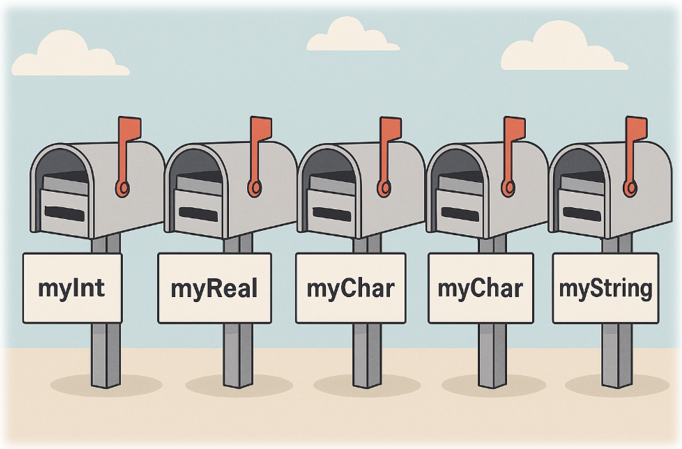
The mailbox has a name tag on the outside. Inside the mailbox, you can place a letter. Later, you can open the mailbox, read the letter, remove it, or replace it with a different letter.
A variable works in a similar way. The variable name is like the name tag on the mailbox. The value is like the letter inside. The name stays useful because it tells the program where to look, even if the value inside changes over time.
Here is a simple example in pseudo code:
score = 90 ← Store the current score.score = score + 10 ← Retrieve the previous score, add 10, and store it again.
In this example, score is the name of the mailbox. The number 90 is the value placed inside it. When we write score = score + 10, the program first looks inside the score mailbox, finds 90, adds 10, and then puts the new value, 100, back into the same mailbox.
This is one of the most important things to understand about variables: the name can stay the same, while the value inside can change.
Assignment Is Not the Same as Math Equality
One point that often confuses beginners is the = symbol. In math, an equals sign usually means both sides are the same. So when someone first sees this line, it can look strange:
score = score + 10In regular math, that would not make sense. But in programming, this usually means assignment, not mathematical equality.
You can read it like this:
“Take the current value of
score, add10, and save the result back intoscore.”
So the right side is calculated first. Then the result is stored into the variable on the left side. Once you get comfortable with that idea, many beginner code examples become much easier to follow.
🧭 Why We Use Variables
In the early days of computing, programmers often had to think much more directly about memory addresses. Instead of using friendly names, they might have had to deal with instructions that felt more like “put this value into memory location 103.”
That may be fine for the computer, but it is terrible for humans. Most people do not want to read a program full of raw memory locations. It is hard to understand, hard to maintain, and easy to get wrong.
Variables solve that problem by giving memory a human-readable label. Instead of trying to remember where a value lives, we can give it a meaningful name like age, score, totalPrice, or userName.
That small change makes a huge difference. Code becomes easier to read because the name tells you what the value is supposed to represent. A variable is not just a storage slot; it is also a clue for the person reading the code.
Compare these two examples:
a = 3
          b = 120
          c = a * b
Now compare it with this version:
itemCount = 3
          itemPrice = 120
          totalPrice = itemCount * itemPrice
The second version is much easier to understand, even if you are not the person who wrote it. That is the power of good variable names. They turn raw data into something meaningful.
⚙️ How a Variable Works
Technically, when we create a variable, we are asking the computer to reserve a place where a value can be stored. In many programming languages, this process is called declaring a variable.
You can imagine the program saying:
“I need a small space in memory, and I want to call it by this name.”
Let’s look at another simple example:
age = 15age = age + 1
Step by step, this means:
- Reserve a place where a value can be stored.
- Give that place the name
age. - Put the value
15inside it. - Read the current value of
age. - Add
1to that value. - Store the new value back into
age.
After those two lines run, the value inside age is no longer 15. It is now 16. The variable name did not change, but the content inside it did.
This is why variables are so useful. They let a program keep track of changing situations. A user logs in, a timer counts down, a game character loses health, a cart total updates, a form remembers what someone typed — all of these things depend on values that may change while the program runs.
Variables Make Programs Flexible
Without variables, programs would be extremely stiff. Imagine writing a calculator where every number had to be fixed in advance. That would not be very useful. A real calculator needs to accept different numbers from different users, store them temporarily, and calculate results based on those values.
Variables are what allow the same logic to work with different data.
For example:
firstNumber = 8
          secondNumber = 5
          result = firstNumber + secondNumber
Later, the values can change:
firstNumber = 20
          secondNumber = 7
          result = firstNumber + secondNumber
The structure of the logic is the same, but the values are different. That is one of the reasons programming is powerful. We can write one set of instructions and let variables carry different pieces of information through it.
📦 Common Types of Values Stored in Variables
A variable can store many kinds of values depending on the programming language. Beginners usually meet a few common ones first.
A variable may store a number:
score = 90
          age = 15
          price = 19.99
It may store text, often called a string:
userName = "Alex"
          message = "Welcome back!"
It may store a true-or-false value, often called a boolean:
isLoggedIn = true
          hasPermission = false
These examples may look small, but they are the building blocks of real programs. A website may store whether a user is logged in. A game may store a player’s health. A shopping page may store the number of items in the cart. A weather app may store the selected city and the current temperature.
The idea is always similar: give the value a useful name, store it, and use it when the program needs it.
Good Variable Names Matter More Than You Think
When you are just starting out, it is tempting to use names like a, b, x, or temp for everything. Sometimes short names are fine, especially in tiny examples. But in real code, unclear names can make your program much harder to read.
A good variable name should explain the purpose of the value. It does not have to be long, but it should be clear enough that someone can understand it without guessing.
For example, total is better than t. But cartTotal may be even better if the value means the total price in a shopping cart.
Here are a few examples of clearer names:
count          → number of items
          userName       → name of the current user
          finalScore     → final score after calculation
          isAvailable    → whether something is available
          remainingTime  → time left before something ends
Good names reduce mental effort. When code reads naturally, you spend less time decoding what each line means and more time understanding the actual logic.
🔁 Variables and Program Flow
One useful habit is to imagine how a variable changes as the program runs. Beginners often read code as if everything happens at once, but programs usually move step by step.
Look at this example:
count = 0
          count = count + 1
          count = count + 1
          count = count + 1
The value does not magically jump to 3. It changes one step at a time.
- At first,
countis0. - After the first update, it becomes
1. - After the second update, it becomes
2. - After the third update, it becomes
3.
This kind of step-by-step tracking is very important. It helps you understand loops, conditions, functions, and debugging later on. Many programming mistakes happen because the programmer thinks a variable contains one value, but it actually contains something else at that moment.
When you are learning, do not be afraid to write the values down on paper. It may feel slow, but it builds a strong mental model. Professional developers do this too, just in different ways: they use logs, debuggers, tests, and careful reading to track how values move through a program.
Names and Values Are Not the Same Thing
A variable has two parts that beginners should keep separate in their mind: the name and the value.
The name is how we refer to the storage space. The value is what is currently stored there.
Using the mailbox analogy, the name is the label on the mailbox. The value is the letter inside. Replacing the letter does not change the label on the mailbox. And reading the label does not tell you everything unless you also check what is currently inside.
For example:
favoriteColor = "blue"
          favoriteColor = "green"
The variable name is still favoriteColor, but the value changed from "blue" to "green". If the program uses favoriteColor after the second line, it will get "green", not "blue".
🧱 Variables Are the Foundation for Bigger Ideas
Variables may look simple, but they connect directly to almost every major programming concept.
Conditions use variables to make decisions:
if score >= 60:
              result = "pass"
Loops often use variables to count or repeat work:
count = 0
          while count < 5:
              count = count + 1
Functions receive variables, work with them, and return new values:
total = calculateTotal(price, quantity)Once you understand variables, these later topics become much easier. You start to see that a program is not just “doing commands.” It is moving values around, checking them, changing them, and using them to decide what happens next.
Common Beginner Mistakes With Variables
The first common mistake is choosing names that are too vague. A variable named data or value might be okay in a tiny example, but in a real program, it often does not explain enough. Clear names make debugging easier.
The second mistake is forgetting that a variable can change. If a value is updated in the middle of the program, every line after that update uses the new value, not the old one.
The third mistake is confusing assignment with comparison. In many languages, = means assignment, while == or another operator may be used for comparison. The exact symbols depend on the language, but the concept is important: storing a value and checking whether two values are equal are different actions.
The fourth mistake is trying to memorize syntax before understanding the idea. Syntax matters, of course, but the deeper concept matters more. Whether you write variables in Python, JavaScript, Java, C, or another language, the core idea is still about naming, storing, retrieving, and updating values.
✏️ Thinking Practice for Beginners
-
Track how values flow.
When you read code, pause after each line and ask, “What value does this variable contain right now?” This simple habit will make loops, conditions, and debugging much easier later. -
Give meaningful names.
Instead of usingaorxfor everything, try names likescore,userAge,totalPrice, oritemCount. A good name is like a small note to your future self. -
Don’t confuse names and values.
The variable name is the label. The value is the content. The label helps you find the content, but the content can be replaced as the program runs. -
Read assignment from right to left.
For beginner examples likescore = score + 10, calculate the right side first, then store the result into the variable on the left. -
Use small examples.
Practice with simple ideas like score, age, name, count, and total. You do not need a large project to understand variables well.
🧩 Summary
A variable is one of the most basic ideas in programming, but it is also one of the most powerful. It gives a program a way to remember information while it runs.
You can think of a variable as a labeled mailbox. The name tells the program where to look, and the value is what is currently inside. The value can be read, reused, and often replaced with a new one.
Variables are used to store scores, names, ages, prices, counts, messages, true-or-false states, and countless other pieces of information. Without variables, programs would not be able to react flexibly to different situations.
Once variables make sense, the next steps in programming become much easier. Conditions use variables to make decisions. Loops use variables to repeat work. Functions use variables to receive and return information. In other words, variables are not just a beginner topic — they are part of the foundation that holds everything together.
Today, we explored variables through the mailbox analogy. If the idea still feels a little abstract, try writing a few tiny examples by hand. Start with something simple like a score, an age, or a name. Change the value line by line and say out loud what is inside the variable after each step.
That kind of practice may seem basic, but it is one of the fastest ways to build real programming intuition. Coding becomes much less scary when you can clearly see how values move through your logic.
In the next article, we’ll look at constants — how they differ from variables, why they are useful, and when you should use one instead of a regular variable.
Thank you so much for reading. Wishing you a happy coding journey! 🌸
This article is also available in Korean: Read the Korean version