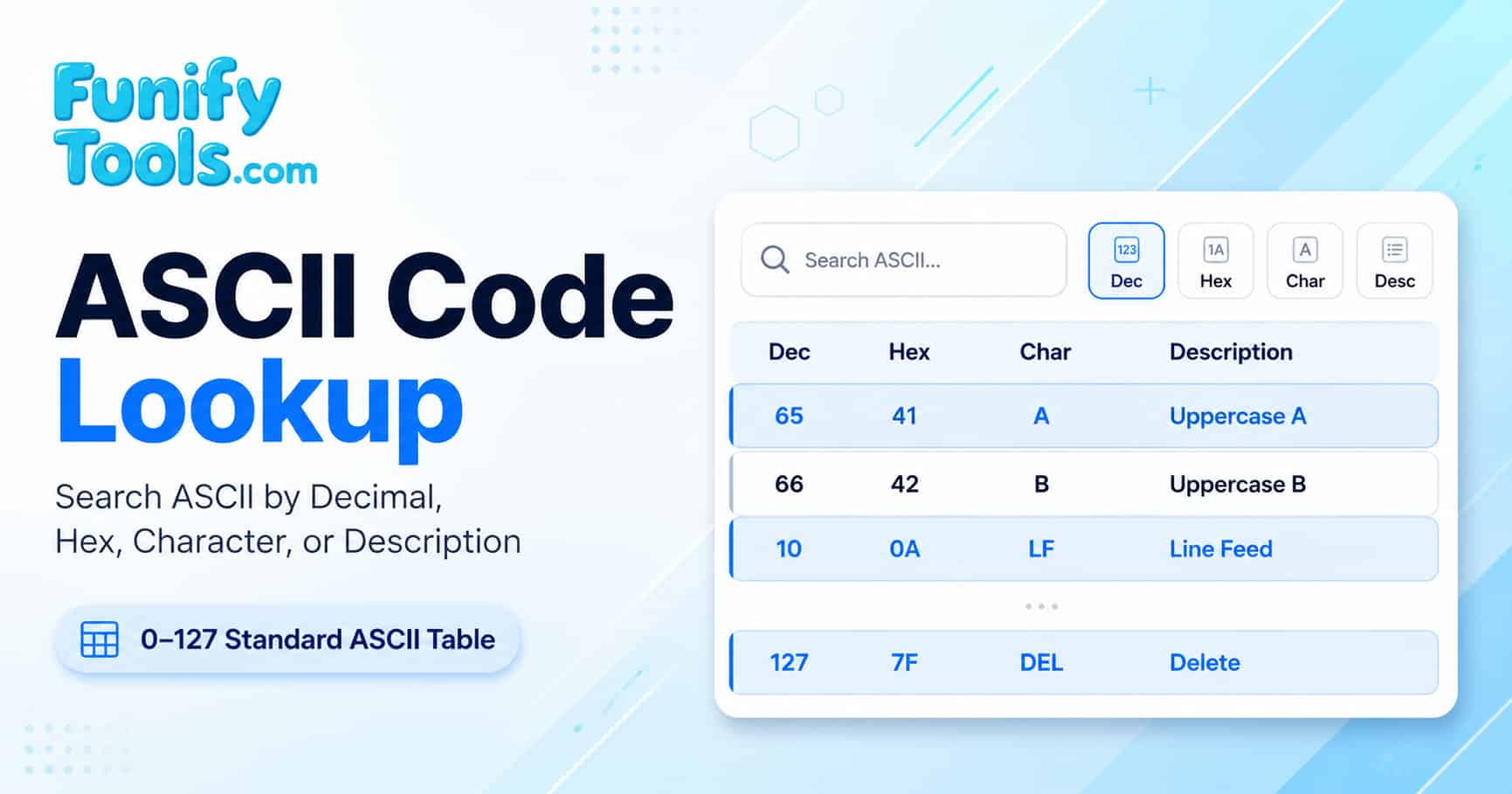
This comprehensive ASCII reference guide explains how the standard 7-bit ASCII character set is organized, where each range of codes is used in modern computing, and how to convert between decimal, hexadecimal, and character representations efficiently. Whether you are a student learning character encoding, a developer debugging protocol data, or a technical writer documenting text processing, this guide provides the depth you need.
How to use the ASCII Code Lookup tool
Use automatic detection or choose decimal, hexadecimal, octal, binary, or text mode to locate an ASCII value from a numeric code, character, control name, escape sequence, category, or descriptive keyword.
- Review the full ASCII table: The table displays decimal, hexadecimal, character, and description columns for the complete standard ASCII range from 0 to 127. Scroll through the table to get a visual overview of how codes are organized.
- Search by decimal code: Enter a numeric value such as 65 to locate the corresponding ASCII entry instantly. Decimal search is ideal when you already know the numeric code from documentation or reference materials.
- Search by hexadecimal code: Enter a hex value such as 41 to find the matching ASCII entry. Hex search is especially useful when working with packet captures, hex editors, or low-level debugging tools where values are displayed in hexadecimal notation.
-
Search by character or control name:
- Printable symbol: Enter a single character such as A, %, or @ to find its decimal and hex equivalents.
- Control name abbreviation: Enter short names such as NUL, SOH, LF, CR, ESC, or DEL to locate control characters that do not have a visible representation.
- Search by description keyword: Enter descriptive keywords such as uppercase, line feed, exclamation, or question to locate a matching row. Description search is case-insensitive and returns the first match that contains your keyword.
- Clear the current search: Use the Clear Search button to remove row highlights and reset all input fields before performing a new lookup operation.
- Copy the lookup summary or export the full table: Use Copy Summary to copy the current match details to your clipboard, or click Download CSV to export the complete ASCII table as a comma-separated values file for offline reference, classroom materials, or integration into documentation.
Understanding ASCII: The foundation of digital text
ASCII, which stands for the American Standard Code for Information Interchange, is a 7-bit character encoding standard that assigns a unique numeric value from 0 to 127 to each letter, digit, punctuation mark, and control character. Developed in the 1960s, ASCII became the foundational encoding that enabled different computer systems and communication equipment to exchange text reliably. Even today, every modern encoding including Unicode and UTF-8 preserves the first 128 code points as exact matches to the original ASCII standard.
How the ASCII table is organized by range
The standard ASCII table is divided into two main categories: control characters (0 to 31 plus 127) and printable characters (32 to 126). Understanding this organization helps you navigate the table more effectively and recognize which codes belong to which functional group.
- 0 to 31 (Control characters): These 32 codes represent non-visible control functions such as NUL (null), TAB (horizontal tab), LF (line feed), CR (carriage return), and ESC (escape). They are used to control devices, format text, and manage data flow.
- 32 (Space): The space character marks the boundary between the control range and the printable character range. It is the first printable character.
- 33 to 47 (Punctuation and symbols): This range includes common punctuation marks such as exclamation mark (!), quotation mark ("), number sign (#), dollar sign ($), percent sign (%), ampersand (&), and various brackets and operators.
- 48 to 57 (Digits 0 through 9): The ten decimal digits occupy a single continuous range, making numeric validation and conversion straightforward.
- 58 to 64 (Additional punctuation): This range includes colon (:), semicolon (;), less than (<), equal sign (=), greater than (>), question mark (?), and at sign (@).
- 65 to 90 (Uppercase letters A through Z): All 26 uppercase English letters are assigned to this continuous block.
- 91 to 96 (Brackets and backtick): This small range includes left square bracket ([), backslash (\), right square bracket (]), caret (^), underscore (_), and backtick (`).
- 97 to 122 (Lowercase letters a through z): The 26 lowercase English letters occupy this continuous range, exactly 32 positions above their uppercase counterparts.
- 123 to 126 (Remaining punctuation): Left curly brace ({), vertical bar (|), right curly brace (}), and tilde (~) complete the printable range.
- 127 (DEL): The delete control character sits alone at the top of the 7-bit range and is used for deleting or erasing data.
Why both decimal and hexadecimal representations matter
- Decimal (base 10): Decimal values are the most intuitive for human reading and are commonly used in programming tutorials, educational materials, and general documentation.
- Hexadecimal (base 16): Hex values are standard in low-level programming, protocol analysis, memory debugging, hex editors, and network packet inspection. Each hex digit represents exactly 4 bits, making byte-level work more natural.
- Character view: The character column confirms what each code actually produces on screen, which is essential for understanding the real-world output of a given numeric value.
Relationship between ASCII and modern character encodings
- ASCII is a strict subset of Unicode and UTF-8, meaning every valid ASCII character has the same numeric value in Unicode.
- The first 128 Unicode code points (U+0000 to U+007F) are identical to the standard ASCII range, ensuring backward compatibility.
- This compatibility is why ASCII remains relevant in programming languages, network protocols, file formats, and system-level documentation despite the widespread adoption of Unicode.
ASCII control character reference table (0 to 31 and 127)
The following table lists all 33 ASCII control characters with their decimal codes, hexadecimal codes, standard abbreviations, and full descriptions. Control characters do not produce visible output but instead control data flow, device behavior, and text formatting. They are essential in serial communication, terminal control, and protocol design.
| Decimal | Hex | Abbreviation | Description |
|---|---|---|---|
| 0 | 00 | NUL | Null character |
| 1 | 01 | SOH | Start of Heading |
| 2 | 02 | STX | Start of Text |
| 3 | 03 | ETX | End of Text |
| 4 | 04 | EOT | End of Transmission |
| 5 | 05 | ENQ | Enquiry |
| 6 | 06 | ACK | Acknowledge |
| 7 | 07 | BEL | Bell |
| 8 | 08 | BS | Backspace |
| 9 | 09 | TAB | Horizontal Tab |
| 10 | 0A | LF | Line Feed |
| 11 | 0B | VT | Vertical Tab |
| 12 | 0C | FF | Form Feed |
| 13 | 0D | CR | Carriage Return |
| 14 | 0E | SO | Shift Out |
| 15 | 0F | SI | Shift In |
| 16 | 10 | DLE | Data Link Escape |
| 17 | 11 | DC1 | Device Control 1 |
| 18 | 12 | DC2 | Device Control 2 |
| 19 | 13 | DC3 | Device Control 3 |
| 20 | 14 | DC4 | Device Control 4 |
| 21 | 15 | NAK | Negative Acknowledge |
| 22 | 16 | SYN | Synchronous Idle |
| 23 | 17 | ETB | End of Transmission Block |
| 24 | 18 | CAN | Cancel |
| 25 | 19 | EM | End of Medium |
| 26 | 1A | SUB | Substitute |
| 27 | 1B | ESC | Escape |
| 28 | 1C | FS | File Separator |
| 29 | 1D | GS | Group Separator |
| 30 | 1E | RS | Record Separator |
| 31 | 1F | US | Unit Separator |
| 127 | 7F | DEL | Delete |
Control characters such as LF (line feed, decimal 10), CR (carriage return, decimal 13), and TAB (horizontal tab, decimal 9) are among the most frequently encountered in modern text processing, log files, and network protocols.
ASCII printable character reference table (32 to 126)
This table covers all 95 printable ASCII characters from decimal 32 (Space) through 126 (Tilde). These are the characters you see on a standard English keyboard and in everyday text. Each row shows the decimal code, hexadecimal code, the visible symbol, and a brief description of its common name or function.
| Decimal | Hex | Symbol | Description |
|---|---|---|---|
| 32 | 20 | (Space) | Space |
| 33 | 21 | ! | Exclamation Mark |
| 34 | 22 | " | Quotation Mark |
| 35 | 23 | # | Number Sign |
| 36 | 24 | $ | Dollar Sign |
| 37 | 25 | % | Percent Sign |
| 38 | 26 | & | Ampersand |
| 39 | 27 | ' | Single Quote |
| 40 | 28 | ( | Left Parenthesis |
| 41 | 29 | ) | Right Parenthesis |
| 42 | 2A | * | Asterisk |
| 43 | 2B | + | Plus Sign |
| 44 | 2C | , | Comma |
| 45 | 2D | - | Hyphen/Minus |
| 46 | 2E | . | Period |
| 47 | 2F | / | Slash |
| 48 | 30 | 0 | Digit Zero |
| 49 | 31 | 1 | Digit One |
| 50 | 32 | 2 | Digit Two |
| 51 | 33 | 3 | Digit Three |
| 52 | 34 | 4 | Digit Four |
| 53 | 35 | 5 | Digit Five |
| 54 | 36 | 6 | Digit Six |
| 55 | 37 | 7 | Digit Seven |
| 56 | 38 | 8 | Digit Eight |
| 57 | 39 | 9 | Digit Nine |
| 58 | 3A | : | Colon |
| 59 | 3B | ; | Semicolon |
| 60 | 3C | < | Less Than |
| 61 | 3D | = | Equal Sign |
| 62 | 3E | > | Greater Than |
| 63 | 3F | ? | Question Mark |
| 64 | 40 | @ | At Sign |
| 65 | 41 | A | Uppercase A |
| 66 | 42 | B | Uppercase B |
| 67 | 43 | C | Uppercase C |
| 68 | 44 | D | Uppercase D |
| 69 | 45 | E | Uppercase E |
| 70 | 46 | F | Uppercase F |
| 71 | 47 | G | Uppercase G |
| 72 | 48 | H | Uppercase H |
| 73 | 49 | I | Uppercase I |
| 74 | 4A | J | Uppercase J |
| 75 | 4B | K | Uppercase K |
| 76 | 4C | L | Uppercase L |
| 77 | 4D | M | Uppercase M |
| 78 | 4E | N | Uppercase N |
| 79 | 4F | O | Uppercase O |
| 80 | 50 | P | Uppercase P |
| 81 | 51 | Q | Uppercase Q |
| 82 | 52 | R | Uppercase R |
| 83 | 53 | S | Uppercase S |
| 84 | 54 | T | Uppercase T |
| 85 | 55 | U | Uppercase U |
| 86 | 56 | V | Uppercase V |
| 87 | 57 | W | Uppercase W |
| 88 | 58 | X | Uppercase X |
| 89 | 59 | Y | Uppercase Y |
| 90 | 5A | Z | Uppercase Z |
| 91 | 5B | [ | Left Square Bracket |
| 92 | 5C | \ | Backslash |
| 93 | 5D | ] | Right Square Bracket |
| 94 | 5E | ^ | Caret |
| 95 | 5F | _ | Underscore |
| 96 | 60 | ` | Backtick |
| 97 | 61 | a | Lowercase a |
| 98 | 62 | b | Lowercase b |
| 99 | 63 | c | Lowercase c |
| 100 | 64 | d | Lowercase d |
| 101 | 65 | e | Lowercase e |
| 102 | 66 | f | Lowercase f |
| 103 | 67 | g | Lowercase g |
| 104 | 68 | h | Lowercase h |
| 105 | 69 | i | Lowercase i |
| 106 | 6A | j | Lowercase j |
| 107 | 6B | k | Lowercase k |
| 108 | 6C | l | Lowercase l |
| 109 | 6D | m | Lowercase m |
| 110 | 6E | n | Lowercase n |
| 111 | 6F | o | Lowercase o |
| 112 | 70 | p | Lowercase p |
| 113 | 71 | q | Lowercase q |
| 114 | 72 | r | Lowercase r |
| 115 | 73 | s | Lowercase s |
| 116 | 74 | t | Lowercase t |
| 117 | 75 | u | Lowercase u |
| 118 | 76 | v | Lowercase v |
| 119 | 77 | w | Lowercase w |
| 120 | 78 | x | Lowercase x |
| 121 | 79 | y | Lowercase y |
| 122 | 7A | z | Lowercase z |
| 123 | 7B | { | Left Curly Brace |
| 124 | 7C | | | Vertical Bar |
| 125 | 7D | } | Right Curly Brace |
| 126 | 7E | ~ | Tilde |
The printable range includes all letters, digits, and punctuation needed for standard English text. The space character (decimal 32) is the first printable character and the tilde (decimal 126) is the last.
ASCII digits and letters quick reference table
This compact table focuses on the three most frequently referenced ASCII ranges: digits (0 through 9), uppercase letters (A through Z), and lowercase letters (a through z). These ranges are especially useful for programming tasks such as validating numeric input, converting case, and parsing alphanumeric data.
| Category | Decimal Range | Hex Range | Count | Example |
|---|---|---|---|---|
| Digits | 48 to 57 | 30 to 39 | 10 | 0 (dec 48, hex 30) to 9 (dec 57, hex 39) |
| Uppercase letters | 65 to 90 | 41 to 5A | 26 | A (dec 65, hex 41) to Z (dec 90, hex 5A) |
| Lowercase letters | 97 to 122 | 61 to 7A | 26 | a (dec 97, hex 61) to z (dec 122, hex 7A) |
Notice that each uppercase letter is exactly 32 decimal positions lower than its lowercase equivalent. For example, A (65) and a (97) differ by 32. This predictable offset makes case conversion simple in any programming language.
Reading and lookup notes
ASCII tables are simple, but a few habits make them easier to use correctly when debugging text data or explaining encodings to others.
Distinguish control and printable characters
- Control characters do not normally render as visible symbols.
- Descriptions such as Line Feed or Carriage Return are usually more meaningful than the raw short names when documenting behavior.
Watch similar looking values
- Hex 30 is the character 0, not the decimal value 30.
- Uppercase A is decimal 65 and lowercase a is decimal 97.
- Small numeric differences can represent very different characters.
Use the right search input
- Decimal and hex searches are exact lookups.
- Description search is better when you remember part of a longer name, such as backspace or parenthesis.
- Character search is fastest when you already know the visible symbol or short control code.
Applications of ASCII lookup
Even though modern systems use Unicode, ASCII remains valuable because it defines the most common basic text range used in protocols, source code, and simple text processing.
Programming and scripting
- Check character codes when debugging string parsing.
- Understand escape sequences such as TAB, LF, and CR.
- Verify differences between uppercase and lowercase ranges.
Networking and protocols
- Review protocol headers that depend on plain text fields.
- Inspect delimiters, whitespace, and control characters in logs or test payloads.
- Confirm byte values when reading hex dumps.
Education and technical documentation
- Teach character encoding basics in classrooms or tutorials.
- Create quick examples for data conversion exercises.
- Document how systems treat separators, whitespace, or line endings.
Testing workflows
- Validate parser behavior with printable and non printable inputs.
- Build quick reference sheets for QA or integration tests.
- Check whether a value is inside the standard ASCII range.
History of ASCII
ASCII emerged in the 1960s to provide a common text encoding standard across different machines and communication systems. That consistency helped early computers, terminals, and networks exchange text more reliably.
Key milestones
- Early 1960s: Standardization work begins to unify machine readable character codes.
- 1963: An early ASCII standard is published.
- 1967: Lowercase letters are added, bringing the table closer to the familiar modern version.
- 1970s and 1980s: ASCII becomes deeply embedded in terminals, programming languages, and file formats.
- Later years: Unicode expands character coverage while keeping ASCII compatibility for the base range.
Why it lasted
- Simplicity: The table is compact and easy to understand.
- Portability: Systems could exchange basic English text reliably.
- Compatibility: Modern encodings preserved ASCII for continuity.
Advanced tips
These habits can save time when you work with character encodings more often.
Memorize useful anchor ranges
- Digits: 48 to 57
- Uppercase letters: 65 to 90
- Lowercase letters: 97 to 122
- Case shift: Uppercase and lowercase letters differ by 32 in standard ASCII.
Use control names intentionally
- NUL, TAB, LF, CR, ESC, and DEL appear frequently in technical contexts.
- Learning a few of these short names makes logs and terminal behavior easier to interpret.
Cross check decimal and hex
- Converting between decimal and hex builds confidence when working with packet captures or byte arrays.
- This page shows both columns together so you can verify the mapping without leaving the browser.
Limitations
This page is intentionally focused on the standard ASCII range, so a few limits are worth keeping in mind.
- Standard ASCII only: The table stops at 127 and does not include extended code pages.
- No Unicode beyond ASCII: Accented characters, symbols from other languages, and emoji are outside the scope of this lookup.
- Description search is first match based: It finds the first description that includes the entered text.
- Browser based behavior: JavaScript must be enabled for live highlighting and summary updates.
When to use another tool
- Choose a Unicode or UTF-8 inspector when you need multi language text support.
- Choose a hex editor when you need deep byte level inspection across larger files.
Final tips
ASCII is still one of the fastest entry points into understanding text representation in computing. A lightweight lookup page like this works well for quick checks, teaching, and debugging.
- Start from what you know: Decimal, hex, character, and description inputs are all useful in different situations.
- Use the table as a visual map: Seeing ranges together helps you remember them more quickly.
- Keep control characters in mind: They often explain whitespace, line breaks, or terminal behavior.
- Export references when needed: CSV download is useful for notes, classes, and technical documents.