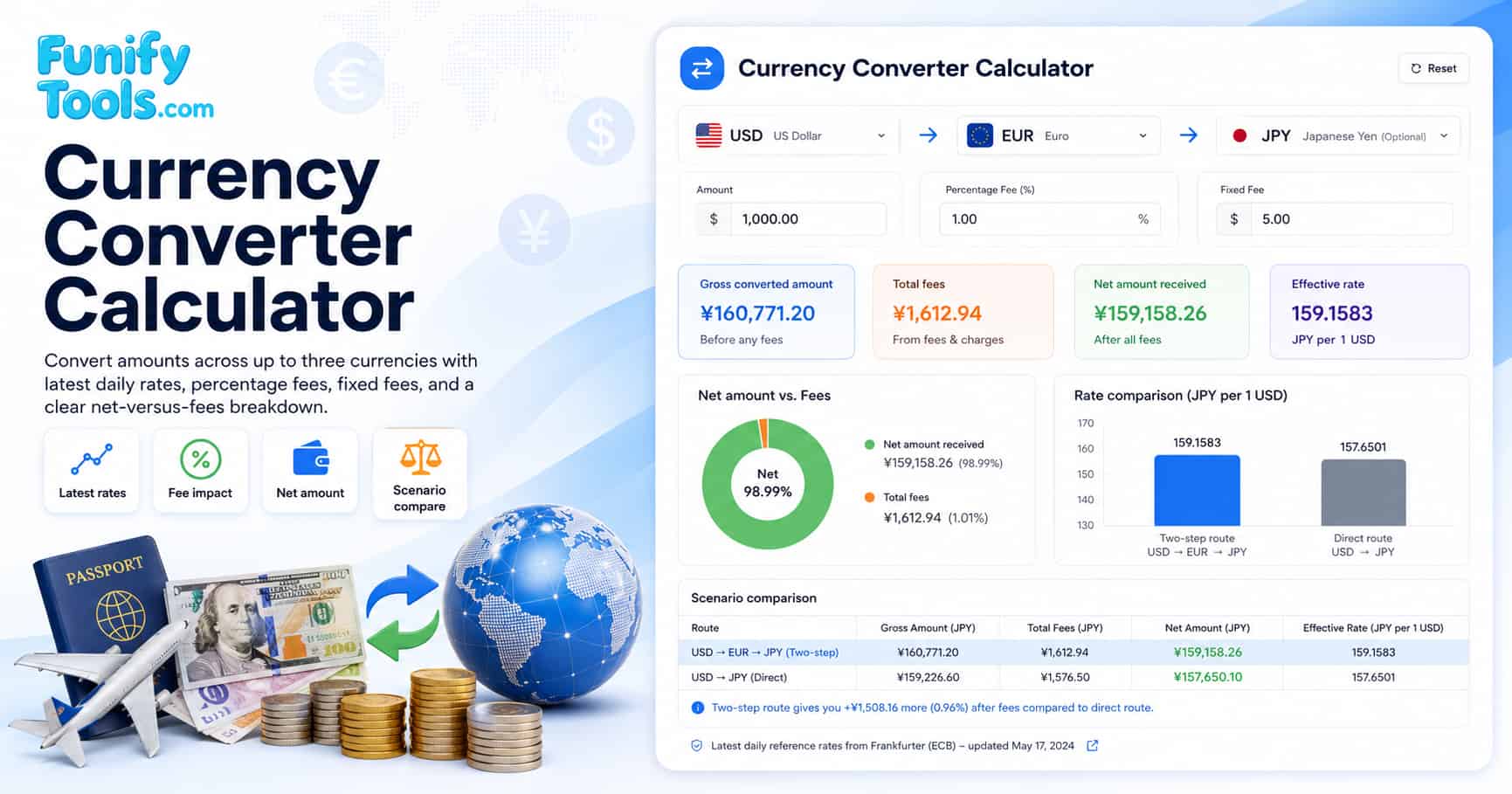
Understanding currency conversion
Currency conversion exchanges one currency for another based on a quoted exchange rate. Rates move over time because they reflect supply and demand in the foreign exchange market, which operates 24 hours a day on weekdays. The mid-market rate is the rate you see on financial data sites, but actual rates offered to consumers include a markup known as a spread.
A currency converter is useful for travel budgets, online purchases, overseas invoices, remittances, and comparing exchange providers. The headline exchange rate is only one part of the result: fees, spreads, and whether the route is direct or multi-step can change the final amount received. Understanding the full cost of a currency exchange helps you make better financial decisions whether you are sending money abroad or planning a vacation.
For wider context on foreign exchange quotes, search Google for currency exchange rate converter mid market rate fees. This can help you compare a reference rate with a bank, card network, exchange booth, or transfer provider quote and identify which provider gives you the best deal.
Formulas
Converted = amount x rate
Percent fee = converted x fee rate
Net = converted - total fee
The calculator applies the first exchange rate, subtracts the modeled fees, and then optionally applies a second exchange step if you choose a third currency. This is useful when you want to compare direct conversion with a route that passes through a major currency such as USD or EUR. For example, converting KRW to GBP directly may have a less favorable rate than going KRW to USD to GBP, depending on market liquidity and provider pricing.
Fees and costs
Providers typically earn from a spread and from explicit fees. This calculator models explicit fees so you can see exactly how much each fee type affects your final amount:
- Percentage fee: a fee that scales with the converted amount. Common ranges are 0.5% to 3% depending on the provider and service type.
- Fixed fee: a flat fee per step. In this tool, fixed fees are entered in the first currency and converted for calculation. Fixed fees can range from a few dollars to over $50 for wire transfers.
- Two-step conversions: if you select a third currency, the tool applies a second exchange rate and a second set of fees. This is common when converting through an intermediate currency like USD or EUR.
Providers can also add spreads and rounding rules that are not modeled here. A spread is the difference between a reference market rate and the actual rate offered to you. If you want to compare common cost types, search Google for foreign exchange spread percentage fee fixed fee explained to understand how different fee structures compare across banks, online platforms, and exchange booths.
| Input | What it means | Effect on result |
|---|---|---|
| Amount | Starting money in the first currency. | Sets the base for conversion and percentage fees. |
| Exchange rate | Latest daily rate used for the selected currency pair. | Determines converted value before fees. |
| Percentage fee | Fee that scales with converted value. | Becomes larger on bigger conversions. |
| Fixed fee | Flat fee entered in the first currency. | Can matter more for small conversions. |
Common conversion scenarios
Different situations call for different currency conversion strategies. The table below summarizes the most common scenarios and what to watch out for in each case.
| Scenario | Typical fee range | Key consideration |
|---|---|---|
| Travel cash exchange at airport booth | 3% to 8% | Convenient but often the most expensive option due to high spreads and fixed service charges. |
| ATM withdrawal abroad | 1% to 3% plus fixed fee | Your bank may charge a foreign transaction fee and the ATM operator may add a surcharge. |
| Online money transfer service | 0.5% to 2% | Often offers better rates than banks. Compare the mid-market rate against the offered rate. |
| Credit card purchase abroad | 0% to 3% | Some cards have no foreign transaction fee. Check your card terms before traveling. |
| Bank wire transfer | 1% to 3% plus fixed fee ($15 to $50) | Banks apply both a percentage markup on the rate and a flat transfer fee, making small transfers particularly expensive. |
| Peer-to-peer exchange platform | 0% to 1% | Matches users who want to exchange currencies directly. Rates can be very competitive but liquidity may be limited for less common pairs. |
For travel money, compare the estimated net amount with card network conversion, ATM withdrawal fees, cash exchange booths, and bank transfer fees. For larger transfers, even a small percentage fee or spread can matter more than a fixed fee. Use the scenario comparison feature in this calculator to test different fee structures side by side.
Fee impact comparison
The way fees scale with the amount you convert has a major impact on which fee type matters most. The table below illustrates how the same percentage fee and fixed fee affect small, medium, and large conversions differently.
| Conversion amount | 2% percentage fee | $10 fixed fee | Which fee dominates? |
|---|---|---|---|
| $100 | $2.00 | $10.00 | Fixed fee is 5x larger than the percentage fee. |
| $1,000 | $20.00 | $10.00 | Percentage fee is 2x larger than the fixed fee. |
| $10,000 | $200.00 | $10.00 | Percentage fee is 20x larger than the fixed fee. |
| $50,000 | $1,000.00 | $10.00 | Percentage fee completely dominates the cost. |
This comparison shows why it is important to understand both fee types. For small conversions, minimizing the fixed fee should be your priority. For large conversions, negotiating a lower percentage fee will have a much bigger impact on the net amount you receive. If you are comparing multiple providers, search Google for best way to send money abroad compare transfer fees exchange rates to see reviews and rate comparisons across popular services.
Practical tips
- Use the fee fields to compare banks, exchange booths, or online platforms before committing to a transfer.
- If you see a high fee share, try reducing fixed fees or avoiding multiple conversion steps to improve the net amount.
- Use scenarios to compare routes, for example direct conversion versus two-step conversion through a major currency.
- Check whether your bank or card provider offers fee-free foreign transactions or reduced exchange markups for premium account holders.
- For recurring international payments, consider a multi-currency account that lets you hold and convert funds at better rates.
Two-step conversion is not automatically better or worse. It can help when a direct route has a poor quote, but it can also charge fees twice. Search Google for direct currency conversion versus two step exchange route when comparing unusual currency pairs that may have limited liquidity in the direct market.
Always check the total cost in your target currency rather than focusing on the exchange rate alone. A provider that advertises a great rate may compensate with high fees, while another with a slightly worse rate but zero fees could give you more money in the end. This calculator helps you make that comparison transparently.
References
Exchange rate overview, Wikipedia | Foreign exchange market, Wikipedia | Frankfurter exchange rate API, free and open-source