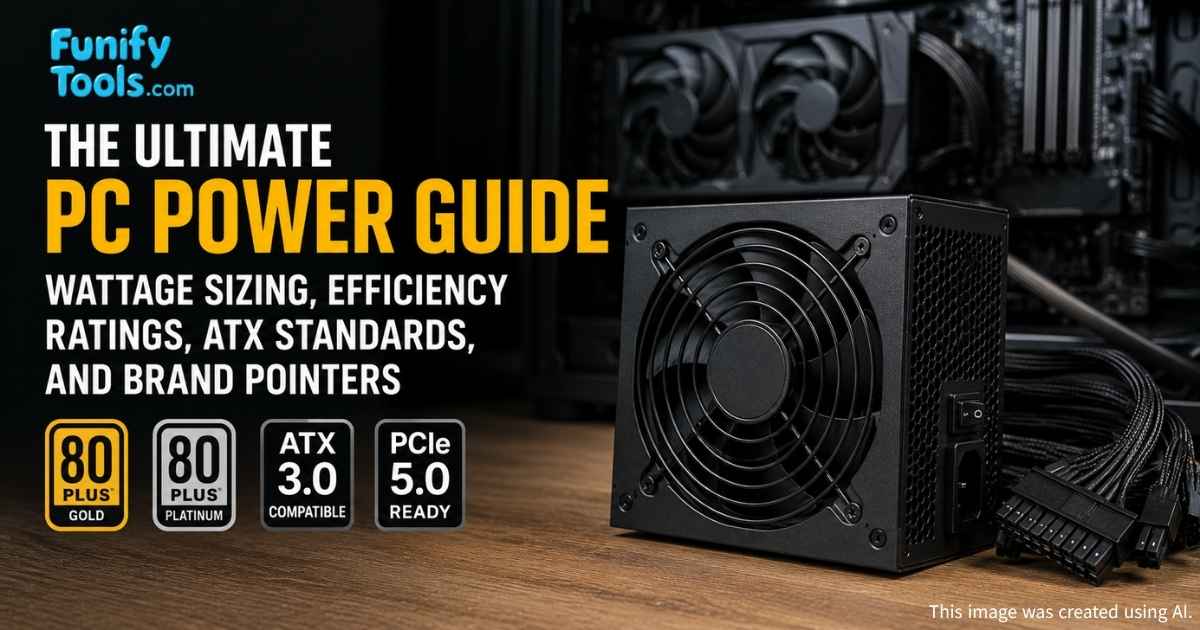
A power supply isn’t just a box that sends electricity — it’s a critical component that protects the stability and lifespan of your entire PC. Many builders notice the flashy parts first, but the PSU quietly determines whether those parts can work reliably for years.
To build a reliable system, check the PSU’s efficiency certification, the latest ATX standard, built-in protection circuits, and the brand’s reputation. Choosing a quality PSU with comfortable headroom reduces waste heat and fan noise, and leaves room for future upgrades without needing a new power unit.
The tricky part is that a good PSU rarely makes itself obvious. You do not see higher frame rates just because the power supply is excellent, and it does not make the desktop look faster. Instead, it works in the background: fewer random shutdowns, less electrical stress, quieter fan behavior, and a build that can handle upgrades without becoming unstable.
What Is a Power Supply (PSU)?
The PSU (Power Supply Unit) converts AC from the wall into clean DC voltages and supplies the right current to each component. It also contains protection and filtering circuits that keep voltage ripple low and prevent dangerous transients from reaching sensitive electronics.
-
House analogy: Like a home breaker panel, a PSU distributes electricity safely, with circuit protection and stabilized outputs.
-
Car analogy: Like a fuel pump, consistent delivery matters more than peak numbers — if delivery falters, performance and reliability suffer.
Bottom line: the PSU is the hidden foundation that keeps the rest of your machine running smoothly.
That hidden role is exactly why it is risky to treat the PSU as an afterthought. Every major component depends on it, from the CPU voltage regulators on the motherboard to the GPU during a sudden game load. If power delivery is unstable, troubleshooting becomes confusing because the symptoms can look like a bad GPU driver, faulty RAM, overheating, or even a software crash.
Why the PSU Matters
It’s tempting to chase raw wattage numbers, but the quality of delivery is what separates a stable system from one that crashes under load. A weak or cheap PSU might claim high wattage on the box, but fail at delivering clean, stable power when components spike.
High-end GPUs and CPUs can create brief but large power spikes — some modern GPUs have transient draws that exceed their average power by a few hundred watts. If the PSU can’t handle these spikes, you’ll see reboots, crashes, or persistent instability.
Cheap PSUs often have high ripple (voltage noise) and fewer protections, which can gradually degrade motherboards, SSDs, and other components.
A good PSU prioritizes stable delivery, low ripple, and strong protections rather than just a marketing wattage figure.
This is also why two power supplies with the same wattage label can behave very differently. A well-built 750W unit from a strong platform may handle a modern gaming PC comfortably, while a low-quality 750W unit may struggle with spikes, run hot, or become noisy. The number on the box is only the beginning; the internal design, protections, and real test results matter just as much.
PSU Tech: Efficiency & Modern Standards
80 PLUS Efficiency (the higher, the better)
| 80 PLUS Level | 20% Load | 50% Load | 100% Load | Notes |
|---|---|---|---|---|
| Standard | 80% | 80% | 80% | Basic level (rare now) |
| Bronze | 82% | 85% | 82% | Solid budget choice |
| Silver | 85% | 88% | 85% | Less common today |
| Gold | 87% | 90% | 87% | Sweet spot for most builds |
| Platinum | 90% | 92% | 89% | High-end, cooler & quieter |
| Titanium | 92% | 94% | 90% | Top-tier efficiency (workstations/servers) |
Higher efficiency means less waste heat and often quieter operation because fans don’t need to spin as fast. It also translates into small but measurable power savings over time.
For most home PCs, 80 PLUS Gold is the practical sweet spot. Bronze can still be fine for budget systems if the model is reputable, while Platinum and Titanium make more sense when you care deeply about silence, run the PC for long hours, or are building a workstation where heat and electricity use add up over time.
ATX Standards (for modern GPUs & spikes)
| Standard | Key Points |
|---|---|
| ATX 2.0 | Older baseline; up to 8-pin GPU connectors |
| ATX 3.0 / 3.1 | Designed to handle transient power spikes from modern GPUs; supports 12VHPWR / 12V-2x6 connectors and improved transient response. |
Adapters can work in a pinch, but for safety and long-term reliability prefer an ATX 3.0/3.1 PSU if you plan to run the latest high-end graphics cards.
Connector quality matters here. A native cable from the PSU is usually cleaner than stacking adapters, especially in tight cases where cable bending is hard to control. If your GPU uses 12VHPWR or 12V-2x6, make sure the plug is fully seated and avoid sharp bends right at the connector.
What the PSU Actually Does (Day to Day)
Stable delivery under spikes — Supplies sudden GPU/CPU bursts without dropping voltages, preventing crashes or unexpected shutdowns.
Protection circuits — OVP/UVP/OCP/OTP/SCP protect the system from destructive conditions and increase long-term reliability.
Quiet & cool operation — More efficient units produce less heat; with smarter fan curves they remain quiet during typical desktop work and only ramp up under heavy load.
In practice, a good PSU is one you install and forget about — until it matters, at which point you’ll appreciate the reliability it provides.
One common sign of an underpowered or poor-quality PSU is instability only during specific moments: launching a game, starting a render, waking from sleep, or when the GPU suddenly boosts. Because the PC may work perfectly during web browsing, the PSU is easy to overlook. That is why power quality is part of stability, not just a checkbox in the parts list.
Cable Styles
Cable layout affects build tidiness and airflow, which indirectly impacts temperatures and noise.
Non-modular: All cables are fixed — cheaper but harder to route cleanly.
Semi-modular: Essential cables fixed, extras detachable — a good balance for most builders.
Fully modular: Every cable is detachable — best for tidy builds and tight cases, common in mid/high-end units.
Fully modular cables are especially useful if you build in a compact case, use custom cable extensions, or want easier cleaning later. Just remember that modular PSU cables are not universally interchangeable. Even if the plug shape looks similar, cables from another PSU brand or model can have different pinouts, so always use the cables supplied with that exact unit unless the manufacturer confirms compatibility.
Notable PSU Makers (quick orientation)
These manufacturers are worth checking first; specific model lines vary in quality, so read reviews for the exact unit you’re considering.
Seasonic — PRIME / FOCUS lines; in-house designs with excellent voltage quality and long warranties.
Super Flower — LEADEX series; known for strong transient handling and high efficiency.
Corsair — RMx/RMe, HX/HXi, AX/AXi, SF; wide range and reliable warranties, with monitoring on higher-end models.
be quiet! — Straight Power / Dark Power; excels at acoustics for silent builds.
FSP — Hydro / Dagger SFX; solid OEM with good small-form-factor options.
Cooler Master — V Gold / Platinum, V SFX; balanced thermals and finish.
ASUS ROG — Thor / Strix; premium features (OLED, RGB), often using reputable OEM internals.
Antec, Enermax, MSI, SilverStone, Thermaltake — additional options across price and form factors.
(Brand availability and warranties vary by region — always check local models and support options.)
Brand names are helpful for orientation, but the exact model still matters. Many brands sell several product lines made for different budgets, and sometimes different revisions of a similar-looking unit can use different internal platforms. If possible, check detailed reviews that measure ripple, voltage regulation, noise, hold-up time, and transient response instead of relying only on star ratings.
How Big (in Watts) Should You Go?
Here’s practical guidance with a modest safety margin for spikes and future upgrades:
Office / Everyday: 500–600W — enough for efficient CPUs, integrated graphics, or a modest discrete card.
Gaming (mid-range GPU): 650–850W — depends on the GPU and whether you plan to overclock.
High-end GPU / Creator: 1000W+ — for multi-GPU, high-TDP cards, or heavy workstation loads.
Aiming for ~30–40% headroom above typical usage gives quieter fan operation and leaves room for upgrades without immediately replacing the PSU.
Headroom does not mean buying the biggest unit you can find. A massively oversized PSU can cost more than necessary and may not operate in its most efficient range during light use. The goal is a comfortable middle: enough capacity for peak loads and future parts, but still reasonable for the system you actually plan to build.
A simple way to think about it is to estimate the CPU and GPU first, then add the rest of the system and a safety margin. GPUs usually dominate the calculation in gaming PCs, while CPUs and multiple drives may matter more in workstations. Online calculators can help, but it is still worth checking real reviews for your exact GPU class.
Pre-Purchase Checklist
Wattage headroom — size for peak GPU/CPU draw with transient spikes and future upgrades in mind.
Efficiency — 80 PLUS Gold is a practical baseline; Platinum/Titanium if you prioritize silence and efficiency.
ATX standard — Prefer ATX 3.0/3.1 with native 12VHPWR support for modern GPUs.
Protections — Verify OVP/UVP/OCP/OTP/SCP are present.
Cabling — Fully modular is ideal for clean builds and airflow.
Brand & warranty — Favor reputable vendors with multi-year warranties.
Form factor — Confirm ATX vs SFX/SFX-L compatibility for compact cases.
No time to research?
High-end safe picks: Seasonic PRIME, Corsair HX/HXi, Super Flower LEADEX (top tiers).
Quiet PC focus: be quiet! Straight Power / Dark Power, Corsair RMx, Cooler Master V Gold.
ITX builds: Corsair SF, FSP Dagger, SilverStone SX, Cooler Master V SFX.
Before buying, also confirm the physical size. Most standard cases accept ATX PSUs, but compact cases may require SFX or SFX-L units. Length matters too: a long PSU can block cable space or interfere with drive cages, making the build harder even if it technically fits.
Finally, think about warranty length as part of the price. A quality PSU often lasts across multiple builds, so paying a little more for a trusted model with a long warranty can be cheaper than replacing a bargain unit later. This is one of the few PC parts where boring reliability is exactly what you want.
Wrapping Up
A PSU isn’t glamorous, but it determines the fate of every other component. Pick adequate wattage, real efficiency, a modern standard, and a trusted brand — and your system will stay stable through gaming sessions, content creation, and demanding workloads.
If the CPU is the brain and the GPU is the muscle, the PSU is the steady heartbeat. You may not think about it every day, but the whole system depends on it being calm, consistent, and well protected. Choose it with the same care you give to the more exciting parts, and the rest of the build will thank you quietly.
What’s Next
We’ve now covered CPU, GPU, RAM, storage, and the PSU — the core elements of a modern PC. Next we’ll look at the motherboard: how it brings everything together, what to prioritize, and the small compatibility checks that save time and money.
Thanks for reading! If you have a specific parts list or use case, leave a comment and I’ll help match a PSU to your build.
This article is also available in Korean: Read the Korean version