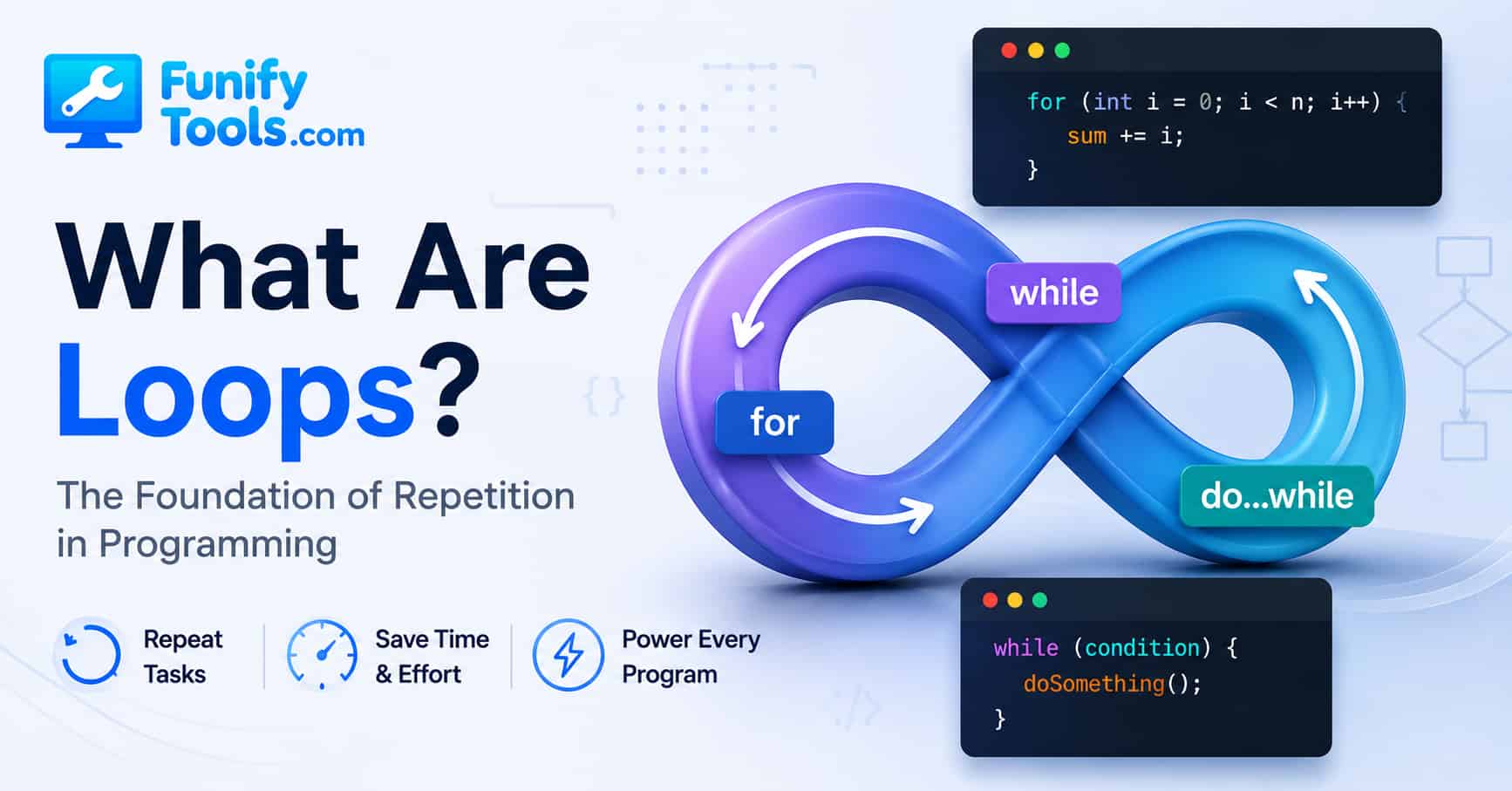
Programming Loop Basics:
Why Repetition Is One of the Most Powerful Ideas in Coding
When you first start learning programming, you quickly run into a long list of unfamiliar terms. Variables, functions, conditionals, arrays, objects, methods, classes, and loops all seem to appear at once. It can feel like the language is throwing every new idea at you before you have even had time to get comfortable with the first one. Among all of those ideas, though, loops are one of the clearest examples of what makes computers so useful in the first place.
People get tired when they do the same thing again and again. We lose focus. We skip steps. We make small mistakes because our brains are not really designed to perform boring repetition perfectly forever. Computers are different. A computer can repeat the same instruction thousands, millions, or even billions of times without getting bored, distracted, or annoyed. That ability to repeat work accurately is one of the main reasons programming exists.
A loop is the programming tool that makes repetition possible. Instead of writing the same instruction over and over, you write the instruction once and tell the computer when, how often, or under what condition it should repeat. That sounds simple, but it is one of the biggest mental shifts in programming. You stop thinking, “How do I do this one step?” and start thinking, “What pattern is repeating here?”
A loop is exactly what it sounds like. It means repeating a task. In programming, you will often hear both the words “loop” and “iteration.” A loop is the structure that repeats the work. An iteration is one single pass through that loop. If a loop runs ten times, that means it has ten iterations. The words are closely related, and in casual conversation programmers often use them together.
For example, imagine being told to draw an apple ten times. A person would probably draw one apple, then another apple, then another, until ten apples are finished. A computer does not need ten separate instructions. You can simply tell it, “Draw this apple ten times.” Once it understands the instruction, it performs the same action exactly ten times. That is the basic idea behind loops. You define the repeated task once, and the computer handles the repetition.
It does not take long to see why loops are important. Without them, programs would become much longer than they need to be. Imagine wanting to print the word “Hello” ten times. Would you really want to write the same line again and again? Technically, you could. But that is not really programming. That is repetitive typing. Programming is about describing a process clearly enough that the computer can do the boring part for you.
For example, in Python, you could write:
for i in range(10):
                print("Hello")
This means, “Run this print command ten times.” More specifically, Python creates a sequence of numbers from 0 to 9, and the loop runs once for each number. The variable i changes each time the loop runs. On the first iteration, i is 0. On the next one, it is 1. Then 2, 3, and so on until the loop finishes.
The code looks short and simple, but it contains a very powerful idea. Once you define a task, the computer can repeat it automatically as many times as needed. If you told it to do the same thing ten thousand times, it could probably finish before you even had time to blink. What would take a person a very long time can be done almost instantly by a machine.
This is also where beginners often start to feel the real point of programming. A computer is not impressive because it understands the world like a person. It is impressive because it can follow clear instructions with incredible speed and consistency. Loops take advantage of that strength. They let us turn repeated work into a small, reusable pattern.
Loops are not just a computer concept, either. Human life is full of repetition. We wake up, wash our face, drink coffee, check messages, go to work, come home, and repeat some version of that routine the next day. When cleaning a house, we move from room to room and perform similar actions. When cooking, we repeat actions like cutting, stirring, tasting, adjusting, and waiting. When exercising, we count reps. When practicing an instrument, we play the same section again and again until it sounds better.
In that sense, a loop is just a routine written in a way a computer can understand. The difference is that a human routine is often flexible and fuzzy, while a computer loop must be precise. A person can hear “clean the rooms” and make a lot of judgment calls. A computer needs clearer instructions: start with the first room, check whether it is clean, do the cleaning task, move to the next room, and stop when there are no rooms left.
An important part of repetition is knowing when to stop. This may sound obvious, but it is one of the most important parts of writing loops. A loop without a stopping rule can become a serious problem. It can keep running forever, freeze a program, drain resources, or make your browser tab stop responding.
If you say, “Repeat this ten times,” then the stopping rule is already built into the instruction. Stop after the tenth time.
If you say, “Take apples out of the basket until it is empty,” then the loop stops when the basket becomes empty. The computer keeps checking whether the condition is still true. As long as there are apples left, it continues. When there are no apples left, it stops.
This idea shows up everywhere in real programs. A music app might keep playing songs while there are tracks left in the playlist. A game might keep updating the screen while the game is running. A website might keep loading more posts while the user keeps scrolling. A program that reads a file might keep reading line after line until it reaches the end of the file. In every case, the loop needs some kind of rule that tells it when to continue and when to stop.
Loops are important not only because they repeat actions, but also because they are essential for working with data. Most useful programs deal with groups of things. A list of names. A list of scores. A list of products. A folder full of files. A table of search results. A set of comments. A series of messages. Once data comes in a group, loops become one of the most natural ways to handle it.
Suppose you want to display the names of one hundred students on the screen. You could store those names in a list and use a loop to go through them one by one. The loop does not care whether the list has five names or five thousand names. The structure is the same. Start with the first item, do something with it, move to the next item, and continue until there are no more items left.
Or imagine being asked to add up every student’s score and calculate the average. A loop can move through the list of scores one at a time, add each score to a running total, and then divide the final total by the number of students. That is not just shorter code. It is a better way to describe the process.
For example, the basic logic might look like this:
scores = [80, 92, 75, 88, 100]
            total = 0

            for score in scores:
                total = total + score

            average = total / len(scores)
            print(average)
This example is simple, but it shows something important. The loop does not need to know in advance what every score is. It just knows the pattern: take one score, add it to the total, move to the next score, and repeat. That pattern is exactly what makes loops so useful when working with real data.
A person could calculate that manually, but it would take time and effort. A computer can do it almost instantly, whether it is working with 5 students, 100 students, 1,000 students, or 1,000,000 students. That is the real strength of loops. They let computers handle repeated work at a speed people simply cannot match.
Almost every programming language includes loops in some form. Python, C, Java, JavaScript, Go, Rust, Swift, PHP, Ruby, and many other languages all have loop structures. The exact syntax may be different from one language to another, but the underlying idea is the same. Start somewhere, perform the task, move to the next step, and keep going until it is time to stop.
For example, in JavaScript, you might write:
for (let i = 0; i < 5; i++) {
                console.log("Loop number: " + i);
            }
This means that the variable i starts at 0, increases by one each time, and keeps going as long as it is less than 5. During each step, console.log runs. As a result, the numbers 0, 1, 2, 3, and 4 are printed in order.
That example also explains why beginners sometimes get confused. The loop says i < 5, but the output stops at 4. That is because the loop starts counting at 0. Many programming languages use zero-based counting, which means the first item is often at position 0, not position 1. This feels strange at first, but after a while it becomes normal. It is one of those small programming habits that slowly starts to make sense through practice.
C and Java use almost the same basic loop structure. That is why learning the idea of loops once makes it much easier to move to another language later. The details may change, but the logic stays familiar. Once you understand initialization, condition, update, and repeated body, you can recognize the same pattern in many places.
There are several types of loops, but the two most common are the for loop and the while loop. A for loop is usually used when you already know how many times something should happen, or when you want to go through every item in a collection. For example, “Repeat this five times” or “Show every product in this list” are natural cases for a for loop.
A while loop is different. It keeps running as long as a condition remains true. For example, if you turned the sentence “Keep using an umbrella while it is raining” into code, that would be a while loop. Once the rain stops, the loop stops too.
In Python, a simple while loop might look like this:
count = 0

            while count < 5:
                print(count)
                count = count + 1
This loop starts with count set to 0. As long as count is less than 5, the loop prints the value and then increases it by one. Eventually, count becomes 5. At that point, the condition is no longer true, so the loop stops.
That last line, count = count + 1, is extremely important. Without it, count would stay 0 forever. The condition count < 5 would always remain true, and the loop would never end. This is how infinite loops often happen by accident. The programmer writes a condition but forgets to change the value that controls the condition.
So in simple terms, for loops are usually based on count or collection, while while loops are usually based on condition. Even so, both follow the same core idea: repeat an action according to a rule.
To understand loops more deeply, it can help to think about a clock. When the second hand moves, it advances one small step. After sixty steps, one minute has passed. Then the minute hand moves, and the process continues. The clock keeps repeating its movement according to a predictable rule. In a way, it is a physical version of a loop.
If you write a loop without a proper stopping condition, the program may continue forever, just like a clock that never stops ticking. Sometimes that is intentional. A server might keep running because it is waiting for requests. A game loop might keep running while the player is playing. An operating system constantly watches for input, updates, and events. But even intentional long-running loops are controlled. They still have rules, safeguards, and ways to stop.
This is why programmers always need to think carefully about one important question: when should this stop?
There are also tools that help control loops more directly. Many languages have keywords like break and continue. A break statement exits the loop early. A continue statement skips the rest of the current iteration and moves on to the next one.
For example, imagine searching through a list of names. If you find the name you are looking for, there is no reason to keep searching. You can stop the loop immediately. That is a natural use of break.
names = ["Mina", "Alex", "Joon", "Sara"]

            for name in names:
                if name == "Joon":
                    print("Found Joon")
                    break
Here, the loop checks each name one by one. Once it finds “Joon,” it prints a message and stops. It does not need to keep checking the rest of the list. In small examples this may not matter much, but in larger programs, stopping early can save time and make the code clearer.
A continue statement is useful when you want to skip certain cases but keep the loop going. For example, you might go through a list of numbers and skip the negative ones. The loop still continues, but it does not process the items you want to ignore.
Loops can also be nested, which means one loop can be placed inside another loop. This often happens when working with grids, tables, calendars, game boards, images, or anything that has rows and columns. For example, a spreadsheet is basically a grid. To visit every cell, you might loop through each row, and inside that loop, loop through each column.
A nested loop can be powerful, but it also needs care. If one loop runs 100 times and the loop inside it also runs 100 times, the inner task may run 10,000 times. That can be fine, but it can also become slow if the work is heavy. This is one reason loops are connected to performance. They are useful because they repeat work, but repeated work can become expensive if we are not paying attention.
For beginners, though, the main point is not to worry too much about advanced optimization right away. The main point is to recognize repetition. When you see a task that says “do this for every item,” “keep doing this until something changes,” or “repeat this a certain number of times,” your brain should start thinking about loops.
If you only look at loops as a technical feature, they might seem like nothing more than a convenient shortcut. But there is also a deeper idea behind them. At its core, a computer does not really think in the human sense. It simply keeps doing what it is told to do. Through repetition, it creates the automation that powers modern technology.
The clock app on your phone uses repeated updates to show the current time. Chat apps repeatedly check for new messages, update message lists, and refresh notification states. Games repeatedly process input, update the world, check collisions, draw frames, and repeat the whole process many times per second. Social media feeds load more content as you scroll. Search engines process enormous amounts of repeated data. Even a simple website may loop through menu items, article cards, comments, or search results to display them on the page.
Once you know what loops are, you start seeing them everywhere. A shopping cart loops through products to calculate the total price. A weather app loops through forecast data to show each day. A music player loops through tracks in a playlist. A file backup program loops through folders and copies files one by one. A password checker may loop through characters to test whether a password contains a number, a symbol, or a capital letter.
That is why loops are not just a beginner topic. They show up in tiny scripts, mobile apps, websites, games, data analysis, artificial intelligence, automation tools, and operating systems. The syntax may look beginner-friendly, but the idea itself is everywhere.
When people first learn loops, it is often more useful to understand why they exist than to memorize their syntax right away. Syntax matters, of course. You need to know where the parentheses go, where the colon goes, where the braces go, or how indentation works. But syntax is only the surface. The real skill is understanding the repeated process.
Programming is really about handing work over to a computer, and computers are simpler than many people expect. They do not make their own decisions unless we give them decision rules. They do not understand “do this a few times” unless we define what “a few” means. They do not stop unless we clearly tell them when to stop. This is why programming requires precision.
We must say things like, “Repeat this task exactly ten times,” “Do this for every item in the list,” “Keep going while this condition is true,” and “Stop when the condition becomes false.” Programming is the process of turning human logic into instructions a machine can understand. Loops are part of that process, so they also need clear and exact rules.
One common beginner mistake is changing the wrong variable inside a loop. Another is writing a condition that never becomes false. Another is accidentally running one too many or one too few iterations. These are called off-by-one errors, and almost every programmer has dealt with them. If you meant to loop through five items but your code only handles four, or if it tries to access a sixth item that does not exist, the problem is often related to the loop’s starting point or stopping condition.
This is why it helps to read loops slowly when you are learning. Ask yourself: Where does the loop start? What condition allows it to continue? What changes each time? What happens inside the loop body? When does it stop? If you can answer those questions, you can understand most basic loops even if the syntax looks unfamiliar at first.
Another helpful habit is to trace a loop by hand. Write down the value of the loop variable at each step. For example, if i starts at 0 and increases by 1 while i < 5, write down 0, 1, 2, 3, 4. Then notice that 5 is not included because the loop stops before that. This may feel slow, but it builds the exact kind of thinking that makes programming easier.
One final thing worth remembering is that loops are not just a way to reduce repetitive code. They also help build a way of thinking. They teach us to solve problems step by step. They train us to look for patterns instead of focusing only on individual actions.
For example, when someone sees the problem “Add the numbers from 1 to 100,” they may first think about adding each number by hand. A programmer is more likely to think, “This is a process that repeats 100 times.” That shift in perspective is a big part of computational thinking, and loops are one of the first tools that help us develop it.
The same idea applies to many everyday problems. If you need to rename 200 files, a loop can do it. If you need to check every row in a spreadsheet, a loop can do it. If you need to send the same style of message to multiple users, process every image in a folder, count every word in a paragraph, or filter a list of results, a loop is usually somewhere in the solution.
In the end, loops are one of the key ideas that make programming the language of automation. They allow us to take the repetitive parts of everyday life and turn them into code. They let us describe a pattern once and let the machine carry it out reliably. That is both the starting point of programming and one of the reasons it feels so powerful.
If you understand loops now, then you are no longer just someone who uses a computer. You are becoming someone who can tell a computer what to do. You are learning how to turn repetition into automation, and that is one of the first major steps in every programmer’s growth.
Thank you for reading, and I hope you have a wonderful day.
This article is also available in Korean: Read the Korean version