From Pseudo Code to Real Code: Your First Program in Plain Language
Before jumping straight into coding, let’s begin this lesson in a slightly different way. A lot of people hear the word “coding” and immediately picture a black screen filled with strange symbols, English words, curly braces, parentheses, and error messages that look like they were written for robots. It can feel like something only math geniuses, computer science majors, or people who have been using computers since childhood could ever understand.
But the beginning of coding is much simpler than that. Coding does not start with memorizing a programming language. It does not start with installing complicated software. It does not even start with typing code. The real beginning of coding is learning how to organize your thoughts in a clear order.
That is why today’s lesson starts with thinking in words. If you can describe what you want to happen, when it should happen, and what should happen next, you are already very close to coding. The computer language comes later. The logic comes first.
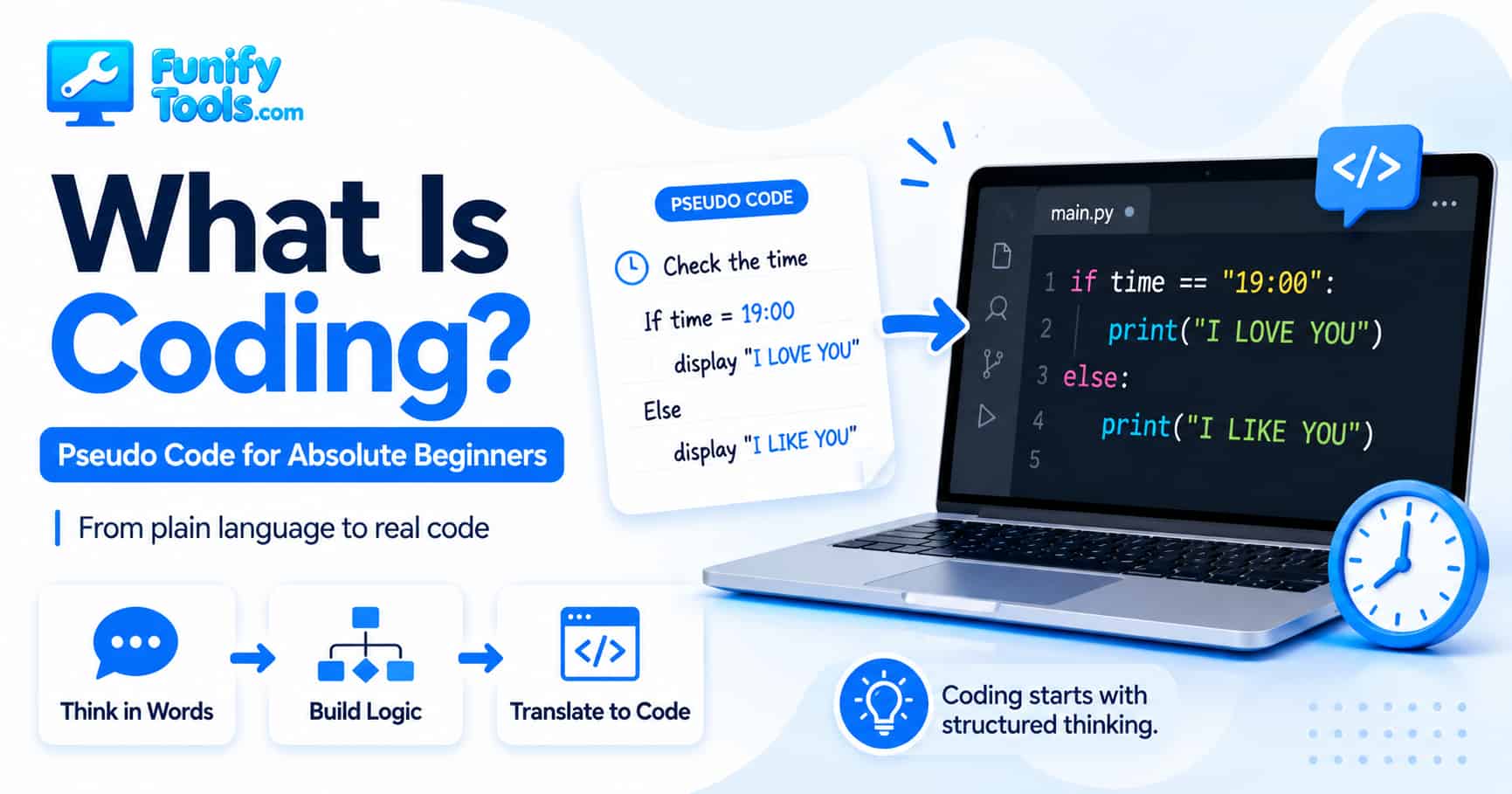
Let’s imagine a very simple situation. Suppose it is 7 PM. If the current time is 19:00, display the message “I LOVE YOU.” Otherwise, display “I LIKE YOU.”
That might sound too simple to be called programming, but it already contains the heart of programming logic. There is a condition, and there are two possible results. One result happens when the condition is true. The other result happens when the condition is not true.
In plain English, we can write it like this:
If the current time is 19:00, display “I LOVE YOU.”
Otherwise, display “I LIKE YOU.”
This is already close to a program. It may not be written in Python, C#, JavaScript, or C, but the structure is there. A program is not just a bunch of code. A program is a set of instructions arranged in a way that a computer can follow. Before the computer can follow those instructions, we need to understand them ourselves.
If we want to make the logic a little more detailed, we can break it into steps:
-
Check the current time.
-
If the current time is 19:00, display “I LOVE YOU.”
-
If not, display “I LIKE YOU.”
This version is easier to read because it shows the order of action. First, the program needs information. It needs to know the current time. Then it compares that information with a condition. Finally, it chooses what message to show.
This is exactly what we call pseudo code. Pseudo code is not real programming language syntax. It is a plain-language version of your logic. It lets you describe what the program should do without worrying yet about semicolons, brackets, indentation, imports, libraries, or exact function names.
You can think of pseudo code as a rough sketch before drawing the final picture. Or a recipe draft before cooking. Or a blueprint before building a house. It does not need to be perfect, but it needs to be clear enough that someone else could understand the idea.
That is the whole point. Pseudo code gives your thoughts a shape.
Many beginners try to learn coding by memorizing syntax first. They ask questions like, “Where do I put the parentheses?” or “Why is there a colon here?” or “Why does this language use braces while that one uses indentation?” Those questions matter eventually, but if you start there, coding feels much harder than it needs to be.
A better first question is: “What am I trying to make the computer do?”
Once that answer is clear, the code becomes much easier to write. The programming language is just the final translation.
Everyday Life Is Full of Pseudo Code
The funny thing is, we already use this kind of logic all the time. We just do not usually call it coding.
For example, think about getting ready in the morning. You probably follow a rough sequence without writing it down:
-
Wake up.
-
Wash your face.
-
Brush your teeth.
-
Get dressed.
-
Check your phone and wallet.
-
Leave the house.
If one step is missing, the result changes. If you leave without your wallet, you may have a problem later. If you forget your phone, you might have to come back. If it is raining, you may add another condition: “If it is raining, take an umbrella.”
That sentence is basically pseudo code:
If it is raining, take an umbrella.
Otherwise, leave without one.
Or think about cooking instant noodles:
-
Boil water.
-
Add noodles and soup powder.
-
Wait a few minutes.
-
If the noodles are soft enough, turn off the heat.
-
Otherwise, cook a little longer.
Again, this is not “computer code,” but it is structured logic. It has steps. It has conditions. It has a goal. That is why learning to code is not only about computers. It is also a way to practice clear thinking.
Good programmers are not just people who know a lot of programming languages. They are people who can take a messy idea and turn it into a clean sequence of actions. They can ask, “What needs to happen first? What happens if this condition is true? What happens if it is false? What result do we want at the end?”
That skill is much more important than memorizing commands.
Turning Plain Words into Program Logic
Let’s return to our original example:
If the current time is 19:00, display “I LOVE YOU.”
Otherwise, display “I LIKE YOU.”
There are three important ideas inside this tiny example.
First, we need data. In this case, the data is the current time.
Second, we need a condition. The condition is whether the current time is 19:00.
Third, we need an action. The action is displaying a message.
This simple pattern appears everywhere in programming:
Get some information.
Check something about that information.
Do something based on the result.
For example:
- If the password is correct, let the user log in.
- If the file exists, open it.
- If the score is 90 or higher, show an A grade.
- If the cart is empty, disable the checkout button.
- If the temperature is too high, turn on the fan.
These are all the same kind of thinking. The topic changes, but the structure stays familiar.
That is why the “if / otherwise” pattern is one of the best places to start when learning coding. It teaches you that a program does not simply run randomly. It follows rules. It checks situations. It makes decisions based on the instructions you give it.
Writing the First Version as Pseudo Code
Before writing real code, we can write a slightly cleaner pseudo code version:
Get the current time.

              If the current hour is 19:
                  Display "I love you ❤️"
              Otherwise:
                  Display "I like you ❤️"
This version looks almost like code, but it is still readable as normal English. There is no special library name. There is no exact syntax. There is no need to worry about whether a colon is required or whether the message should end with a semicolon.
At this stage, we only care about whether the idea makes sense.
That is a very important habit. When you write code without first understanding the logic, every error feels confusing. But when your pseudo code is clear, debugging becomes easier because you can compare your real code against your intended plan.
For a beginner, pseudo code is also a confidence builder. It reminds you that coding is not magic. You are not trying to “speak computer” from the beginning. You are first trying to speak clearly as a human.
Translating Thought into Real Code
Now let’s take the logic we wrote in words and translate it into a real programming language.
In Python, it could look like this:
from datetime import datetime

              now = datetime.now()        # Get the current time

              if now.hour == 19:          # If the current hour is 19
                  print("I love you ❤️")  # Print "I love you ❤️"
              else:                       # Otherwise
                  print("I like you ❤️")  # Print "I like you ❤️"
If you are completely new to programming, this may look more complicated than the pseudo code. But if you read it slowly, it is doing the same thing.
The first line brings in a tool that helps Python work with dates and times:
from datetime import datetimeThen this line gets the current date and time:
now = datetime.now()The word now is a name we chose. It stores the current time so we can use it in the next step. In programming, names like this are often called variables. A variable is like a small labeled box that holds a value.
Then we check the hour:
if now.hour == 19:This line means, “If the current hour is equal to 19, do the next indented thing.” In 24-hour time, 19 means 7 PM.
One small detail is worth noticing here. In many programming languages, == means “is equal to.” It is used for comparison. A single = usually means “store this value” or “assign this value.” Beginners often mix these up, and that is completely normal. Even experienced programmers have made that mistake at some point.
If the condition is true, Python runs this line:
print("I love you ❤️")If the condition is false, Python moves to the else part:
else:
                  print("I like you ❤️")
So the code may look technical at first glance, but the logic is exactly the same as our plain-language version.
The Same Logic in C#
Now let’s write the same idea in C#:
using System;

              class Program
              {
                  static void Main()
                  {
                      DateTime now = DateTime.Now;  // Get current time

                      if (now.Hour == 19)           // If current time is 19:00
                      {
                          Console.WriteLine("I love you ❤️");  // Print I love you ❤️
                      }
                      else                          // Otherwise
                      {
                          Console.WriteLine("I like you ❤️");  // Print I like you ❤️
                      }
                  }
              }
This version looks different from Python. There are braces, semicolons, a class, and a Main method. If you are seeing C# for the first time, it may feel heavier than the Python version.
But do not let the extra structure distract you. The main logic is still the same:
DateTime now = DateTime.Now;This gets the current time.
if (now.Hour == 19)This checks whether the current hour is 19.
Console.WriteLine("I love you ❤️");This displays the first message.
Console.WriteLine("I like you ❤️");This displays the second message.
The programming language changed, but the thinking did not. That is one of the most important lessons here. Syntax changes from language to language. Logic travels with you.
If you understand the logic clearly, learning a new programming language becomes less scary. You are not learning everything from zero. You are learning a new way to express an idea you already understand.
The Same Logic in C
Here is the same logic again, this time in C language:
#include <stdio.h>
              #include <time.h>

              int main(void) {
                  time_t now;
                  struct tm *current;

                  time(&now);
                  current = localtime(&now);

                  if (current->tm_hour == 19) {
                      printf("I love you ❤️\n");
                  } else {
                      printf("I like you ❤️\n");
                  }

                  return 0;
              }
C looks more old-school and lower-level. There are include statements, a main function, a time_t value, a pointer, and a structure. That may feel like a lot for a first lesson, and that is okay. You do not need to fully understand every C detail right now.
The important part is that the core decision is still easy to recognize:
if (current->tm_hour == 19) {
                  printf("I love you ❤️\n");
              } else {
                  printf("I like you ❤️\n");
              }
This is the same “if / otherwise” pattern again.
In Python, we used print.
In C#, we used Console.WriteLine.
In C, we used printf.
All three commands do roughly the same job in this example: they show a message on the screen.
This is a useful way to think when learning programming. Do not focus only on how different the languages look. Also notice what stays the same. The condition stays the same. The output stays the same. The sequence stays the same. The structure of thought stays the same.
Reading Code Like a Human
When beginners see code, they often try to understand everything at once. That can be overwhelming. A better approach is to translate each line back into plain English.
Let’s look at the Python version again:
now = datetime.now()
              → Check the current time

              if now.hour == 19:
              → If the current hour is 19...

              print("I love you ❤️")
              → Display “I love you ❤️”

              else:
              → Otherwise...

              print("I like you ❤️")
              → Display “I like you ❤️”
This habit is extremely helpful. When a line of code feels confusing, ask yourself, “What is this line trying to say in normal language?” If you can answer that, you are making progress.
Code is not meant to be mysterious. It is meant to be precise. The problem is that computers are very strict. Humans can understand vague instructions, but computers usually cannot. If you tell a person, “Check the time and say something nice at 7,” they can probably figure out what you mean. A computer needs a much clearer instruction.
That is why programming languages have exact rules. The strictness can be annoying at first, but it is also what makes computers reliable. Once the instructions are written correctly, the computer follows them the same way every time.
Why Conditions Matter So Much
The if statement is one of the most important ideas in coding because it allows a program to react. Without conditions, a program would simply do the same thing from top to bottom every time. Conditions let the program choose different paths.
For example, a website might use conditions like this:
- If the user is logged in, show the account menu.
- If the user is not logged in, show the login button.
- If the search box is empty, show a warning.
- If the payment succeeds, show the confirmation page.
- If the payment fails, show an error message.
A game might use conditions like this:
- If the player touches an enemy, reduce health.
- If the player collects a coin, increase the score.
- If health reaches zero, end the game.
- If the level is cleared, move to the next stage.
A calculator might use conditions like this:
- If the user enters invalid numbers, show an error.
- If the result is available, display it.
- If the user clicks reset, clear the fields.
Once you understand conditions, you start seeing programming logic everywhere. Almost every useful program makes decisions. Those decisions may be simple or complex, but the foundation is the same as our tiny “I love you / I like you” example.
Pseudo Code Helps You Avoid Getting Lost
When you are new to coding, it is very easy to get lost in syntax. You might spend ten minutes wondering why a bracket is missing or why a word is capitalized differently. That is part of learning, but it can make you forget the bigger picture.
Pseudo code keeps you grounded. It reminds you what you were trying to build before the syntax got in the way.
For example, if your real code does not work, you can compare it with your pseudo code:
Pseudo code:
              1. Get the current time.
              2. Check whether the hour is 19.
              3. If yes, show "I love you ❤️".
              4. If no, show "I like you ❤️".
Then you can ask:
- Did I actually get the current time?
- Am I checking the hour correctly?
- Did I use comparison correctly?
- Did I write the output command correctly?
- Is the else part connected to the if part?
This is already the beginning of debugging. Debugging means finding and fixing problems in a program. It sounds advanced, but the habit starts very early. You compare what you wanted the program to do with what the program actually did.
That is why pseudo code is not only for beginners. Professional developers also sketch logic before writing real code, especially when the problem is complicated. They may do it in a notebook, in a comment, on a whiteboard, or just mentally. The format does not matter. The goal is to make the thinking clear.
Coding Is the Art of Structured Thinking
In the end, coding is the skill of organizing your thoughts so clearly that a computer can follow them. We often describe coding as a technical skill, and it is. But underneath the technical layer, coding is about structure.
You take an idea and break it down. You decide what happens first. You decide what information is needed. You decide what condition should be checked. You decide what should happen when the condition is true and what should happen when it is false.
That is structured thinking.
It is similar to writing a recipe. A recipe does not simply say, “Make soup.” It explains the ingredients, the order, the timing, and the conditions. Add water first. Heat it. Add vegetables. Wait until they soften. Taste it. If it is bland, add more seasoning. If it is too salty, add more water.
A program works in a similar way. It needs specific instructions. It needs order. It needs conditions. It needs results.
That is why learning to code can improve more than your computer skills. It can also train you to explain ideas more clearly. You become better at noticing hidden steps. You become better at asking what should happen next. You become better at turning a vague goal into smaller actions.
For beginners, this is a much healthier way to approach coding. You do not need to feel like you must understand everything at once. You do not need to memorize every keyword before writing your first idea. Start with plain language. Write the logic. Then translate it little by little.
A Small Note About “19:00”
In this beginner example, the code checks whether the current hour is 19. That means it will treat the whole 7 PM hour as the matching condition. For example, 19:05 and 19:40 would also match because the hour is still 19.
If we wanted to check exactly 19:00, we would also need to check the minute. That would make the program a little more precise, but also slightly more complicated. For today’s first lesson, keeping the example simple is more useful.
This is also a good reminder that programming often involves choosing the right level of detail. A beginner-friendly version may simplify the idea. A production version may need to handle more exact rules. Both are part of learning.
We will come back to this kind of detail later, because it is a great way to learn how bugs happen.
What You Actually Learned Today
Even though the example was small, it introduced several important programming ideas:
- You learned that coding starts with logic, not syntax.
- You learned that pseudo code is plain-language programming logic.
- You learned that programs often follow step-by-step instructions.
- You learned that an
ifstatement checks a condition. - You learned that
elsehandles the other case. - You learned that different languages can express the same logic in different ways.
- You learned that output commands like
print,Console.WriteLine, andprintfcan all display messages. - You learned that reading code line by line in plain English makes it less intimidating.
That is a lot for a first step. It may not feel dramatic, but this is the foundation that everything else builds on.
Loops, functions, variables, arrays, objects, APIs, websites, apps, games, and automation scripts all depend on the same basic habit: breaking a problem into clear steps.
Once you understand that, coding becomes less like staring at a wall of strange symbols and more like solving a puzzle one piece at a time.
Your First Program Starts in Your Head
Today, we did not just talk about coding. We actually practiced the first part of coding. We took a human idea and turned it into structured logic. Then we translated that logic into real code in multiple languages.
That is the path from thought to program.
First, you think:
At 7 PM, I want to show one message. At other times, I want to show another message.
Then you write pseudo code:
Get the current time.
If the hour is 19, display “I love you.”
Otherwise, display “I like you.”
Then you translate it into a programming language:
Use Python, C#, C, or another language to express the same logic in syntax the computer understands.
That is coding.
Not every program starts with a huge project. Not every programmer begins by building an app, a game, or a website. Sometimes the first real step is simply learning to say, “If this happens, do that. Otherwise, do something else.”
And honestly, that is already powerful.
The moment you start arranging your thoughts step by step, your first program is already taking shape in your mind.
In the next lesson, we’ll practice finding bugs in this simple program. It might sound early, but hands-on experience is one of the best ways to understand coding. Bugs are not just mistakes. They are clues that help us compare what we intended with what the computer actually did.
Thank you for reading, and I hope you always stay inspired and happy!
This article is also available in Korean: Read the Korean version