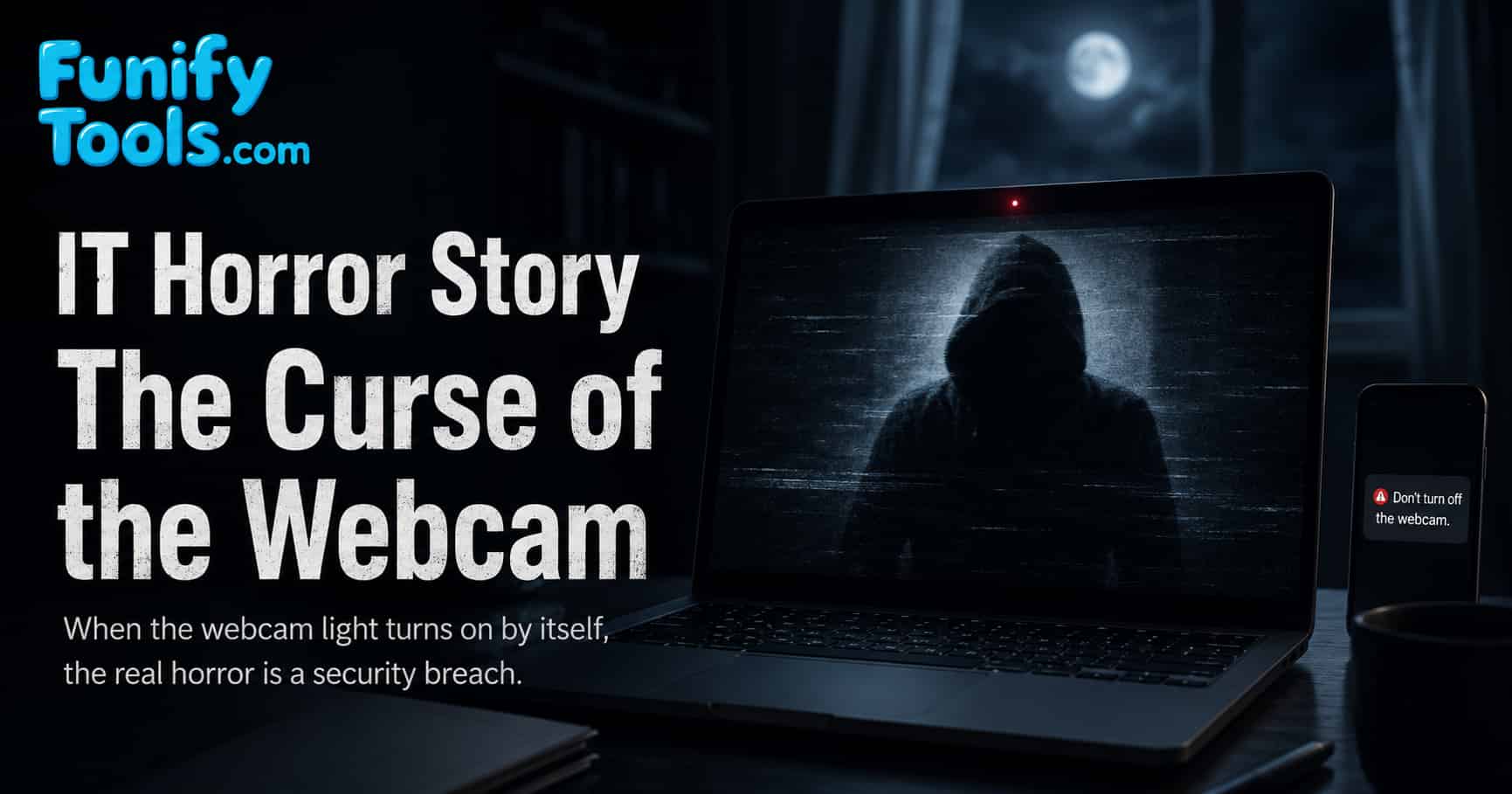
A "cursed" webcam that turns on by itself is not only a ghost story. In the real world, webcam access hijacking, remote access malware, deepfake video injection, and account spoofing can create the same chills. Here is how it can happen, and how to protect yourself.
The Curse of the Webcam
It was late at night, the kind of hour when every small sound in the room feels louder than it should. The laptop was closed on the desk, the room lights were off, and the only glow came from a phone charging beside the bed.
Then a tiny light appeared.
At first, I thought it was a reflection from the street outside. But the green dot was too steady. It was coming from the laptop webcam.
The laptop was supposed to be asleep.
I opened it, expecting to see a video call app or some unfinished meeting window. Instead, the screen woke to a dark camera preview. In the center of that preview sat a figure in my chair.
Someone else.
In my seat.
For a second, my brain tried to make the image normal. Maybe it was an old recording. Maybe the camera had glitched. Maybe the screen was reflecting something behind me. But the figure tilted its head at exactly the same time my phone buzzed.
The sender was myself.
The message contained just one line:
"Do not turn off the webcam."
That is the kind of sentence that makes your hand freeze above the keyboard. It sounds like a supernatural warning, but in a modern IT environment, it can absolutely happen without anything supernatural at all. The true cause may be webcam access hijacking, account spoofing, remote access malware, or manipulated video.
And that is what makes this story uncomfortable. A haunted mirror belongs in fiction. A connected camera belongs on your desk.
1) Why the Webcam Light Turned On
Most webcams do not have a physical switch. They are controlled by software, operating system permissions, device drivers, and applications that request camera access. If everything is working properly, the camera indicator turns on only when an app is using the camera. If something is wrong, that same light can become a warning sign.
If your PC is infected with malware or a remote access trojan, an attacker may be able to activate the camera remotely. This kind of malware can sometimes control the camera, microphone, files, keyboard, mouse, and screen. In that case, the webcam light turning on by itself is not a ghostly event. It is a signal that another process may be using your hardware.
Older operating systems, outdated apps, weak account security, and unpatched vulnerabilities make this risk worse. A browser permission granted months ago, an unsafe extension, a suspicious video-call tool, or a fake utility program can all become part of the problem.
There are also innocent possibilities. A meeting app may still be running in the background. A browser tab may be using the camera. A camera test utility may have opened automatically. That is why the first step is not panic, but checking which app currently has camera permission.
2) The Stranger on the Screen
A hacker can create fear not only by turning on a camera, but also by manipulating what appears on the screen. A pre-recorded video, virtual camera tool, or deepfake-style video feed can make it look as if someone else is sitting in your place.
This is especially disturbing because people trust camera previews. When we see a webcam window, we assume it is showing the current reality in front of the camera. But a computer can route video through software before it appears on screen. Virtual camera apps, streaming tools, filters, and conferencing plugins all prove that camera output can be transformed.
In normal use, this is harmless. People use virtual backgrounds, beauty filters, screen overlays, and camera effects every day. But the same idea can be abused to confuse or frighten a victim. A fake image in a camera preview can make someone doubt what is real.
That is why it is useful to check the camera in more than one place. If one app shows a strange feed but another trusted camera app does not, the problem may be software routing rather than the physical webcam itself.
3) A Message From Yourself
Once an attacker hijacks your email or messenger account, they can send messages under your own name. Even without direct account access, they may use spoofing techniques to fake the sender's identity. The result is deeply unsettling because the message appears to come from the one person you trust most on your device: you.
A short line like "Do not turn off the webcam" is not random. It is a psychological weapon meant to amplify helplessness and fear. The attacker does not need to write a long threat. A single sentence, delivered at the right moment, is enough to make the victim feel watched.
This is the same logic behind many social engineering attacks. Attackers use timing, familiar names, urgency, fear, and confusion to make people act before thinking. In this case, the message from yourself becomes the hook.
If you receive a strange message from your own account, do not reply from the same device immediately. Check account activity from another trusted device, change the password, enable two-factor authentication, and review connected sessions.
4) The Microphone Problem
A camera is frightening because it watches, but a microphone can be just as sensitive. Many webcam attacks are really camera-and-microphone attacks. If an attacker can activate the camera, they may also try to listen through the microphone.
This matters because people often cover cameras but forget audio. A covered webcam protects the image, but it does not stop a microphone from recording conversations, keyboard sounds, meetings, or private background noise. For better privacy, check both camera and microphone permissions.
Modern operating systems usually show privacy indicators when the camera or microphone is in use. Do not ignore those indicators. If the camera or microphone icon appears when you are not using a call, recording tool, or browser feature, investigate immediately.
Today's Lesson
Unseen Eyes Can Exist
Even when you think you are alone, a connected camera or microphone can create a path for someone else to watch or listen. That does not mean every webcam light is an attack, but it does mean camera access deserves attention.
Attackers Are Scarier Than Ghost Stories
Unlike imaginary spirits, real attackers are persistent and tangible. They can steal data, hijack accounts, record private moments, impersonate people, and invade privacy. The damage they leave behind can be far worse than a frightening story.
Prevention Is the Best Defense
- Cover your webcam with a slider or tape when it is not in use.
- Check camera and microphone permissions regularly.
- Enable two-factor authentication on important accounts.
- Keep your operating system, browser, meeting apps, and security tools updated.
- Avoid clicking suspicious links or opening unknown attachments.
- Remove browser extensions or apps you no longer trust.
- Review logged-in devices and sign out of sessions you do not recognize.
Small habits like these are your final shield against invisible threats in the digital night.
What to Do If Your Webcam Turns On by Itself
-
Disconnect from the internet. Turn off Wi-Fi or unplug the network cable if you suspect remote access.
-
Close camera-related apps. Check video meeting apps, browser tabs, recording tools, and camera utilities.
-
Review privacy settings. Look at which apps recently accessed the camera or microphone.
-
Run a trusted security scan. Use reputable security software and remove suspicious programs.
-
Change important passwords from a clean device. Start with email, messenger, cloud storage, and password manager accounts.
-
Cover the camera until the cause is clear. A physical cover is simple, but it works.
The key is to stay calm and separate normal software behavior from suspicious behavior. A forgotten video-call app is annoying. Unknown remote access software is an incident. The sooner you identify which one it is, the better.
Closing Thoughts
The curse of the webcam is not really about the camera. It is about the uncomfortable feeling that a private space can become public without warning. A small light beside the lens can turn an ordinary room into a place where you suddenly feel observed.
That is why webcam privacy is worth taking seriously. Covering the lens is not paranoia. Checking permissions is not overreacting. Updating software is not boring maintenance. These small actions are how we keep control over devices that are always connected.
That is all for today. Stay safe, and protect your digital life.
This article is also available in Korean: Read the Korean version