10-second lesson
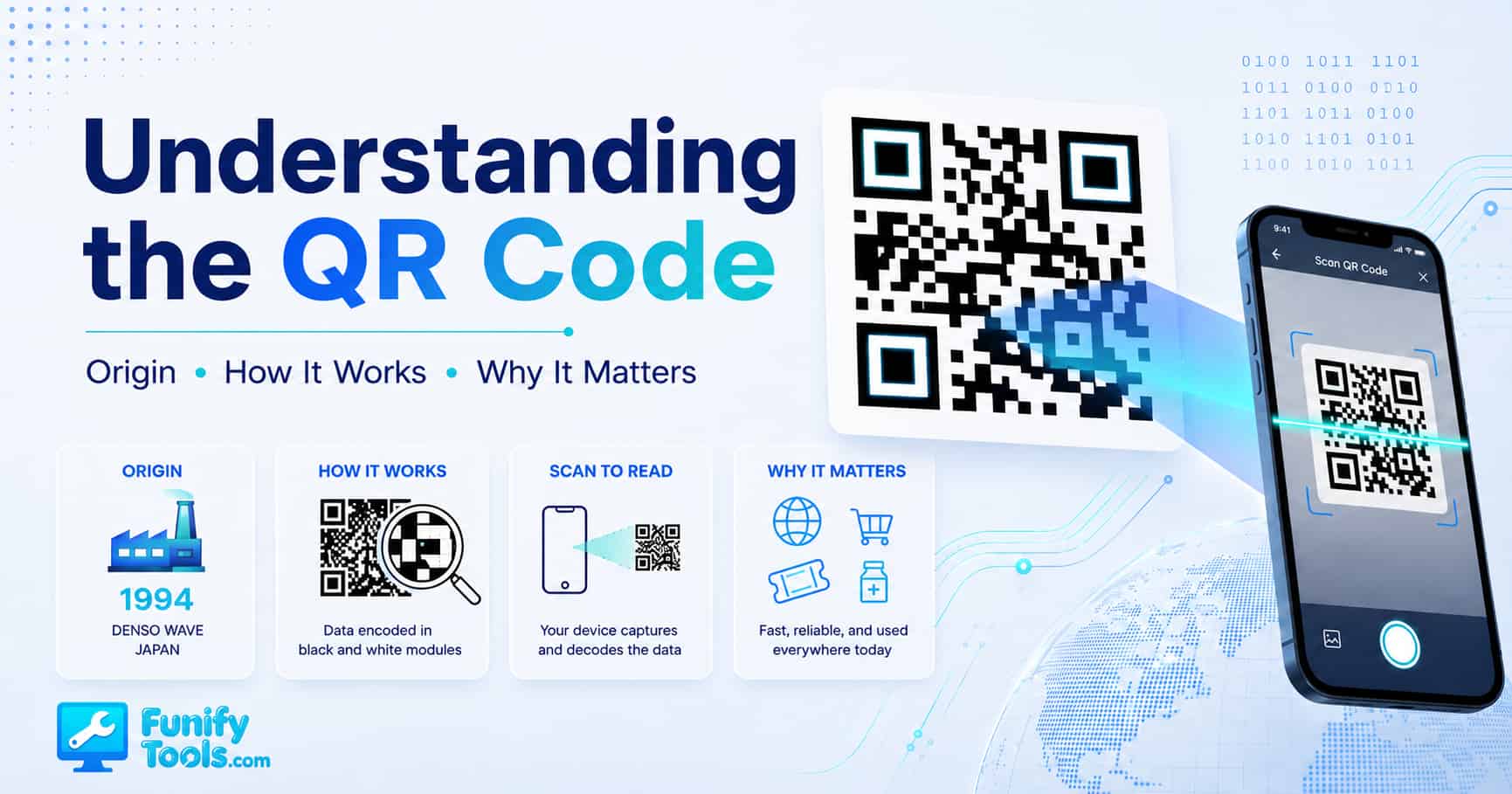
- A QR code, short for Quick Response code, is a square two-dimensional code that stores information as a pattern of black and white modules.
- It was invented in 1994 by Masahiro Hara and Denso Wave to track car parts more efficiently in Japanese factories.
- Unlike a traditional barcode, a QR code can store more data and can be scanned from different angles.
- The three large squares in the corners are finder patterns, and they help a camera quickly understand the code’s position and orientation.
- QR codes can store URLs, Wi-Fi details, contact cards, plain text, map locations, event information, and payment data.
- The tiny squares are not random decoration; they follow a structured encoding system that turns data into machine-readable patterns.
- Error correction lets a QR code keep working even when part of the image is scratched, dirty, covered, or slightly distorted.
- The main thing to remember: a QR code is a fast bridge between the physical world and digital information.
A Closer Look at the QR Code
QR codes are everywhere now. You see them on restaurant tables, product boxes, business cards, posters, delivery labels, event tickets, payment screens, app login pages, and even museum walls. They look simple: just a square filled with black and white blocks. But behind that plain little square is a surprisingly clever system for storing, protecting, and quickly delivering information.
The basic idea is easy to understand. A QR code turns information into a visual pattern that a camera can read. That information might be a website address, Wi-Fi login, phone number, contact card, short message, map location, or payment link. Instead of making someone type a long address or search for something manually, the QR code lets them point a phone camera at the image and jump straight to the intended action.
That is why QR codes became so common. They are cheap to print, easy to display on screens, quick to scan, and familiar to almost anyone with a smartphone. A small square printed on a piece of paper can connect a physical object to a digital page. A label can open a manual. A poster can open a ticket page. A menu stand can open a restaurant menu. A product package can open a warranty form. That tiny bridge between offline and online is the real reason QR codes matter.
Where the QR Code Came From
The QR code was invented in 1994 by Masahiro Hara at Denso Wave, a company connected to Toyota’s manufacturing ecosystem in Japan. The problem they were trying to solve was not restaurant menus or mobile payments. It was factory tracking.
Car manufacturing involves a huge number of parts. Each part has to move through the right process, reach the right location, and be tracked accurately. Traditional one-dimensional barcodes were useful, but they had limits. They could only hold a small amount of information, and they had to be scanned in a more specific direction. In a busy factory, that could slow things down.
The solution was to create a two-dimensional code that could store more data and be read quickly. That is where the name “Quick Response” comes from. The goal was not just to store information, but to make it fast to read in real working conditions.
That factory-born idea ended up becoming a general-purpose digital shortcut. Once smartphones gained decent cameras and built-in QR scanning, QR codes moved from industrial tracking into everyday life. The same concept that helped track car parts now helps people open links, check in, pay, connect, download, verify, and navigate.
Why QR Codes Are Different From Barcodes
A standard barcode usually stores information in one direction. You can think of it as a set of vertical lines that represent data from left to right. That works well for product IDs and simple inventory labels, but it does not hold much data compared with a QR code.
A QR code stores information in two dimensions: horizontally and vertically. That means it can pack much more data into a small space. Instead of only reading a row of lines, the scanner reads a square grid of modules. Each little module helps represent part of the encoded message.
This difference is why a QR code can hold a full website URL, Wi-Fi configuration, contact card, or block of text, while a normal barcode usually points to a short product number or database lookup. A barcode often says, “Look up item 12345.” A QR code can directly say, “Open this exact web page,” or “Connect to this Wi-Fi network using this password.”
QR codes are also easier to scan from different angles. You do not have to line them up perfectly the way you often do with traditional barcodes. The large corner patterns help the scanner detect the code’s orientation, even if the image is rotated or tilted.
The Black and White Blocks Are Not Random
At first glance, a QR code looks like digital confetti. But every part of the pattern has a job. Some areas help the scanner find the code. Some areas help it measure the grid. Some areas describe formatting and error correction. The rest carries the actual encoded data.
The tiny black and white squares are usually called modules. A black module and a white module can represent binary information, similar to how computers work with 1s and 0s. But a QR code is not just a random picture of binary digits. The data is arranged according to strict rules so that scanning software can decode it reliably.
That structure is what makes QR codes dependable. A scanner does not need to guess where the message begins or how large the grid is. It looks for specific patterns, calculates the layout, checks the format, reads the data areas, applies error correction, and then turns the result back into readable information.
This is also why badly designed QR codes can fail. If the code is too blurry, too low contrast, too small, heavily distorted, or surrounded by visual clutter, the scanner may not be able to identify the structure correctly. The code is simple for users, but it still needs enough visual clarity for machines.
The Finder Patterns: The Three Big Squares
The most recognizable parts of a QR code are the three large squares in the corners. These are called finder patterns. They act like landmarks for the scanner.
When your phone camera sees a QR code, it first needs to figure out where the code is and how it is rotated. The finder patterns make that much easier. Because there are three of them, the scanner can understand the top, sides, and angle of the code quickly. This is why a QR code can still be read when it is upside down, tilted on a poster, or seen from a slightly awkward angle.
There is also a timing pattern between the finder patterns. It helps the scanner understand how the grid is spaced. Once the scanner knows the size and spacing of the modules, it can start reading the data areas more accurately.
Some larger QR codes also include alignment patterns. These help correct distortion when the QR code is printed large, scanned at an angle, or placed on a curved surface. In other words, the visible “design” of a QR code is not just for looks. It is a set of navigation clues for the camera and decoding software.
What Happens When You Scan a QR Code
Scanning a QR code feels instant, but several things happen in the background. First, the camera captures the image. Then the software looks for the finder patterns and identifies the QR code area. After that, it corrects the perspective so the code can be treated like a flat square grid.
Next, the scanner reads the format information. This tells it what kind of error correction is being used and how the mask pattern should be handled. A mask pattern is a way of adjusting the visual layout so the code is easier for scanners to read. Without masking, certain data could create patterns that confuse the scanner.
Then the scanner reads the data modules in the correct order. The raw pattern is converted into binary data. That binary data is checked and repaired using error correction. Finally, it is decoded into something useful, such as a URL, plain text, phone number, Wi-Fi configuration, or contact card.
To the user, the whole thing feels like pointing a camera and tapping a link. Under the hood, it is image recognition, geometry correction, binary decoding, and error recovery all happening very quickly.
Error Correction: Why Damaged QR Codes Still Work
One of the most useful features of QR codes is error correction. A QR code can often still be scanned even if part of it is scratched, covered, smudged, or slightly damaged. This is a big reason they work well in the real world.
QR codes use Reed-Solomon error correction. You do not need to understand the math to understand the benefit. The code stores extra recovery information along with the original message. If part of the QR code is missing or unreadable, the scanner can use that extra information to reconstruct the original data.
There are different error correction levels. Higher levels can recover from more damage, but they also reduce the amount of space available for actual data. That is the tradeoff. A QR code with high error correction may survive more visual damage, but it may need to be bigger or less data-heavy.
This is also why logos can sometimes be placed in the middle of QR codes. The logo covers part of the pattern, but error correction may allow the code to remain readable. Still, there is a limit. If the logo is too large, contrast is poor, or the design is too distorted, scanning can fail.
QR Code Versions: Why Some Look More Dense
Not all QR codes have the same amount of detail. Some look clean and simple, with large blocks and lots of empty space. Others look extremely dense, with tiny modules packed across the square. That difference usually comes from the amount of data being stored and the QR code version being used.
A QR code version describes the size of its grid. Version 1 is 21 by 21 modules. As the version number increases, the grid gets larger. Version 40, the largest standard version, is 177 by 177 modules. More modules mean more room for data, but also a more complex image.
This matters in practical design. A short URL usually creates a cleaner QR code than a very long URL. A simple text message creates a cleaner code than a long paragraph. A Wi-Fi QR code with a long network name and password may become more detailed. A huge amount of embedded text can make the QR code dense and harder to scan if printed too small.
That is why many QR codes use shortened URLs or clean landing page links. The less data you put directly into the QR code, the simpler and more scannable it can be.
What QR Codes Can Store
The most common QR code stores a website URL. That is the one people scan to open a page. But QR codes can hold many other types of data too.
A QR code can store plain text, which is useful for simple messages or labels. It can store a phone number, so a user can call without typing. It can store an email address or a prepared email draft. It can store contact information in a vCard format, allowing someone to save a name, number, email, and company details to their contacts.
QR codes can also store Wi-Fi login details. This is especially useful in homes, offices, cafes, hotels, and events. Instead of spelling out a long password, you can let guests scan a code and connect more easily.
They can store map locations, calendar event details, payment links, app download links, product manuals, ticket information, authentication prompts, and more. The QR code itself is just a container. What matters is the type of data placed inside it and how the scanning device chooses to handle that data.
For example, a QR code containing a URL will usually open a browser. A QR code containing Wi-Fi information may show a connect prompt. A QR code containing contact information may open the contacts app. The same square format can lead to different actions depending on the encoded content.
Static QR Codes and Dynamic QR Codes
A static QR code directly contains the final data. If it stores a URL, that exact URL is inside the code. If it stores text, that exact text is inside the code. Once you print a static QR code, you cannot change its content unless you create and print a new code.
A dynamic QR code usually points to a redirect URL controlled by a service. The printed code stays the same, but the destination behind it can be changed later. This is useful for campaigns, menus, posters, packaging, and business cards where you may want to update the final link without reprinting everything.
Dynamic QR codes can also support analytics, such as scan counts, device types, locations, or time-based reports, depending on the service. That can be useful for marketing, but it also means you are relying on a third-party redirect system. If that service changes, breaks, expires, or adds unwanted tracking, the QR code experience can suffer.
For simple personal use, static QR codes are often enough. For businesses that need tracking, editing, and campaign management, dynamic QR codes can be useful. The right choice depends on whether you need long-term control, privacy, analytics, or flexibility.
Why QR Codes Became Popular Again
QR codes existed for years before they became part of everyday life. In the early smartphone era, scanning often required a separate app, and many people did not bother. The experience was clunky. A QR code on a poster was not very useful if users had to download another app just to scan it.
That changed when phone cameras and operating systems started supporting QR code scanning more naturally. Once people could open the camera app and scan directly, the barrier dropped. The code became useful because the scan experience became easy.
The pandemic also pushed QR codes into the mainstream. Restaurants used them for contactless menus. Venues used them for check-ins. Businesses used them for forms, payments, and information pages. People who had ignored QR codes for years suddenly learned how to scan them because they had a practical reason to do it.
After that, QR codes stayed. They are not trendy in the flashy sense, but they are practical. They solve a small but common problem: moving someone from a physical place to a digital destination without making them type.
Good QR Code Design
A QR code should be easy to scan before it is stylish. That sounds obvious, but it is one of the most common mistakes. People customize QR codes with colors, logos, gradients, rounded blocks, backgrounds, and decorative patterns, then forget that the code still needs to work reliably.
The safest design is high contrast: dark modules on a light background. Black on white works for a reason. Colored QR codes can work too, but the contrast needs to be strong. Pale colors, busy backgrounds, transparent overlays, and low contrast combinations can make scanning unreliable.
Size matters as well. A QR code on a business card can be smaller than one on a wall poster, because the scanning distance is different. The farther away the user is, the larger the code needs to be. A dense QR code with tiny modules also needs more physical space than a simple one.
The quiet zone is another detail people often miss. This is the blank margin around the QR code. It helps the scanner separate the code from surrounding text, images, borders, or backgrounds. If you place other design elements too close to the code, scanning can become less reliable.
A good rule is simple: generate the code, keep enough margin, use strong contrast, avoid over-decoration, and test it on multiple phones before publishing or printing.
Common QR Code Mistakes
One common mistake is making the QR code too small. It may look fine on a design preview, but fail when printed or viewed from a distance. A QR code that works on your monitor at full size may not work on a flyer, sticker, or product label.
Another mistake is using a very long URL directly. Long URLs create more complex QR codes. More complexity means smaller modules, and smaller modules can be harder to scan when the code is printed small. A clean short URL often produces a cleaner QR code.
A third mistake is placing the code on a curved, glossy, folded, or textured surface without testing. Reflection, distortion, and physical damage can all reduce scan reliability. QR codes are tough, but they are not magic.
People also forget to check the destination. A QR code is only useful if the page behind it works. If the link is broken, slow, not mobile-friendly, blocked by permissions, or filled with pop-ups, users may give up immediately.
Finally, some designs remove too much of the code to make room for a logo. A small centered logo can work when error correction is high, but covering too much of the code can break it. Branding should support the QR code, not destroy it.
QR Codes and Security
QR codes are convenient, but they also deserve a little caution. The problem is not that QR codes are dangerous by themselves. A QR code is just a way to store and open data. The risk comes from what the code points to.
A malicious QR code can lead to a phishing page, fake login screen, suspicious download, payment scam, or misleading redirect. Since people often scan QR codes quickly, they may not check the destination carefully. That is exactly what scammers take advantage of.
When scanning a QR code, it is smart to preview the link before opening it. Most phones show the destination first. If the URL looks strange, misspelled, shortened in a suspicious way, or unrelated to the place where you found the code, do not open it.
Be especially careful with QR codes on public stickers, parking meters, payment signs, and posters. A scammer can sometimes place a fake QR sticker over a legitimate one. The printed sign may look official, but the QR code may not be.
For businesses, the security lesson is also clear. Use trusted domains, avoid confusing redirects when possible, make landing pages look legitimate, and keep printed codes protected from tampering. A QR code should make users feel confident, not uncertain.
Why QR Codes Work So Well on Mobile
QR codes are a natural fit for smartphones because the phone already has the two things needed: a camera and an internet connection. The camera reads the code, and the connection opens the content. There is no keyboard friction, no manual typing, and no need to remember a web address.
This is especially useful when the destination is long or hard to type. A restaurant menu URL, event registration page, survey form, Wi-Fi password, app download link, or product manual can be annoying to enter manually. A QR code turns that into a quick scan.
It also works across languages and typing systems. A person does not need to understand the printed URL or type special characters correctly. The code carries the exact data. That is one reason QR codes are common in travel, logistics, tourism, retail, and international events.
The experience is not perfect, of course. Users need enough lighting, a working camera, and a code that is printed or displayed clearly. But compared with typing long information by hand, scanning is usually much easier.
When You Should Use a QR Code
A QR code is most useful when it removes friction. If someone is looking at a physical object and you want them to open a digital destination, a QR code makes sense. Product packaging, instruction cards, posters, flyers, receipts, business cards, table tents, museum signs, event badges, and classroom materials are all good examples.
QR codes are also useful when the information is hard to type. Wi-Fi passwords, long URLs, contact details, and map coordinates are good candidates. A scan is faster and less error-prone than manual entry.
However, not everything needs a QR code. If the user is already on a website, a normal button or link is usually better. If the printed material already has a short, memorable URL, the QR code may be optional. And if the destination is not mobile-friendly, a QR code may create a bad experience because most scans happen on phones.
The best QR code use cases are simple: scan this to open the menu, scan this to connect to Wi-Fi, scan this to download the app, scan this to save my contact, scan this to view the manual, scan this to check in, scan this to pay, scan this to find the location.
How to Make a QR Code That People Can Actually Use
Start with the destination. Make sure the page, text, or action behind the QR code is correct before generating it. If it is a URL, open it on a phone and check that it loads quickly and looks good on a small screen.
Keep the encoded data as clean as possible. A shorter URL usually creates a cleaner code. If you need to include a lot of information, make sure the final QR code is large enough for the amount of detail it contains.
Use strong contrast. Dark modules on a light background are the safest choice. Do not place a QR code over a busy photo unless there is a clear light background behind it. Do not use colors that are too similar. Do not invert colors unless you have tested it carefully.
Leave a quiet zone around the code. Give it breathing room. A QR code jammed against text, borders, icons, or design elements may look stylish but scan poorly.
Test the code before publishing. Test it on more than one phone, from different distances, under realistic lighting, and at the actual printed size. This one step catches many problems before users see them.
So, What Is a QR Code Really?
A QR code is more than a square image. It is a compact data container, a visual shortcut, and a practical connection between physical space and digital action. It stores information in a structured grid, helps scanners find and read that grid, and uses error correction to stay reliable even when real-world conditions are not perfect.
Its power comes from being boring in the best possible way. QR codes are not flashy. They do not require expensive hardware. They do not need a new habit anymore, because most people already know how to scan them. They simply make one common task easier: getting from here to there.
That is the real takeaway. A QR code is not just a pattern of dots. It is a small piece of infrastructure for everyday digital life. It can open a page, share a password, save a contact, start a payment, show a map, or connect a printed object to an online experience.
From tracking car parts in a Japanese factory to opening a tool like Funifytools in a phone browser, the QR code has become one of the simplest and most useful technologies people interact with every day. It works because it is fast, flexible, cheap, and easy to understand from the user’s side, even though there is a lot of clever engineering behind the square.
This article is also available in Korean: Read the Korean version