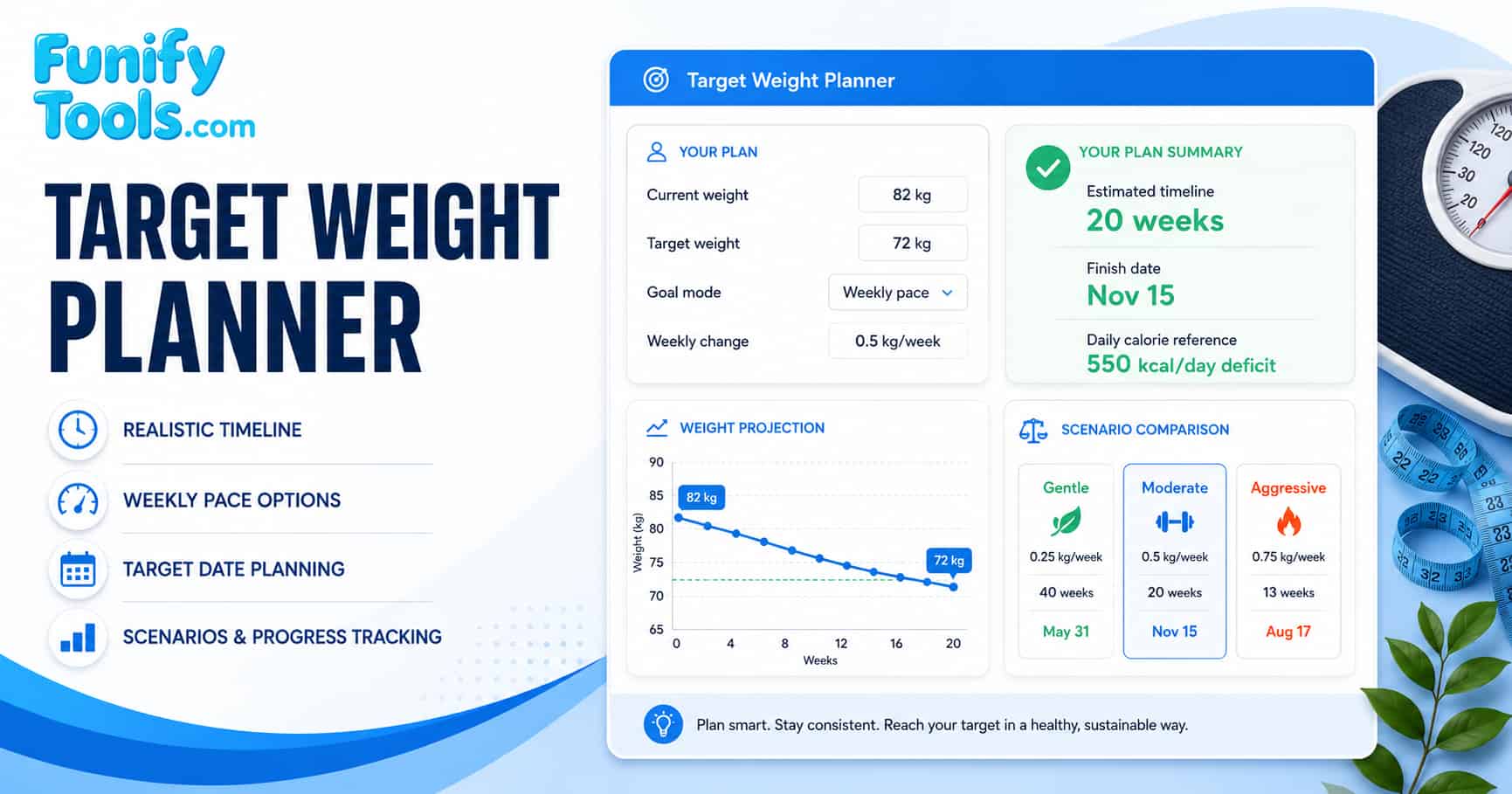
What this planner does
A target weight plan is more than a simple timeline estimate. This planner helps you explore different planning approaches: you can set a weekly pace and see how long it takes, set a deadline and see what pace is required, or let the planner generate recommended scenarios. Each result includes a pace assessment that tells you whether the pace is gentle, moderate, aggressive, or very aggressive based on general reference ranges.
This tool is especially useful for anyone planning a structured fitness or nutrition program. By adjusting the planning mode, you can explore different scenarios and find a pace that fits your lifestyle. The planner also generates a week-by-week table, a weight projection chart, a pace comparison chart, and scenario comparison tools. For additional context on setting realistic fitness expectations, you can explore how to set realistic weight goals on Google.
Choose a planning mode
The planner offers three modes to match your planning style:
- Choose weekly pace – Enter your planned weekly weight change. The planner calculates the timeline based on that pace.
- Choose target date – Enter a deadline date. The planner calculates the required weekly pace to reach your goal by that date.
- Let calculator suggest pace – No weekly change input needed. The planner generates gentle, moderate, and aggressive scenarios automatically.
Weekly pace vs target date
Weekly pace mode is best when you already have a pace in mind. You know how much you want to change per week, and you want to see how long it will take. This is useful for people who prefer to focus on process-oriented goals (e.g., "I want to lose 0.5 kg per week").
Target date mode is best when you have a specific deadline, such as a vacation, event, or competition. The planner calculates the required weekly pace to meet that date, and then assesses whether that pace is realistic. If the required pace is very aggressive, the planner will suggest considering a slower timeline.
Suggested pace mode is best when you are unsure what pace is appropriate. The planner generates three scenarios with different paces so you can compare them and choose the one that fits your lifestyle.
Pace assessment
Each result includes a pace assessment that categorizes the weekly change rate using general reference ranges:
Weight loss (kg)
- 0 to 0.25 kg/week: Gentle
- 0.25 to 0.5 kg/week: Moderate
- 0.5 to 0.9 kg/week: Aggressive
- Above 0.9 kg/week: Very aggressive
Weight loss (lbs)
- 0 to 0.5 lb/week: Gentle
- 0.5 to 1.0 lb/week: Moderate
- 1.0 to 2.0 lb/week: Aggressive
- Above 2.0 lb/week: Very aggressive
Weight gain (kg)
- 0 to 0.1 kg/week: Gentle
- 0.1 to 0.25 kg/week: Moderate
- 0.25 to 0.45 kg/week: Faster
- Above 0.45 kg/week: Very aggressive
Weight gain (lbs)
- 0 to 0.25 lb/week: Gentle
- 0.25 to 0.5 lb/week: Moderate
- 0.5 to 1.0 lb/week: Faster
- Above 1.0 lb/week: Very aggressive
If the pace is assessed as Very aggressive, the planner displays a caution message: "This pace may be difficult to sustain. Consider a slower timeline or professional guidance, especially for health-related decisions."
These ranges are general reference thresholds based on common health and fitness guidelines. Individual factors such as metabolism, starting weight, and overall health can affect what pace is appropriate for you.
Simple calorie reference
The planner provides a rough calorie reference based on general estimates:
- 1 kg of weight change is roughly 7,700 kcal
- 1 lb of weight change is roughly 3,500 kcal
- Estimated daily adjustment = (weekly change in kg or lb × kcal per unit) ÷ 7
The result shows an estimated daily deficit or surplus as a planning reference. This is a rough estimate, not a personalized nutrition prescription. Individual calorie needs vary based on age, sex, body composition, training load, and metabolism.
Projection chart
The Weight projection chart is a line chart that shows the estimated weekly weight from your current weight to your target weight. Each point on the line represents the estimated weight at the end of that week. The chart helps you visualize the expected trajectory and see how much weight change is expected each week.
The Pace comparison chart is a bar chart that compares the estimated weeks for each scenario (gentle, moderate, aggressive). This helps you quickly see how different paces affect the overall timeline.
Tracking actual progress
After calculating a plan, you can enter actual weigh-in dates and weights. The planner compares each actual weight to the planned weight for that week (based on the start date) and shows the difference. For weight loss, if your actual weight is at or below the planned weight, you are on or ahead of plan. For weight gain, if your actual weight is at or above the planned weight, you are on or ahead of plan.
Weigh-in records are stored locally on your device and persist across sessions. Use the "Clear weigh-ins" button to delete all stored records.
Practical tips
- Start with a moderate pace: For most people, a moderate pace (0.5 kg/week or 1 lb/week for loss) is sustainable and realistic.
- Focus on the trend: Short-term fluctuations are normal. Compare your actual weight to the planned weight as a trend, not a daily target.
- Adjust as you go: Use the tracking feature to see if your actual progress matches the plan. If you are consistently ahead or behind, recalculate with updated numbers.
- Use the scenarios: If you are unsure what pace to choose, use the suggested pace mode to compare gentle, moderate, and aggressive scenarios.
- Combine with other tools: Use this planner alongside other fitness and health calculators for a more complete picture.
References
- World Health Organization. (2000). Obesity: Preventing and managing the global epidemic. WHO Technical Report Series 894.
- Centers for Disease Control and Prevention. Losing Weight. https://www.cdc.gov/healthyweight/losing_weight/index.html
- National Health Service. Weight loss planning. https://www.nhs.uk/live-well/healthy-weight/managing-your-weight/
- Hall, K. D., et al. (2011). Quantification of the effect of energy imbalance on bodyweight. The Lancet, 378(9793), 826-837.
- Thomas, D. M., et al. (2013). Time to correctly predict the amount of weight loss. Journal of the Academy of Nutrition and Dietetics, 113(4), 536-543.