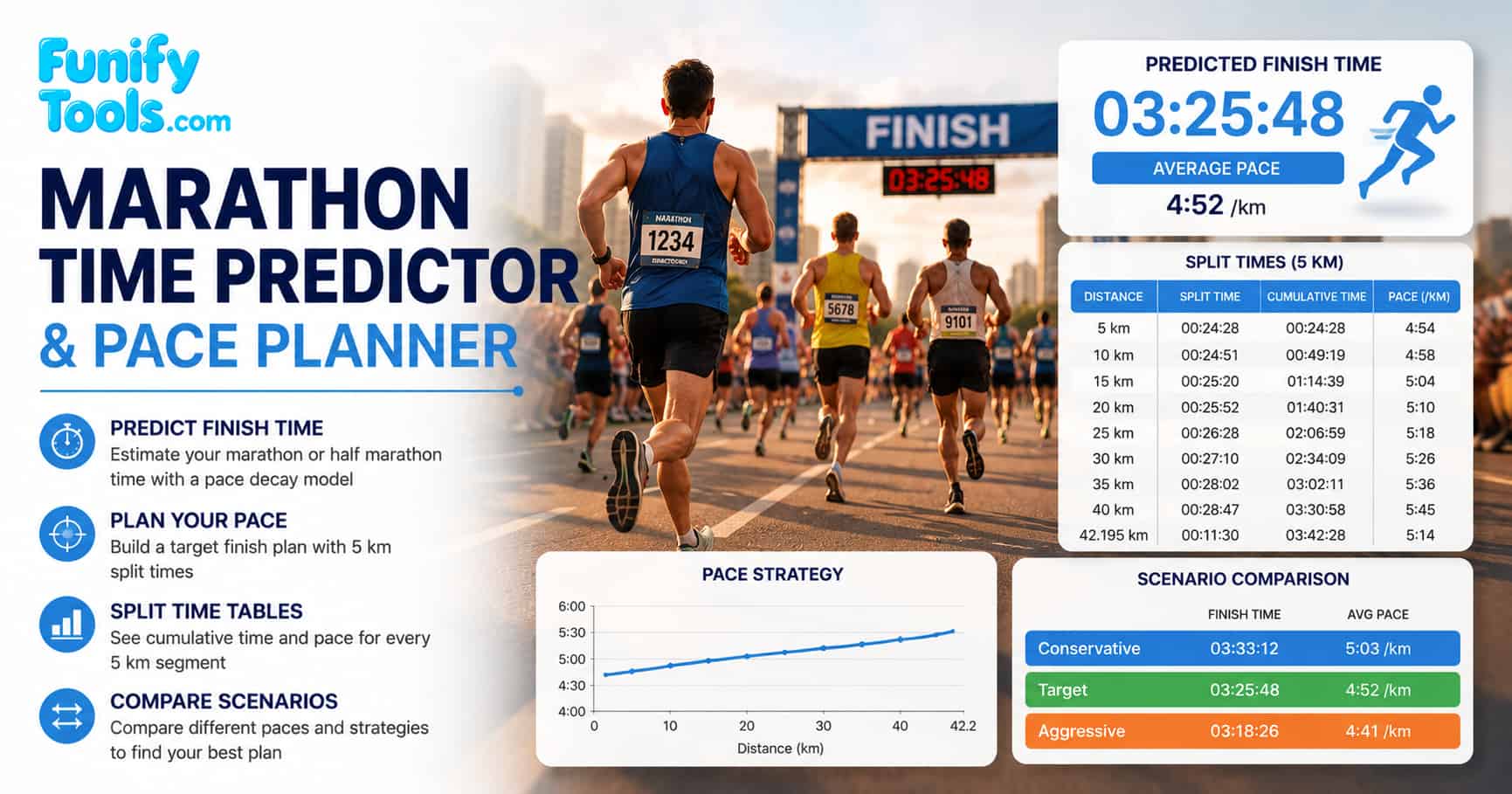
What this tool does
Marathon pacing is mostly about matching effort to a distance that is long enough to punish early mistakes. This page helps you in two race-specific ways: estimate a finish time from a partial run, or generate a clean split plan for a target finish time. If you only need to convert distance and time into min/km or min/mi, the Running Pace Calculator is the simpler tool. This page is for decisions where race distance, fatigue, and 5 km checkpoints matter.
A marathon time predictor is most useful when it connects recent fitness to a realistic race-day decision. A short test run can show current speed, but a marathon rewards patience, fueling, durability, and steady effort. If you want to compare different public models before choosing a target, search for marathon time predictor pace calculator methods and look at how each method handles fatigue over distance. Many experienced runners combine multiple prediction models to arrive at a realistic goal time.
Modes
The two modes answer different planning questions. Predict mode starts with what you have already run and asks, "What finish time does this imply?" Target Pace Planner starts with a goal and asks, "What pace do I need to hold?" Choosing the right mode helps prevent mixing a training estimate with a race execution plan. Both modes provide 5 km split tables, charts, and scenario comparison to help you visualize your race strategy.
Predict Finish Time
- Enter a distance you already ran and the time it took.
- Select a runner level to apply a simplified slowdown pattern.
- The result is an estimated finish time and a forward looking split schedule.
Target Pace Planner
- Enter your desired finish time.
- The tool computes a steady average pace and provides split times every 5 km.
For a stronger prediction, use a recent run that resembles your goal event: a long run, tune-up race, or controlled workout. Searching for marathon prediction from half marathon 10K race time can help you understand why longer recent races usually predict the marathon better than very short efforts. A half marathon time, for example, is generally a more reliable predictor than a 5 km result because it tests endurance as well as speed.
| Finish goal | Pace per km | Pace per mile | Half split | 30 km split |
|---|---|---|---|---|
| 3 hours | 4:16 / km | 6:52 / mi | 1:30:00 | 2:07:59 |
| 3 hours 30 min | 4:59 / km | 8:01 / mi | 1:45:00 | 2:29:18 |
| 4 hours | 5:41 / km | 9:09 / mi | 2:00:00 | 2:50:38 |
| 4 hours 30 min | 6:24 / km | 10:18 / mi | 2:15:00 | 3:11:58 |
| 5 hours | 7:07 / km | 11:27 / mi | 2:30:00 | 3:33:18 |
What makes a marathon prediction more reliable
A marathon prediction is strongest when the input run reflects both current fitness and endurance. A short fast effort can overstate your marathon potential because it says more about speed than durability. A long tune-up race, a controlled long run, or a recent half marathon usually gives a better signal because it includes pacing discipline, fueling, and fatigue resistance.
| Input run | Reliability | Why it helps | Watch out for |
|---|---|---|---|
| Recent half marathon race | High | Tests speed and endurance together. | Course difficulty and weather can distort the estimate. |
| 25-32 km long run | High if controlled | Shows durability and late-run pacing. | Training runs are often not all-out efforts. |
| 10K race | Moderate | Good fitness signal for experienced runners. | May overpredict marathon if endurance is underdeveloped. |
| 5K time trial | Low to moderate | Useful speed marker. | Too short to reveal fueling or late-race fatigue. |
When in doubt, compare multiple inputs. If a 10K race predicts a much faster marathon than your long runs suggest, treat the long-run evidence seriously. Marathon performance is often limited by endurance, fueling, heat tolerance, and pacing restraint rather than raw speed alone.
How to choose a realistic race goal
A good marathon goal usually has layers: an ambitious goal, a realistic goal, and a fallback goal. The calculator gives one estimate, but race day is dynamic. Setting a range helps you make better decisions if the weather changes, the course is more difficult than expected, or the first half feels harder than planned.
| Goal type | How to set it | Race-day use | Example |
|---|---|---|---|
| A goal | Best realistic outcome from recent fitness | Use only when conditions and legs feel good. | 3:29:59 |
| B goal | Most likely strong finish | Main pacing anchor for the first half. | 3:35:00 |
| C goal | Safe finish or personal milestone | Fallback if heat, cramps, or GI issues appear. | Sub-4 or finish strong |
The first 10 km should usually feel controlled, not heroic. If the pace feels stressful early, the calculator result may still be useful, but the race plan needs adjustment. A slightly slower start often protects the final 10 km better than banking time early.
Pace decay
Pace decay is a simplified way to model fatigue. This tool applies a fixed slowdown factor after a distance threshold that depends on runner level. It is not a physiological model. It is a practical estimate that can help you avoid overly optimistic pacing. Even elite runners experience some degree of pace decay in the final kilometers, and understanding this can help you plan a more realistic race.
- Beginner: higher decay and earlier decay start
- Intermediate: moderate decay and later decay start
- Elite: small decay and latest decay start
| Runner level | Slowdown factor | Decay start | Practical meaning |
|---|---|---|---|
| Beginner | 25% | 25 km | More conservative projection for later fatigue |
| Intermediate | 12% | 28 km | Moderate slowdown for trained runners |
| Elite | 3% | 32 km | Small slowdown for highly conditioned runners |
The decay setting should be treated as a planning assumption, not a label of personal worth. A runner may be experienced but still choose a conservative setting for a hot race, hilly course, first marathon, or uncertain fueling plan. The key is to be honest about your current fitness level and race conditions rather than selecting a setting based on ego.
Splits and pacing
Splits are shown in 5 km steps to match common race signage and pacing habits. If you select miles, distances are shown in miles, but the step logic still follows 5 km internally. The split table helps you break the race into manageable chunks so you can focus on one segment at a time rather than the entire distance.
- Use the average pace as your anchor, especially early.
- Expect some drift later, even with smart pacing.
- Practice the plan in long runs to validate it.
| Race factor | What can happen | Practical adjustment |
|---|---|---|
| Heat or humidity | Heart rate rises and pace can fade earlier. | Start more conservatively and prioritize hydration. |
| Hilly course | Even pace may require uneven effort. | Use effort on climbs and recover on descents. |
| Fueling uncertainty | Late-race slowdown can become sharper. | Practice gels, fluids, and timing during long runs. |
| Crowded start | Early pacing can be slower or erratic. | Avoid surges and settle into rhythm after the first kilometers. |
Split plans are also useful for building pacing bands or watch alerts. If you want race-day strategy examples, search for marathon pacing strategy negative split even pace and compare even pacing, slight negative splits, and conservative starts. Many coaches recommend aiming for a slight negative split, running the second half slightly faster than the first, because that strategy often reduces early overpacing risk.
Fueling, hydration, and checkpoint planning
Marathon pace is not only a math problem. Many late-race slowdowns happen because the runner under-fueled, drank too little, drank too much, or skipped practice with race-day products. Once the split table gives you approximate checkpoint times, use those marks to plan when you will take fluids, carbohydrates, and mental resets.
| Checkpoint | What to review | Practical action | Why it matters |
|---|---|---|---|
| Start to 10 km | Pace control and early breathing | Stay relaxed and avoid surges. | Early overpacing raises late fatigue risk. |
| 10-25 km | Fuel timing and rhythm | Take planned carbohydrates and fluids. | Prevents energy dips before they appear. |
| 25-35 km | Form, cadence, and effort drift | Use smaller goals such as the next aid station. | This is where pace decay often begins. |
| 35 km to finish | Remaining effort and safety | Adjust goal if cramps, dizziness, or stomach issues appear. | Finishing well is better than forcing a collapsing pace. |
Use the split plan to rehearse decisions before race day. Knowing when you expect to reach 10 km, halfway, 30 km, and 35 km makes it easier to stay calm, compare actual progress to the plan, and decide whether to hold, ease, or push.
Training and preparation
A realistic marathon goal depends heavily on the quality of your training. Most marathon training plans span 16 to 20 weeks and include a mix of easy runs, long runs, speed work, and recovery days. The long run is the cornerstone of marathon preparation because it builds aerobic endurance and teaches your body to burn fat efficiently over extended periods.
Key training components that influence your marathon finish time include:
| Training component | Frequency | Purpose | Impact on finish time |
|---|---|---|---|
| Long run | Weekly, 90-180 min | Build aerobic endurance and mental toughness | Directly improves endurance and late-race pacing |
| Tempo run | Weekly, 20-40 min at threshold | Raise lactate threshold and improve sustained pace | Helps maintain goal pace longer before fatigue |
| Interval / speed work | 1-2 times per week | Improve VO2 max and running economy | Boosts overall speed and efficiency |
| Easy / recovery run | 2-4 times per week | Promote recovery and build mileage safely | Enables consistent training without injury |
| Cross training | 1-2 times per week | Strengthen supporting muscles and reduce impact | Reduces injury risk and improves overall fitness |
In addition to structured workouts, proper nutrition, hydration, and sleep play critical roles in marathon preparation. Carbohydrate loading in the days before the race, staying hydrated during the run, and consuming energy gels or sports drinks at regular intervals can significantly affect your ability to maintain pace in the final 10 km.
Limitations
This tool is for education and planning, not a guarantee.
- It does not account for course elevation, heat, wind, or fueling.
- GPS and manual input errors can skew predictions.
- Fatigue varies widely by training and race conditions.
Use the result as a starting point, then adjust it with what you know about the runner and the course. A realistic marathon goal often combines calculator output, recent long-run quality, tune-up race results, weekly training volume, and how well the runner handles fluids and carbohydrates. Searching for marathon training plan weekly mileage long run guide can help you understand how training volume correlates with finish time expectations.
References
Wikipedia: Marathon | Wikipedia: Running economy | Wikipedia: Lactate threshold